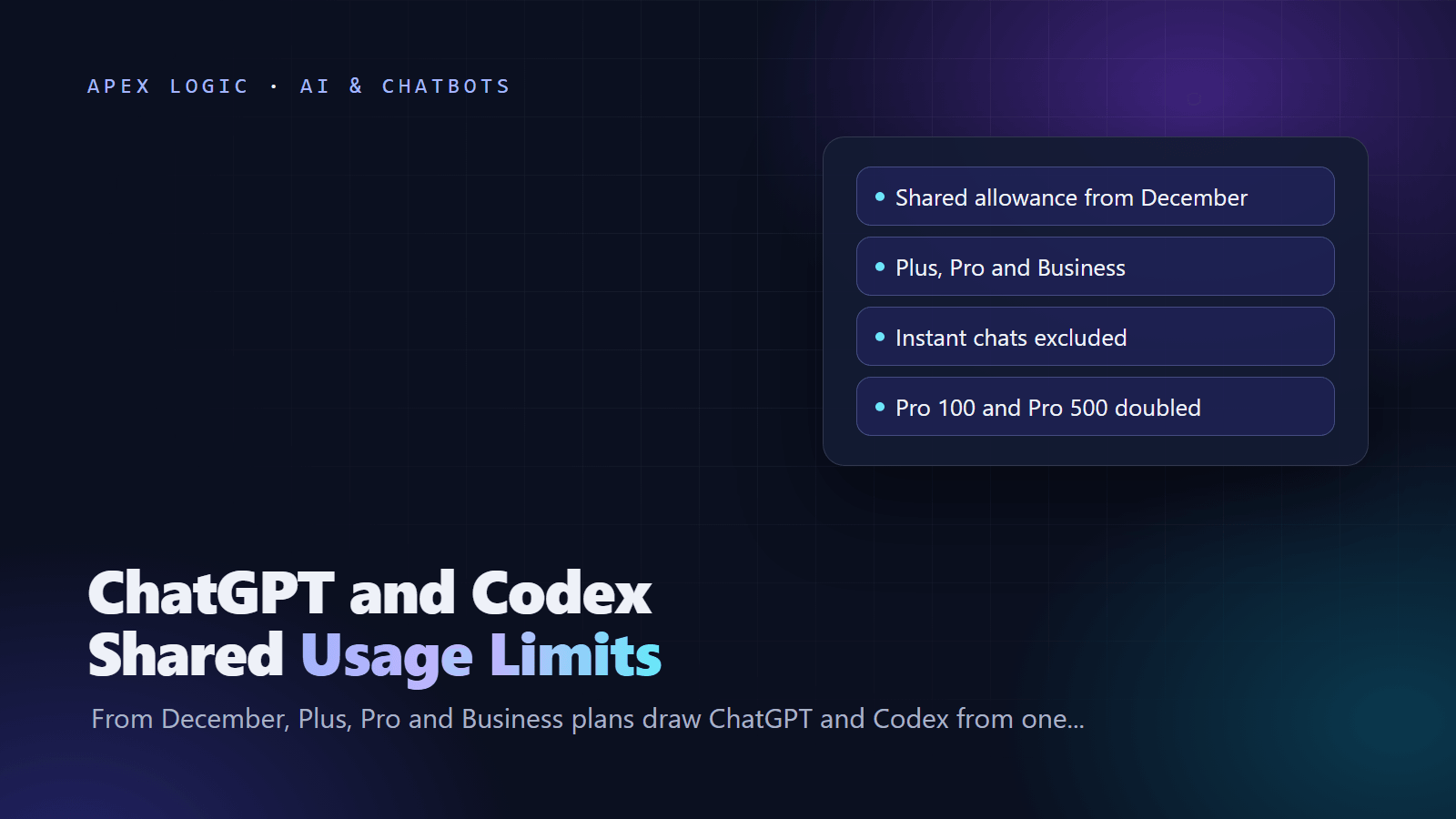
Updated 10 November 2026. OpenAI confirmed in early November that ChatGPT and Codex will share one usage allowance on Plus, Pro and Business starting in December, and it has already doubled several Pro allowances.
ChatGPT and Codex shared usage limits start in December 2026: on Plus, Pro and Business plans, your ChatGPT use and your Codex use will draw from one allowance, measured in tokens. OpenAI's help article says more advanced models and complex tasks use more of it, Instant chats do not count, and most users should not have to wait for resets more often than they do now. OpenAI has not published an exact December start date or new per-plan numbers.
Codex stays a separate experience in the ChatGPT desktop app, OpenAI told subscribers by email, BleepingComputer reported. What changes is that more of your everyday ChatGPT use comes out of the pool your coding agent uses. Combined usage and reset times will show in Settings, Usage, and when you run out you can wait, upgrade or buy credits.
Shared usage limits at a glance
| Question | Answer, as of 10 November 2026 |
|---|---|
| When it starts | December 2026, with no exact date published |
| Plans named by OpenAI | Plus, Pro and Business |
| How usage is measured | Tokens; bigger models and complex tasks use more |
| Does not count | Instant chats, and Codex used with an API key, which bills at API rates |
| Where to check | Settings, Usage in ChatGPT; the Codex usage dashboard; /status in the Codex CLI |
| When you run out | Wait for the reset, upgrade your plan, or buy credits |
| New per-plan numbers | Not published yet |
| Pro changes already live | Pro 100 and Pro 500 allowances doubled; the lower Pro 200 allowance doubled |
What changes in December?
Today your plan's Codex allowance covers Codex in the desktop app, the CLI, the IDE extension and the cloud, and ChatGPT Work already uses the same pricing, credits and limits as Codex. On Plus and Pro, ChatGPT for Excel, PowerPoint and Word draw on that same agentic allowance where they are available. Chat has been counted separately so far: OpenAI's Pro help page, for example, says weekly GPT-6 Pro message limits in Chat are separate from the Work and Codex allowance.
From December, OpenAI says the Plus, Pro and Business allowance will be shared across ChatGPT and Codex as it brings the agentic features of Work into the main ChatGPT experience. In its email to subscribers, OpenAI said it will first test a combined Chat and Work experience with a small group of users, BleepingComputer reported. Instant chats stay outside the pool.
Three things are still open as of 10 November 2026: the exact start date, the token allowance for each plan, and how each advanced ChatGPT feature will be counted. OpenAI says it expects most users will not wait for resets more often than now, but it has not shown the numbers behind that.
Which plans are affected?
| Plan | Price | Codex today | December change |
|---|---|---|---|
| Free | $0 | GPT-6 Luna at Standard speed in the desktop app, subject to rollout | Not named by OpenAI |
| Go | $8 a month | Same as Free | Not named by OpenAI |
| Plus | $20 a month | Web, CLI, IDE extension and iOS; GPT-6.1 Sol and GPT-6 Luna; five-hour limits | Shared allowance |
| Pro 100, Pro 200, Pro 500 | $100, $200 and $500 a month | No five-hour limit at present; Ultrafast only on Pro 500 | Shared allowance |
| Business | $20 a user a month billed annually, $25 monthly, 2 or more users | Same five-hour estimates as Plus on standard seats | Shared allowance |
| Enterprise and Edu | Custom | No fixed rate limits with flexible pricing; otherwise Plus-level limits per seat | Not named by OpenAI |
Prices are from OpenAI's Codex pricing page as of 10 November 2026.
How much Codex do you get now?
OpenAI publishes estimates of local Codex messages per five-hour window for Plus and standard Business seats. Pro plans have no five-hour limit at present. Weekly limits may also apply, cloud tasks can use more than local messages, and OpenAI stresses that these are estimates, not fixed caps.
| Model | Local messages per 5 hours, Plus and standard Business |
|---|---|
| GPT-6 Astra | 5 to 45 |
| GPT-6.1 Sol | 15 to 160 |
| GPT-6.1 Terra | 35 to 285 |
| GPT-6 Sol | 15 to 150 |
| GPT-6 Luna | 350 to 3,000 |
The spread is the point. Choosing GPT-6 Luna for routine edits stretches the same allowance many times further than GPT-6 Astra. Once ChatGPT joins the pool, a long session on an advanced model in chat will come out of the same budget.
Speed modes and extras use it faster
| Mode or feature | Included usage | Purchased credits |
|---|---|---|
| Fast | 2.5x the Standard rate | 2x the Standard rate |
| GPT-6 Astra Ultrafast | 8x | 6x |
| GPT-6.1 Sol Ultrafast | 8x | 6x |
| Image generation | About 3 to 5x faster on average | Draws credits after your limits |
| Voice in Desktop | $0.05 of Codex budget a minute | 1.25 credits a minute |
One saving: OpenAI says GPT-6.1 Sol usage drawn from your subscription has no long-context surcharge in Codex or ChatGPT Work.
What counts toward the shared allowance?
Based on OpenAI's help center and Codex docs, as of 10 November 2026:
- Counts: Codex local chats and cloud tasks; ChatGPT Work; ChatGPT for Excel, PowerPoint and Word on Plus and Pro where available; partner apps you connect with Sign in with ChatGPT and allow to use your plan; and, from December, ChatGPT use other than Instant chats.
- Does not count: Instant chats; auto-review safety checks when you are signed in with ChatGPT, which OpenAI says are free; and Codex used with an API key, which bills at API prices instead.
Partner apps are easy to forget. OpenAI's partner list for plan usage includes tools such as Amp Code, Devin, Kilo Code and Warp, plus open-source integrations such as OpenCode, which we cover in our OpenCode 2.0 upgrade guide. OpenAI says connecting an app adds no new allowance. You can cap each app's share in Settings, Usage, under App limits.
How to check your ChatGPT and Codex usage
- In ChatGPT, open Settings, then Usage. OpenAI says this is where combined remaining usage and reset times will appear.
- For Codex, open the usage dashboard in your Codex settings on chatgpt.com.
- In a Codex CLI session, type /status to see your remaining limits.
- In the Codex app, open Usage & Billing to see your credit balance and recent usage.
- Check every week or two, as OpenAI suggests, so you know your pace before a deadline.
What to do when you hit the limit
- Finish the current turn: OpenAI says an agent that reaches the limit mid-turn can keep working on that turn, subject to fair use limits.
- Wait: reset times show in Settings, Usage. OpenAI Support cannot reset limits for you.
- Buy credits: Plus and Pro users can buy credits from Settings, Usage in ChatGPT or Usage & Billing in the Codex app. Included usage is used first, credits last 12 months, and automatic reload can top up to a target balance with a monthly cap. On Free and Go, credit purchases are open only to a limited group for now.
- Use an API key: any user can run extra local Codex chats with an API key, billed at standard API rates.
- Upgrade: Pro plans have no five-hour limit at present, and Pro 500 adds Ultrafast.
A worked credits example
Illustrative only, with assumptions stated: your included usage is gone, and a Codex task on GPT-6.1 Sol reads 100,000 new input tokens and 300,000 cached input tokens, then writes 20,000 output tokens. OpenAI's Codex rates for GPT-6.1 Sol are 50 credits per million input tokens, 2.5 per million cached input tokens and 250 per million output tokens. With OpenAI's credit formula:
| Part | Calculation | Credits |
|---|---|---|
| New input | 0.1 million x 50 | 5.00 |
| Cached input | 0.3 million x 2.5 | 0.75 |
| Output | 0.02 million x 250 | 5.00 |
| Total on GPT-6.1 Sol | Sum of the three | 10.75 |
| Same task on GPT-6 Luna | (0.1 x 2.5) + (0.3 x 0.25) + (0.02 x 12.5) | 0.575 |
Credit prices depend on your plan, region and agreement, so check your own account before you budget in dollars.
How to make the shared allowance last
- Use Instant for quick questions, since it does not draw from the pool.
- Pick the smallest model that does the job. GPT-6 Luna handles routine edits; save GPT-6 Astra for hard problems.
- Keep Fast and Ultrafast for moments when speed matters. Fast uses included usage at 2.5 times the Standard rate.
- Trim prompts and source material, and ask for the output length you need.
- Keep AGENTS.md lean, and nest files by folder in large repositories, as OpenAI recommends.
- Turn off MCP servers you are not using. OpenAI says each one adds context to your messages.
- Set weekly limits for partner apps in Settings, Usage.
- Move CI and scheduled jobs to an API key, so they do not compete with your interactive work.
Claude Code users face the same kind of trade-off with a rolling window, which we cover in our guide to the Claude Code 5-hour limit.
What changed for Pro plans
- Pro 500 is new: $500 a month, and the only Pro tier with GPT-6 Astra Ultrafast and GPT-6.1 Sol Ultrafast.
- Doubled allowances: Pro 100 and Pro 500 now include twice their previous Work and Codex allowance. On Pro 200 only the lower allowance doubled, so all Pro 200 subscribers now share the higher level.
- Pro 200 cut canceled: OpenAI canceled the reduction it announced in a 29 September email, and Pro 200 is open to new subscribers again at $200 a month.
- Timing: BleepingComputer reported that the doubled allowances took effect on 29 October.
- Plus: unchanged, OpenAI says.
OpenAI notes that a bigger allowance does not guarantee twice as many finished tasks, and it has not said how the separate weekly GPT-6 Pro message limits in Chat will fit the December pool. If you pay for Pro, our guide on claiming ChatGPT Pro API credits covers a separate benefit worth checking.
What this means for developers and small teams
For one developer, a long research thread on an advanced ChatGPT model in the morning can leave less Codex room in the afternoon. For a team, take a hypothetical example with stated assumptions: three developers on Business seats run Codex most of the day and use ChatGPT for specs and emails. If the December pool counts those chats, they may hit limits sooner, so the team could move CI jobs to an API key, keep routine edits on GPT-6 Luna, and set a monthly credit cap for overflow.
Our guide to AI coding assistants for teams covers budgets and policy, and our LLM API cost guide shows how to estimate API-key spend. If you want to see which tools and models use most of your AI budget, our AI Data Analyst can answer questions over exported usage files, or you can talk to our team.
FAQ
When do ChatGPT and Codex start sharing usage limits?
OpenAI says the shared allowance starts in December 2026 for Plus, Pro and Business plans. As of 10 November 2026 it has not named an exact date in December or published the new per-plan numbers. OpenAI also told subscribers it will test a combined Chat and Work experience with a small group first, BleepingComputer reported, so the change may reach accounts at different times.
Does the Codex CLI count toward the shared limit?
Yes, when you sign in with ChatGPT. Codex in the CLI, the IDE extension, the desktop app and the cloud already shares your plan's Codex allowance, and from December that allowance is shared with ChatGPT too. If you sign in to the CLI with an API key instead, usage is billed at OpenAI API rates and does not draw from your ChatGPT plan.
Do Instant chats count against Codex?
No. OpenAI's help article says Instant chat will not draw from your usage, and its Business rate card lists Instant as unlimited, subject to abuse guardrails. What will count from December is heavier ChatGPT use, such as advanced models and complex tasks, which OpenAI says use more of the allowance. Quick questions on Instant are the cheapest way to keep Codex time free.
Will my Codex limits get smaller in December?
OpenAI has not published new numbers, but it says it expects most users to hit resets no more often than they do today. Pro allowances went up in late October, and OpenAI says Plus usage is unchanged. If you use advanced ChatGPT models heavily, expect less room for Codex, because both will come from one allowance.
Do apps that use Sign in with ChatGPT count?
Yes, if you allow the app to use your ChatGPT plan. OpenAI says eligible requests in partner apps count toward the ChatGPT Work and Codex usage in your plan, and connecting an app adds no new allowance. You can set a weekly limit for each app in Settings, Usage, and apps can use credits after your included usage only if you turn that option on.
Can OpenAI Support reset my usage limits?
No. OpenAI's Pro help page says Support cannot reset ChatGPT or Codex limits, though it can investigate if usage was counted wrongly or access did not return after a reset. Your options are to wait for the reset shown in Settings, Usage, buy credits if your plan allows it, run extra local Codex chats with an API key, or move to a larger plan.
Sources
- OpenAI Help Center: Understanding ChatGPT and Codex usage limits
- OpenAI: Codex pricing and usage limits
- OpenAI Help Center: About ChatGPT Pro tiers
- OpenAI Help Center: Using Credits for Flexible Usage in ChatGPT
- OpenAI Help Center: Using your ChatGPT plan in other apps and sites
- OpenAI: Sign in with ChatGPT partners
- OpenAI Help Center: ChatGPT Rate Card for Business and Enterprise
- BleepingComputer: OpenAI says it's doubling Pro usage limits and bringing Work features to Chat

Loading comments...