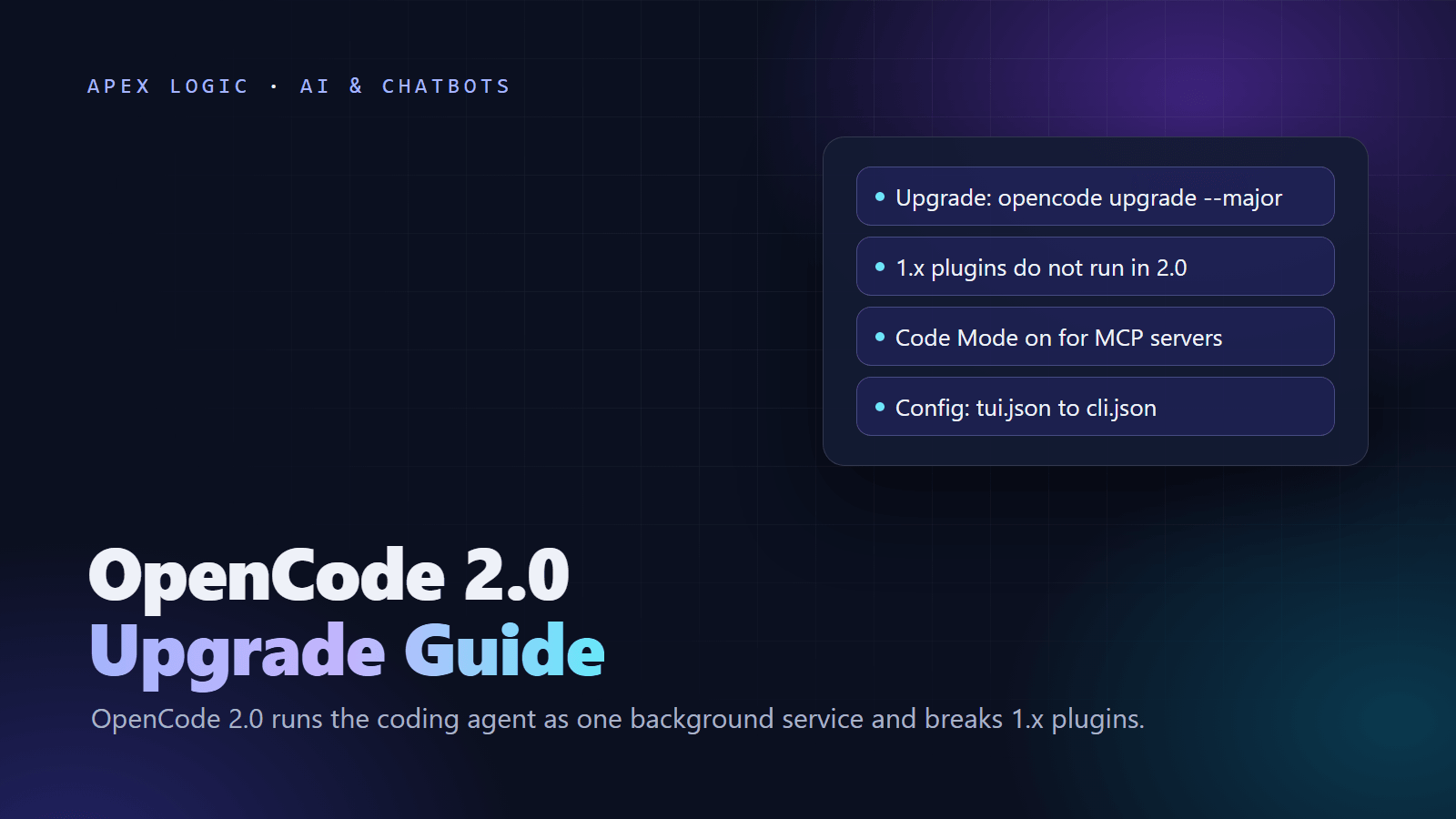
Updated 18 October 2026. OpenCode 2.0 is rolling out with breaking changes and OpenCode disclosed a Console breach on 17 October, so this guide covers what changed, how to upgrade and which keys to rotate.
OpenCode 2.0 is a major new version of OpenCode, the MIT-licensed open-source coding agent, and the biggest change is how it runs: the terminal, web and desktop apps now connect to one background service on your machine. Anomaly's release notes also list a rebuilt server API and SDK, a Code Mode that lets the agent call MCP tools from a short script, background tasks, stable terminal plugins and a new terminal config file.
To upgrade the CLI, get onto the latest 1.x release and run opencode upgrade --major. Three things break: 1.x plugins, integrations that call the old server API, and the old tui.json terminal settings, which move to cli.json. Separately, on 17 October 2026 OpenCode disclosed a breach affecting 1.4% of its Console users, whose linked provider API keys may have been exposed. If you received its email, rotate those keys first.
OpenCode 2.0 at a glance
From Anomaly's OpenCode 2.0 notes, the official migration guide and the GitHub repository, checked on 18 October 2026:
| Change | What it means for you |
|---|---|
| One background service | The server starts automatically as a single process; the terminal, web and desktop apps connect to it, and scripts using @opencode/client find it on their own |
| Rebuilt server API | New contracts, so integrations built on the 1.x API must be ported |
| Code Mode | MCP servers and OpenAPI endpoints become functions the agent can chain in one script; on by default for all MCP servers |
| Background tasks | Background subagents and shell commands, and ctrl+b to move running work to the background |
| Plugins | A new plugin API; 1.x plugins do not run, and terminal plugins are now stable with hot reloading |
| SDK | @opencode/sdk, the same code that powers the CLI, usable as a library (still in development) |
| Terminal config | Layered tui.json files replaced by one global ~/.config/opencode/cli.json, migrated on first start |
| Project instructions | Only AGENTS.md is discovered, so guidance in CLAUDE.md must move |
| Language servers | The lsp config is kept, but 2.0 does not run language servers or show LSP diagnostics |
The changelog shows the pace: 2.0.27 (12 October) added built-in worktree tools and an installable web app, 2.0.29 (14 October) remote device pairing and automatic continuation at the output token limit, and 2.0.32 (16 October) a /copy command.
What is new in OpenCode 2.0
One service for the terminal, web and desktop apps
In 2.0, the OpenCode server runs automatically as a single background process and every client attaches to it, so the apps and your own scripts work against the same service. The CLI exposes it through opencode api commands, and you can expose it to other machines and pair apps with /pair or opencode pair. If you want a client that does not share the service, the CLI docs list --standalone to run with a private server and --server to connect to a specific server URL.
Code Mode for MCP tools
The @opencode/codemode package is a minimal JavaScript interpreter that turns MCP servers or OpenAPI endpoints into functions, so the agent can chain several tool calls inside one short script. In 2.0 every MCP server is opted into Code Mode by default, so re-test the tasks that use your own MCP servers. Our MCP explainer covers what these servers are.
Background tasks, plugins and the SDK
Subagents and shell commands can now run in the background, and ctrl+b moves running foreground work there. About 80 built-in features are now internal plugins, and terminal plugins built on OpenTUI are stable with hot reloading. The new @opencode/sdk package is the same code that powers the CLI and can run inside your own tools, though Anomaly says it is still in development.
Before you upgrade: five checks
- Back up your setup. Copy your global config and each project's
.opencode/folder, and do not point 1.x at files you later convert to 2.0-only formats. - List your plugins. Every 1.x plugin needs porting before it runs again.
- List anything that calls the server API, such as scripts, editor extensions or CI jobs.
- Find your CLAUDE.md files. 2.0 only discovers
AGENTS.md. - Note how you installed 1.x. Both versions use the
opencodecommand and are not installed side by side by default.
How to upgrade OpenCode to 2.0 in 7 steps
These steps follow the official migration guide. Anomaly suggests pointing OpenCode at that guide so it can migrate parts of your setup itself; review its edits before you keep them.
- Remove a package-managed 1.x install. The 2.0 install script replaces the 1.x binary, so the guide says to remove any 1.x install made with a package manager first.
- Install 2.0. Anomaly's notes say to get onto the latest 1.x release and run the major upgrade, and the opencode.ai home page gives the 2.0 install script. Desktop users download the latest app.
- Keep your config and
.opencode/files where they are. 2.0 reads them from the same locations and converts 1.x fields in memory without rewriting your files. - Start 2.0 in a test project and check models, provider credentials, agents, permissions and MCP servers.
- Port your plugins, as described below.
- Port server API integrations to the
@opencode/clientpackage and the new API reference. - Optionally convert your config to native 2.0 format. Mixed 1.x and 2.0 top-level fields can coexist, so you can do this gradually.
# Upgrade an existing CLI (be on the latest 1.x release first)
opencode upgrade --major

# Or install 2.0 with the official script from opencode.ai
curl -fsSL https://opencode.ai/v2/install | bash

# Print where 2.0 keeps its config
opencode debug paths config
Config changes: the 1.x to 2.0 mapping
2.0 still reads 1.x config; these are the native names, selected from the guide's full table:
| 1.x | 2.0 |
|---|---|
permission / tools | permissions, an ordered array of action, resource and effect |
bash, task, write / patch actions | shell, subagent, edit |
agent / mode | agents |
mcp servers, with enabled | mcp.servers, with disabled (the inverse) |
provider | providers |
command / subtask | commands / subagent |
skills.paths + skills.urls | skills, one array |
variant | Added to the model as provider/model#variant |
autoupdate: false, "notify", true | update: "disable", "notify", "auto" |
Three settings to fix by hand
Folders outside the project. 2.0 allows the external_directory action by default. To be asked before OpenCode works outside the project, as in 1.x, add this rule to your config:
{
  "permissions": [
    { "action": "external_directory", "resource": "*", "effect": "ask" }
  ]
}
Renamed provider IDs. azure-cognitive-services becomes azure and google-vertex-anthropic becomes google-vertex, but the top-level model field keeps its exact ID, so update it yourself.
Ignored settings. Some 1.x fields are ignored with a warning, among them logLevel (use the OPENCODE_LOG_LEVEL environment variable instead) and server. Read the startup warnings after your first run.
Porting 1.x plugins
Start with the config entry. Rename plugin to plugins and turn each package-and-options pair into an object, as in this example from the migration guide:
// V1
{ "plugin": ["opencode-example-plugin", ["./plugin/local.ts", { "enabled": true }]] }

// V2
{ "plugins": ["opencode-example-plugin", { "package": "./plugin/local.ts", "options": { "enabled": true } }] }
Then port the code, following the plugin migration guide. Import from @opencode/plugin instead of @opencode-ai/plugin, and default-export Plugin.define with a stable id and a setup(ctx) function. directory and project move under ctx.location, options move to ctx.options, the old client gives way to domain methods such as ctx.session, and a cleanup function returned from setup replaces dispose(). Common hooks map like this:
| 1.x hook | 2.0 equivalent |
|---|---|
event | ctx.event.subscribe() |
chat.message | ctx.session.hook("prompt", ...) |
chat.params | ctx.session.hook("context", ...) |
permission.ask | ctx.permission.hook("evaluate", ...) |
tool.execute.before | ctx.tool.hook("execute.before", ...) |
tool.execute.after | ctx.tool.hook("execute.after", ...) |
shell.env | ctx.shell.hook("create.before", ...) |
Some mappings are not one-to-one: command.execute.before has no global equivalent, so use ctx.command.transform for the commands your plugin owns.
The 17 October Console breach: what to do
OpenCode Console is OpenCode's optional hosted layer, where teams share tested models, set budgets and connect their own model providers, according to the Console docs. On 17 October 2026, OpenCode disclosed that attackers reached a legacy Console system it was retiring. Security firm Cyera summarized OpenCode's public post and customer email: 1.4% of Console users were affected, provider keys linked in their workspaces, such as OpenAI, Anthropic and Google keys, may have been exposed, and users who did not get an email were not affected. Some users reported charges they did not make. OpenCode had not said how the attackers got in.
Cyera also notes that nothing published so far says keys used only with a local OpenCode install were exposed. If you linked providers in Console, do this now:
- Revoke and reissue each linked key in the provider's own dashboard, going there directly rather than through email links.
- Update every app, script and CI job that used the old key, then confirm the old key fails.
- Reset your OpenCode password and regenerate any Console API keys.
- Check provider usage and billing from 16 October onward for spikes, unfamiliar models or odd-hour activity.
- Set hard spend limits and alerts at each provider, with one key per project.
Our LLM API costs guide explains why a billing alert and a hard monthly limit belong on every provider account, leak or no leak.
Running OpenCode 2.0 with cheaper models
OpenCode works with more than 75 model providers through Models.dev, including local models, and can sign in with a GitHub Copilot or ChatGPT Plus or Pro account, according to its home page. The OpenCode team also sells two paid options, with prices as of 18 October 2026:
- OpenCode Go costs $10 a month, or $40 a month for Go Plus with higher limits. Its model list includes DeepSeek V4.1 Flash, Kimi K3, Claude Haiku 5.5 and GPT 6 Luna.
- OpenCode Console is pay as you go, with monthly limits per workspace and per member. With auto-reload on, Console adds $20 when the balance falls below $5, which can take you past your monthly limit.
To bring your own DeepSeek key instead, DeepSeek's OpenCode page, written for 1.x releases, says to run /connect, choose deepseek and paste your key. Our DeepSeek V4.1 Flash 1017 guide covers that model's prices and settings.
Should a business team upgrade now?
- No plugins: upgrade one machine, work a normal day on it, then roll out.
- Plugins or API scripts: port and test them first, because none of that code carries over.
- Internal tools on the SDK: pin exact versions, since the SDK is still in development and 2.0.x releases arrive every few days.
- Client or regulated code: review the new permission defaults and decide who may pair devices with the service.
Whatever agent writes the code, keep a review step before merge. Our Claude Code Review guide shows one way to automate it, and our piece on AI coding assistants for teams covers the process side. The SDK and Code Mode also make OpenCode a possible base for internal agents; our guide on how to build an AI agent covers the design. If you want help planning an internal agent or turning your systems into MCP tools, talk to us.
OpenCode 2.0 FAQ
How do I upgrade OpenCode to 2.0?
Update the CLI to the latest 1.x release, then run opencode upgrade --major, as Anomaly's release notes describe. For a fresh install, remove any package-managed 1.x install and run the 2.0 install script from opencode.ai, because both versions use the same opencode command. Then check models, credentials, agents, permissions and MCP servers in a test project.
Will my OpenCode 1.x plugins work in 2.0?
No. Anomaly's release notes say 1.0 plugins will not work in 2.0, and the migration guide says renaming files or config entries is not enough. You need to port the code: import from @opencode/plugin, default-export Plugin.define with a stable id and a setup function, and move each old hook to its new domain hook, such as ctx.tool.hook("execute.before", ...).
Where is the OpenCode 2.0 config file?
Project and global config stay where they were in 1.x, and 2.0 reads them as they are. The terminal client's own settings move from layered tui.json files to one global file at ~/.config/opencode/cli.json, built from your old global settings on first start; project-level terminal settings are not migrated. Run opencode debug paths config to print the path.
Does OpenCode 2.0 still read CLAUDE.md?
No. According to the migration guide, 2.0 only discovers AGENTS.md, so move any project guidance from CLAUDE.md into AGENTS.md. The guide asks users to file a compatibility issue if they need the old behavior. If your team also uses Claude Code, which reads CLAUDE.md, keep the shared rules in both files until you settle on one tool.
Was my OpenCode API key leaked?
OpenCode said the 17 October 2026 breach affected 1.4% of OpenCode Console users and that users who did not receive its email were not affected, according to Cyera's summary. The data at risk was provider keys linked in Console workspaces. Nothing published so far says keys used only locally were exposed, but rotating any key you ever saved in Console is a cheap precaution.
Is OpenCode 2.0 free?
The software is open source under the MIT license, and you can bring your own provider keys, local models or an existing GitHub Copilot or ChatGPT Plus or Pro account, paying the provider for usage. As of 18 October 2026, the OpenCode team also sells OpenCode Go at $10 a month, Go Plus at $40 a month and pay-as-you-go Console credits.
Sources
- Anomaly: OpenCode 2.0 release notes
- OpenCode docs: Migrating from OpenCode 1 to 2
- OpenCode docs: Migrating 1.x plugins
- OpenCode docs: CLI
- OpenCode changelog
- OpenCode home page and install script
- GitHub: anomalyco/opencode (MIT license)
- OpenCode Go plans
- OpenCode docs: Console
- Cyera: OpenCode breach, what happened and how to rotate exposed AI API keys (17 October 2026)
- DeepSeek API docs: Integrate with OpenCode
Loading comments...