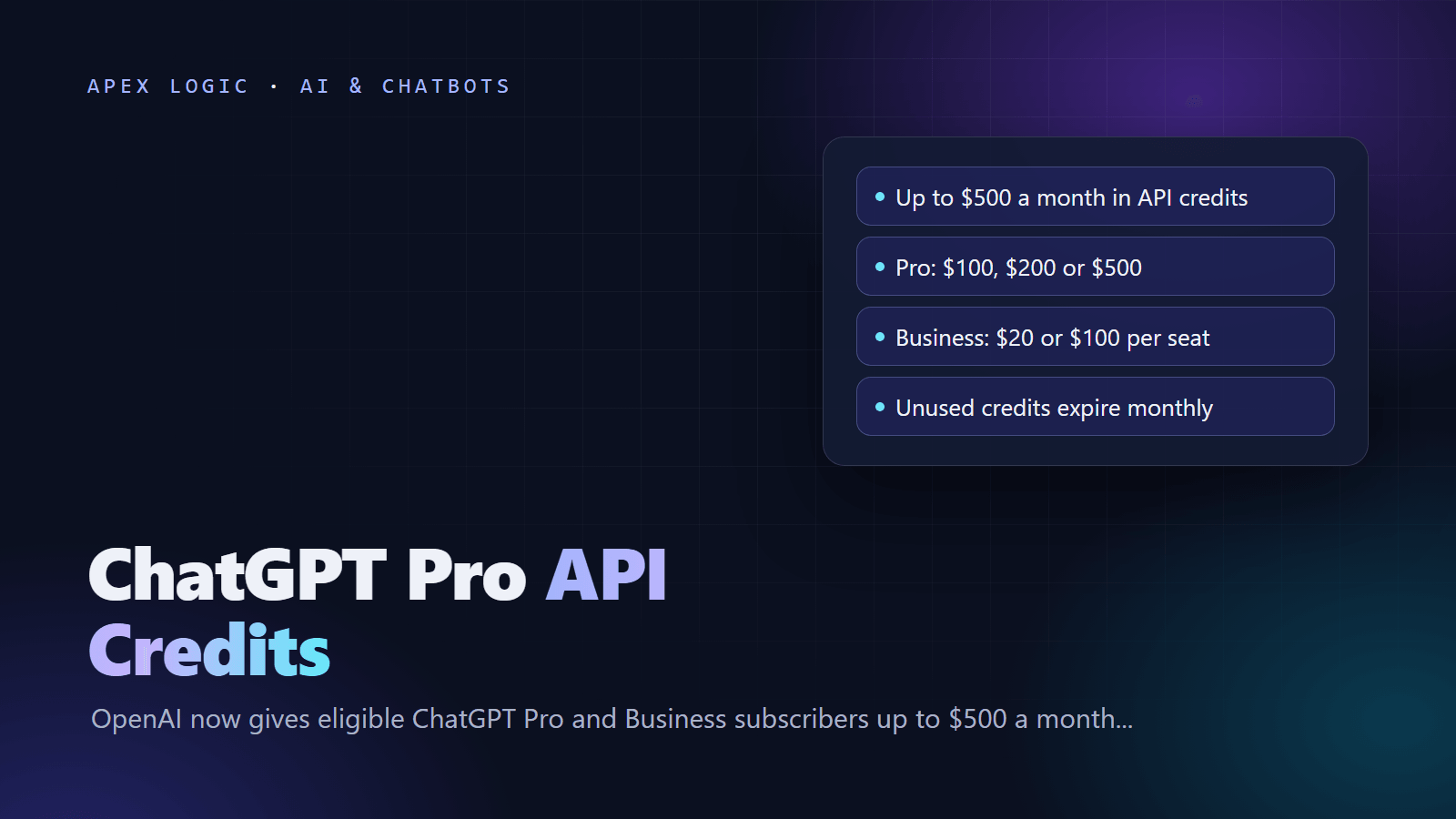
Updated 29 October 2026. OpenAI started offering monthly API credits to eligible ChatGPT Pro and Business subscribers on 28 October, and this guide covers who qualifies, how to claim them and what they pay for.
Yes, ChatGPT Pro and Business subscribers can now claim free OpenAI API credits every month. Since 28 October 2026, Pro subscribers get credits equal to their plan price, $100, $200 or $500 a month, and Business workspaces get $20 per paid Standard seat and $100 per paid Premium seat, capped at $500 a month. Plus, Go, Free and Enterprise plans do not qualify, and the subscription must be paid and at least seven days old.
You claim once, in ChatGPT's billing settings or on the OpenAI API Platform, and link one API organization that you own. After that, credits arrive automatically at each renewal, and anything unused expires at the end of the billing cycle. The credits pay for API usage such as the Responses, Agents and Realtime APIs, but not for Codex through API keys, and they do not raise your ChatGPT limits. The details below come from OpenAI's developer guide to API credits for ChatGPT subscribers, checked on 29 October 2026.
ChatGPT API credits at a glance
| Question | Answer as of 29 October 2026 |
|---|---|
| Who qualifies | ChatGPT Pro ($100, $200 and $500 tiers) and ChatGPT Business (paid Standard and Premium seats) |
| Who does not | Plus, Go, Free and ChatGPT Enterprise, plus free trials and complimentary subscriptions |
| Minimum subscription age | Paid and at least seven days old |
| Pro credits | $100, $200 or $500 a month, matching the Pro tier |
| Business credits | $20 per paid Standard seat, $100 per paid Premium seat, pooled and capped at $500 a month |
| Where to claim | ChatGPT billing settings (or the Admin Console for Business), or API Platform billing |
| Renewal | Automatic at each subscription renewal while the benefit is available |
| Expiry | Unused credits expire at the end of the billing cycle, with no rollover |
| Covers | Paid API Platform usage of the linked organization, such as the Responses, Agents, Decisions, Realtime and Images APIs |
| Does not cover | Codex through API keys, or extra ChatGPT or Codex usage limits |
Who is eligible for ChatGPT API credits?
You need all of the following:
- A paid ChatGPT Pro plan on the $100, $200 or $500 tier, or a ChatGPT Business workspace with paid Standard or Premium seats.
- A subscription that has been paid and active for at least seven days. Free trials and complimentary subscriptions do not count.
- Ownership of both the ChatGPT subscription or Business workspace and the API organization that will receive the credits.
- The same email address on your ChatGPT account and on the API account you use to link the organization.
Plus, Go and Free users are not eligible, and neither is ChatGPT Enterprise. OpenAI's guide does not list countries, so check the billing page in your own account.
How much do you get? Credit amounts by plan
| Plan | Monthly API credits |
|---|---|
| ChatGPT Pro, $100 tier | $100 |
| ChatGPT Pro, $200 tier | $200 |
| ChatGPT Pro, $500 tier | $500 |
| ChatGPT Business, Standard seat | $20 per paid seat |
| ChatGPT Business, Premium seat | $100 per paid seat |
| Business workspace cap | $500 a month, or $6,000 per year for workspaces billed annually upfront |
Example (fictional): a 12-person agency with 10 Standard seats and 2 Premium seats earns $200 plus $200, so $400 a month. A 40-seat Standard workspace would earn $800 on paper but is capped at $500. Business workspaces that pay annually upfront receive the full year's grant in one issue, up to $6,000.
How to claim ChatGPT Pro API credits, step by step
From ChatGPT
- Sign in at chatgpt.com with the account that owns the Pro subscription or the Business workspace.
- Pro: open Settings, then Billing. Business: open the workspace billing settings in ChatGPT, or the Admin Console at admin.openai.com.
- Find the API credits benefit and start the claim.
- Check which API organization will receive the credits. If you own more than one eligible organization, pick one.
- Confirm to activate the benefit.
From the API Platform
- Sign in at platform.openai.com with the email tied to your eligible subscription.
- Select the API organization you own that should receive the credits.
- Open Billing and find the API credit benefit.
- Choose the eligible ChatGPT subscription or Business workspace.
- Confirm to activate.
New API users can link their Personal API Organization. After you claim, the credits show in the billing overview of the API Platform. Use a project API key from the linked organization, because the grant only applies there. To move the credits to a different organization later, you have to contact OpenAI support.
Why can't I see the API credits benefit?
If the claim option is missing, check these points first:
- Plan: Plus, Go, Free and Enterprise are not eligible.
- Subscription age: the paid subscription must be at least seven days old, and free trials and complimentary plans never qualify.
- Ownership: you must own the subscription or workspace and the API organization, not just be a member.
- Email: your ChatGPT account and your API account must use the same email address.
- Organization: credits apply only to the organization you linked, so a key from another organization spends that organization's balance.
- Timing: OpenAI announced the benefit on 28 October 2026, and one user on OpenAI's developer forum reported on 29 October that they could not find the claim option yet. If you meet every rule and still see nothing, wait a few days, then contact support.
What do the API credits cover?
The credits pay for paid API Platform usage billed to the linked organization. OpenAI's guide lists:
- The Responses API
- The Agents API, including OpenAI-hosted sandbox charges
- The Decisions API
- GPT-Live and the Realtime API
- The Images API
- Built-in tools and their usage and storage charges, such as web search, file search and Code Interpreter
- Other APIs available through the API Platform
They do not cover Codex used through API keys, and they do not raise your usage limits in ChatGPT or in Codex when you are signed in. ChatGPT and API billing stay separate. If you build with the OpenAI Decisions API, which reached general availability on 22 October 2026, those calls count against the credits too.
When do API credits renew and expire?
- First grant: prorated for the rest of your current billing cycle, and it expires at the end of that cycle.
- After that: a new grant arrives automatically at each renewal, as long as the benefit is available and your subscription stays eligible.
- No rollover: unused credits expire at the end of each billing cycle.
- Order of use: free credits are used before any credits you bought.
- When they run out: if you have no purchased credits either, API requests fail with HTTP 429 and the error code
credit_balance_exhausted. Add credits in billing settings or turn on Auto Recharge to keep going.
Plan changes affect the credits too:
| Change | What happens to API credits |
|---|---|
| Cancel the subscription | New grants stop; credits already issued stay usable until they expire |
| Upgrade Pro to a higher tier | Extra prorated credits for the rest of the cycle, then the new tier's amount, up to $500 |
| Add or upgrade Business seats | Extra prorated credits, within the $500 monthly or $6,000 annual cap |
| Remove Business seats | Takes effect from the next billing cycle |
| Reassign a seat to someone else | No extra credits |
| Downgrade to Plus, Go or Free | The API organization link is removed at the end of the billing cycle |
| Move from Pro to Business | The Pro link ends; a workspace owner can link again after the Business plan has been paid for seven days |
| Move from Business to Enterprise | The link is removed at the end of the billing cycle |
What can $100, $200 or $500 of API credits buy?
It depends on the model. Standard prices per million tokens for OpenAI's GPT-6 family, from the OpenAI API pricing page as of 29 October 2026, for prompts up to 272,000 input tokens:
| Model | Input | Cached input | Output |
|---|---|---|---|
| gpt-6-luna | $0.10 | $0.01 | $0.50 |
| gpt-6.1-terra | $1.00 | $0.05 | $5.00 |
| gpt-6.1-sol | $2.00 | $0.10 | $10.00 |
| gpt-6-astra | $10.00 | $1.00 | $50.00 |
GPT-6.1 Terra, released on 26 October 2026, is the newest of these: a fast model for visual reasoning, computer use and natural writing, with a 1,050,000-token context window. Longer prompts cost more: above 272,000 input tokens, GPT-6.1 Terra charges twice the input rate and 1.5 times the output rate for the whole request. Reasoning tokens are billed as output tokens. Batch and Flex run at half the standard rate, and web search costs $10 per 1,000 calls plus the search content tokens.
Example (assumptions stated): a website support chatbot where each conversation sends 3,000 input tokens and receives 600 output tokens, reasoning included, with no caching or tools.
| Model | Cost per conversation | Conversations per $100 | Conversations per $500 |
|---|---|---|---|
| gpt-6-luna | $0.0006 | About 166,000 | About 833,000 |
| gpt-6.1-terra | $0.006 | About 16,600 | About 83,300 |
| gpt-6.1-sol | $0.012 | About 8,300 | About 41,600 |
| gpt-6-astra | $0.06 | About 1,600 | About 8,300 |
Real numbers vary with prompt length, reasoning effort and tool calls, so measure your own traffic. Our guide to estimating and cutting your LLM API bill shows how, and our Claude Haiku 5.5 vs GPT-6 Luna comparison covers the cheapest models for chatbots.
How to use your API credits: a first call in Python
Create a project API key in the organization that holds the credits, then install the official SDK. This example calls GPT-6.1 Terra through the Responses API with low reasoning effort and prints the token usage, so you can track spend:
# pip install openai
# Set OPENAI_API_KEY to a project key from the organization linked to your credits.
from openai import OpenAI, RateLimitError

client = OpenAI()

try:
    response = client.responses.create(
        model="gpt-6.1-terra",
        reasoning={"effort": "low"},
        input="Write a short, friendly reply to a customer asking when their order will ship.",
    )
    print(response.output_text)
    print(response.usage)
except RateLimitError as err:
    if getattr(err, "code", None) == "credit_balance_exhausted":
        print("Out of API credits. Add credits or turn on Auto Recharge.")
    else:
        raise
The error handling is illustrative: OpenAI documents HTTP 429 with the code credit_balance_exhausted when no credits remain, and the Python SDK raises 429 responses as RateLimitError. At the lowest usage tier, Build, GPT-6.1 Terra allows 5,000 requests and 1,000,000 tokens per minute, according to its model page. For reasoning effort settings, see OpenAI's reasoning guide.
Good first projects for monthly API credits
Credits that expire every month suit steady, modest workloads you can measure. Some practical starting points:
- A drafting assistant for a shared inbox, like our AI email inbox assistant, that prepares replies for a person to check.
- Invoice or receipt extraction into structured fields, as in our AI invoice data extraction tool.
- A website chatbot that answers from your help pages. Our guide to adding an AI chatbot to your website compares the options.
Two cautions for businesses. First, the credits belong to one owner's subscription and one API organization, so a company project should sit in a company-owned organization, not a staff member's personal one. Second, do not let a production system depend on free credits alone: they expire monthly, and requests fail when the balance reaches zero, so add paid credits or turn on Auto Recharge before you go live. If you want help scoping a small API project around your credits, tell us what you need.
ChatGPT API credits FAQ
Do ChatGPT Plus subscribers get API credits?
No. OpenAI's guide lists Plus, Go, Free and ChatGPT Enterprise as ineligible, along with free trials and complimentary subscriptions. Only paid ChatGPT Pro plans on the $100, $200 or $500 tier and ChatGPT Business workspaces with paid Standard or Premium seats qualify, and the subscription must be at least seven days old. Plus users who want API access can still buy credits for an API organization in the usual way.
Do unused ChatGPT API credits roll over?
No. Unused credits expire at the end of each billing cycle and do not carry over. Your first grant is prorated for the rest of the current cycle and expires at its end. After that, a new grant arrives automatically at each renewal while your subscription remains eligible. Free credits are spent before any credits you purchased, so check the billing overview if you also keep a paid balance.
Can I use the API credits with Codex?
Not through API keys. OpenAI's guide says Codex usage through API keys is not supported by the credits, and the credits do not increase your ChatGPT or signed-in Codex usage limits. They pay for API Platform usage in the linked organization, such as the Responses API, Agents API, Decisions API, Realtime API, Images API and built-in tools like web search and file search.
Can a Business admin claim the API credits?
The person claiming must own both the ChatGPT Business workspace and the API organization that receives the credits, and use the same email address on both accounts. Business owners claim from the workspace billing settings in ChatGPT or from the Admin Console. Credits are $20 per paid Standard seat and $100 per paid Premium seat, pooled across the workspace and capped at $500 a month.
Can I change which API organization gets the credits?
Not by yourself. OpenAI's guide says that to change the linked API organization you need to contact support. Choose carefully when you claim: if you own several eligible organizations, the claim flow asks you to pick one. For a business, link an organization the company controls, and use a project API key from that organization, because the grant applies only there.
What happens when the API credits run out?
If you also have purchased credits, usage continues on them. If no credits remain, API requests fail with HTTP status 429 and the error code credit_balance_exhausted. To keep an app running, add paid credits in your organization's billing settings or turn on Auto Recharge. A new monthly grant arrives at your next subscription renewal, as long as the subscription is still eligible.
Loading comments...