Email Automation for Small Business
A plain guide to email automation for small business: which flows to build first, how they work, common mistakes, and how to keep them healthy.
The assistant reads every email that reaches your shared inbox, tags it, routes it to the right person and drafts a reply. Your team reviews the draft, edits if needed and presses send.
Your info@ or orders@ inbox can get hundreds of emails a week: customer questions, supplier updates, invoices, spam, and the occasional urgent problem buried in the middle. Someone has to read everything just to work out who should handle it. Simple questions wait a day for a reply. Urgent ones get missed because they look like everything else. And the same answers get typed out again and again, slightly differently each time, by whoever happens to pick them up.
Example: An online pet supplies shop has one support inbox shared by three part-time staff. Every morning they wade through order questions, supplier updates and spam to find the urgent ones. With the assistant, each email arrives tagged and summarized. Delivery questions already have a draft reply with the tracking link. Anything mentioning a sick pet or a damaged delivery is flagged as urgent. Staff check the drafts, tweak a few and send, and spend the rest of the morning on the problems that need them.
The assistant connects to your Gmail or Outlook shared inbox with limited, revocable permissions. Each new email, including attachments, is read and summarized in one line.
Emails are tagged by type, such as order question, complaint, invoice or spam, and given a priority. Rules you control then assign them to a person or team, and urgent ones trigger an alert.
For common requests, it writes a draft reply in your tone, using your templates, policies and live order or account data where connected. Drafts sit in the email thread, ready to edit.
Your team reads the draft, changes what is needed and sends it. Edits are logged, which shows where templates and instructions need work. Optional auto-send can be enabled later for narrow, low-risk categories only.
Replies appear as normal drafts in Gmail or Outlook, so nobody learns a new tool. Your team keeps working the way they already do.
Every email gets a type, priority and short summary, so you can scan a morning's inbox quickly and spot the urgent ones first.
Invoices, order forms and photos attached to emails are read too. Key details are pulled into the summary or passed to your other systems.
Connected to Shopify or your own database, drafts include the real order status, tracking link or account detail instead of a placeholder.
A short style guide and a list of things it must never promise, like refunds outside policy, keep drafts consistent across your whole team.
See volume by type, response times and backlog by person, so staffing and template decisions rest on real numbers rather than guesswork.
Most of the work, like reading, tagging and routing, is simple classification, so a small, low-cost model handles it at high volume. Drafting replies uses a stronger GPT, Claude or Gemini model, but only for the emails worth answering, which keeps the bill down. Spam and newsletters are filtered out before any AI call. We test models on a sample of your real emails and keep the choice in configuration. Moving to another provider, or to an open-weight model on your servers, does not need a rebuild.
Typical build: 2 to 3 weeks. Tagging runs on a cheap model and only real emails get drafts, so AI usage usually stays a modest monthly cost, estimated from a sample of your mail.
A setup for one shared inbox, with tagging, routing rules, drafted replies and a basic dashboard, starts from $1,500. Order lookups, several inboxes or a help desk like Zendesk or Front add scope. If you only need simple sorting rules without AI drafting, that is a smaller automation job in the $500 to $1,500 range.
Not unless you decide it should. By default every reply is a draft that a person approves. Drafts can still be wrong, for example quoting the wrong policy or missing the real question, so the review step is the safety net. You can later allow auto-send for narrow cases, like order-status questions with a confirmed tracking number, and keep everything else in draft mode.
Usually 2 to 3 weeks. We start by sorting a few hundred of your past emails to agree on the categories and routing rules, then write the reply instructions with your team. The assistant runs in tag-and-draft mode from the start, so there is no risky switchover day.
Yes. If your team already works in a shared inbox tool, the assistant adds tags, internal notes and suggested replies there instead of in Gmail or Outlook. Routing follows the tool's own assignment features, so your existing views and reports keep working. If you are on plain Gmail or Outlook, you do not need to buy a help desk to use it.
The assistant gets the narrowest mailbox permission that works, and you can revoke it at any time. Email content is processed on paid AI API terms that exclude training, and only the summary, tags and drafts are stored, in a database on your cloud account. We can exclude certain senders, like your accountant or HR, from processing entirely.
Answer routine customer questions 24/7 from your own policies, products and order data
2 to 4 weeksFrom $1,500 → OperationsStop retyping invoices: supplier documents go straight into your books, checked first
2 to 4 weeksFrom $1,500 → SalesReply to every new lead in minutes and spend sales time on the ones likely to buy
2 to 4 weeksFrom $1,500 →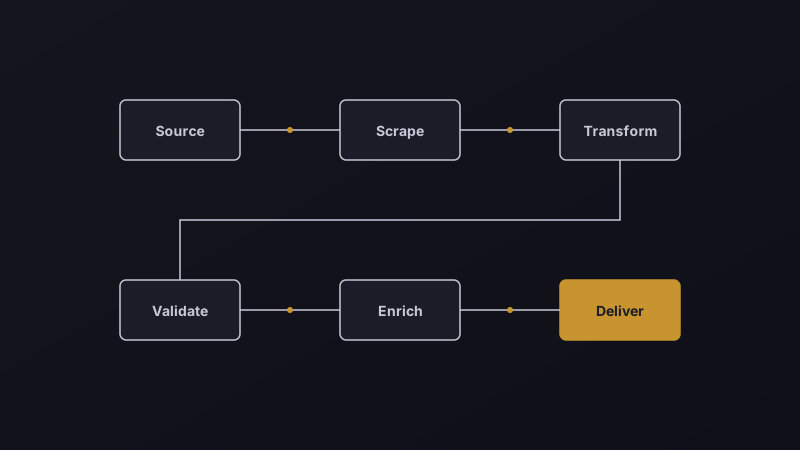
A plain guide to email automation for small business: which flows to build first, how they work, common mistakes, and how to keep them healthy.
A practical guide to AI in customer support: what to automate first, how to keep answers safe, and the numbers that prove it works.

Ten high-ROI business tasks worth automating in 2026 — from lead follow-up to invoicing and reporting — with the tools and the time each one saves.
Send us a few real examples of the task. You get a written scope, a fixed price and a timeline within two working days.