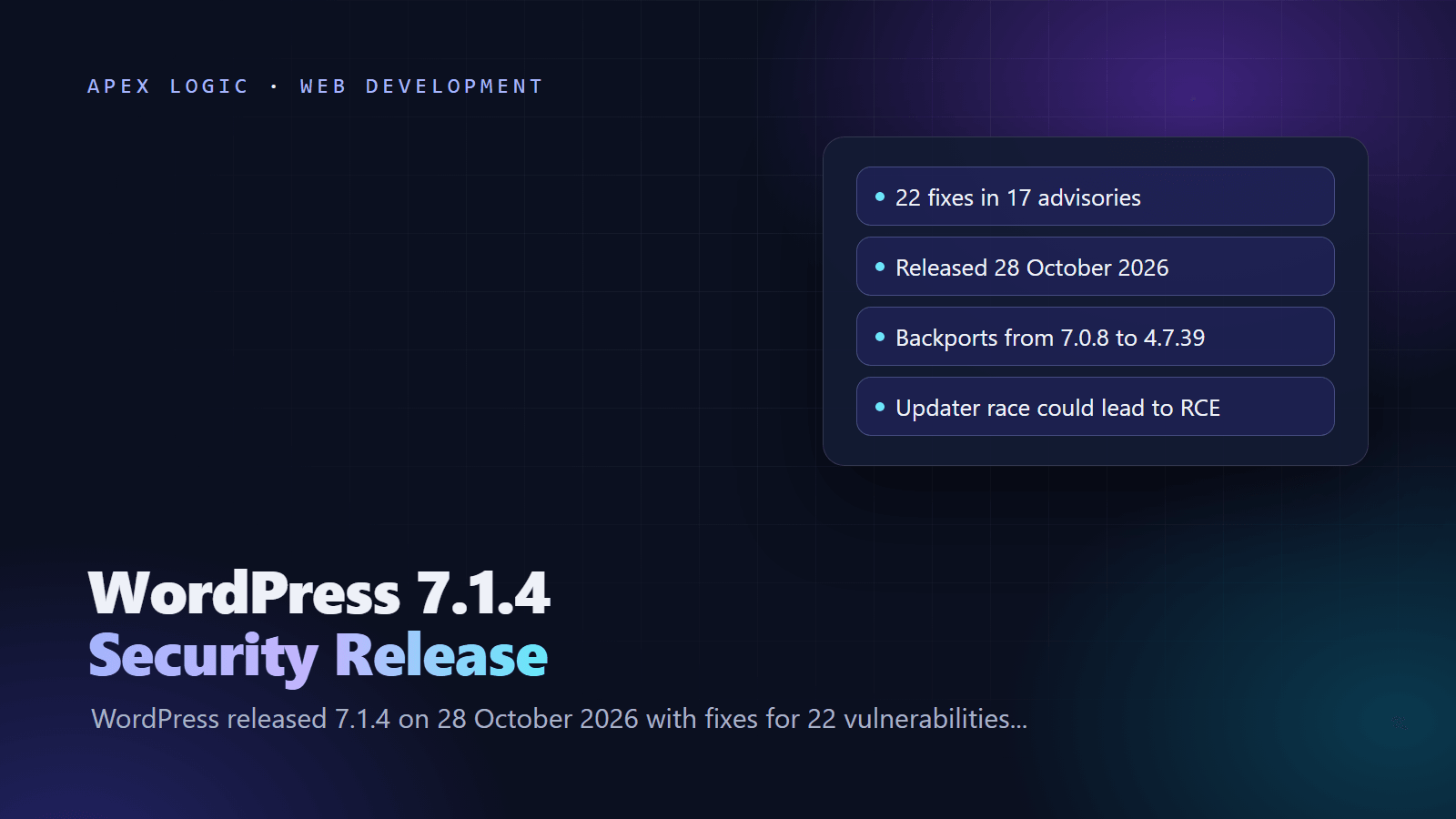
Updated 29 October 2026. WordPress released 7.1.4 on 28 October 2026 with fixes for 22 vulnerabilities, and patched versions for every older branch back to 4.7 are now available.
WordPress 7.1.4 is a security release, published on 28 October 2026, that fixes 22 vulnerabilities in WordPress core. The most serious is a race condition during core updates that could lead to remote code execution. Most of the others are stored cross-site scripting (XSS) bugs that need an account with the Contributor role or higher. WordPress recommends that you update your sites immediately.
If your site runs an older branch, WordPress has released a matching fix for each branch back to 4.7, such as 7.0.8, 6.9.11 and 6.8.12. Sites with automatic background updates should move to the patched version on their own, so the first job is to confirm that it actually happened. This guide covers what changed, which version you need and the update steps.
WordPress 7.1.4 at a glance
| Question | Answer, as of 29 October 2026 |
|---|---|
| Release date | 28 October 2026 |
| What it fixes | 22 vulnerabilities in 17 advisories, plus an update to the bundled root certificates |
| Most serious issue | A race condition during core updates that could lead to remote code execution |
| Login needed? | None for the updater race and a Customizer data leak; Contributor or higher for most XSS bugs |
| Patched versions | 7.1.4, plus backports from 7.0.8 down to 4.7.39 |
| No fix | WordPress 4.6 and older |
| Exploited? | Not reported by WordPress or by the security firms we checked |
| CVE IDs | None assigned yet, according to Wordify |
| Next major version | WordPress 7.2, planned for 8 December 2026 |
What does WordPress 7.1.4 fix?
The WordPress security team lists 17 entries, some covering more than one bug, for 22 vulnerabilities in total. Grouped by the access an attacker needs:
- No account: the updater race condition, and an information leak that showed unpublished Customizer changes to logged-out visitors.
- Contributor or higher: stored XSS through whitespace in block delimiters, Customizer selective refresh, the Categories block, and the labels of the Comments Pagination and Post Navigation Link blocks. Several more sit in Interactivity API bindings: javascript: URLs, event handlers, prototype pollution in context namespaces, object elements that load admin pages, and a stored denial of service.
- Author: stored XSS in the Interactivity Router through uploaded text files.
- Editor: stored XSS on the personal data erasure requests screen.
- Custom roles: roles that moderate comments could read, edit and delete notes on posts they cannot edit.
- Hardening: unescaped usernames on the multisite Network Users screens, unsafe
preg_replace()replacements in the Image and Playlist blocks, and post content that could shadow Script Module data.
The release also updates the bundled root certificates because of the eMudhra revocation, which we covered in our eMudhra CA compromise guide. WordPress 7.2 Beta 3 ships with the same fixes.
How serious is the updater race condition?
This is the bug that makes 7.1.4 urgent even for a site with a single administrator. Patchstack's analysis explains it. During a core update, WordPress unpacks a full copy of itself into wp-content/upgrade/, a folder the web server can reach. Before 7.1.4, the folder name could be guessed or read from a directory listing, because the cleanup deleted the index.php that normally blocks listing. For a few seconds, a complete WordPress copy, including the wp-admin/setup-config.php installer, sat at a guessable, browsable address. An attacker who hits that window could run code without an account.
Patchstack rates the attack complexity as high and says it would not call it practical to exploit, but the window opens on every update, including unattended ones. A security plugin cannot block it, because the extracted copy loads its own files and never runs your firewall plugin. WordPress 7.1.4 now adds 16 random characters to the folder name. Wordify, reading the patch, adds that an empty index.php now sits in wp-content/upgrade/ and that the copy step no longer copies a wp-config.php from the unpacked folder.
Which WordPress version should I be on?
The best target is 7.1.4, because WordPress only actively supports the newest version and ships the backports as a courtesy. If a jump to 7.1 is not possible today, install the latest version on your branch:
| Your branch | Patched version | How many of the 22 issues affect it |
|---|---|---|
| 7.1 | 7.1.4 | 22 |
| 7.0 | 7.0.8 | 22 |
| 6.9 | 6.9.11 | 22 |
| 6.8 | 6.8.12 | 20 |
| 6.7 | 6.7.11 | 20 |
| 6.6 | 6.6.11 | 19 |
| 6.5 | 6.5.14 | 17 |
| 6.4 | 6.4.14 | 17 |
| 6.0 to 6.3 | 6.3.14, 6.2.15, 6.1.16, 6.0.18 | 9 |
| 5.9 | 5.9.20 | 9 |
| 5.0 to 5.8 | 5.8.19, 5.7.21, 5.6.23, 5.5.24, 5.4.25, 5.3.27, 5.2.30, 5.1.28, 5.0.31 | 6 |
| 4.9 | 4.9.35 | 4 |
| 4.7 and 4.8 | 4.7.39, 4.8.34 | 2 |
| 4.6 or older | No fix | Not assessed |
WordPress's version check API now marks 7.1.3, 7.0.7, 6.9.10 and the other pre-fix builds as insecure. The backports are marked outdated rather than insecure: they carry the fixes, but they are not the newest release. Branches with fewer affected issues simply lack the code involved; Wordify notes, for example, that the notes feature only arrived in 6.9.
How do I check my WordPress version?
In the admin area, open Dashboard, then Updates. The page shows whether your version is current and offers the update if one is waiting. If you manage sites from the command line, WP-CLI prints the version directly:
wp core versionA patched 7.1 site prints 7.1.4. Check staging and development copies too, because they run the same updater and the same blocks.
How to update WordPress to 7.1.4: 8 steps
1. Check whether the update already ran
Existing WordPress installs receive minor core updates, which include security releases, automatically by default, so many sites will already be patched. Confirm the version before you do anything else. Only continue if the site still shows 7.1.3 or older on the 7.1 branch, or a pre-fix build on another branch.
2. Take a backup
WordPress's upgrade guide starts with a backup of the database and of all files, including .htaccess, and a check that the backup is usable. A security release only touches core files, but a backup is cheap insurance against a plugin conflict.
3. Update from the dashboard
Go to Dashboard, then Updates, and click Update Now. WordPress downloads 7.1.4 and installs it. Load a few pages and the admin area afterwards to confirm everything still works.
4. Or update with WP-CLI
wp core update
wp core version
To stay on your current branch, for example to move from 6.8.11 to 6.8.12 without jumping to 7.1, add the --minor flag, which only performs minor release updates:
wp core update --minor5. Verify the core files
WP-CLI can compare every core file with WordPress.org's checksums for your version. It confirms the update completed and flags core files that someone changed:
wp core verify-checksumsA clean site prints a success message. Any file it lists deserves a closer look.
6. Block web access to wp-content/upgrade/
Patchstack's advice for the updater bug is to deny access to wp-content/upgrade/ at the web server and to check that the folder cannot be listed. WordPress writes to that folder through PHP, so blocking web requests does not stop updates. Two illustrative rules for a site installed at the domain root; test them on staging first:
# nginx: inside the server block
location ^~ /wp-content/upgrade/ {
    deny all;
}
# Apache: in the root .htaccess file
Options -Indexes
RedirectMatch 403 ^/wp-content/upgrade/Options -Indexes turns off directory listing, as Wordify recommends. Some shared hosts do not allow it in .htaccess; in that case, ask the host to set it for you.
7. Find out why automatic updates did not run
If the site was still on an old build, something stopped automatic updates. Look in wp-config.php for these constants:
AUTOMATIC_UPDATER_DISABLEDset to true turns off every automatic update.WP_AUTO_UPDATE_COREset to false turns off core updates. The value'minor'keeps security and maintenance releases on, which is what most sites want.
Filters such as automatic_updater_disabled and allow_minor_auto_core_updates in a must-use plugin can do the same. WordPress also skips some automatic updates when it finds a version control folder such as .git in or above the WordPress directory, and some managed hosts roll updates out on their own schedule.
8. Close the loose ends
Update staging and development copies, which are easy to forget. Until every site is patched, Wordify suggests not opening drafts from Contributor accounts, since many of these bugs fire when an editor or admin views the content. Treat unpublished Customizer drafts as possibly seen by outsiders. Patchstack also suggests reviewing who holds Contributor access or higher, because most of the 22 issues start there.
Does WordPress 7.1.4 update plugins and themes?
No. The release changes core files, and the only bundled theme file in the change list is the Twenty Twenty theme's Customizer preview script, which Wordify says moves that theme to version 3.3. Plugins and other themes have their own update cycles, so apply their pending updates while you are in the dashboard. Keep the PHP version under WordPress patched as well: last week's PHP2Shell flaws hit PHP itself, as explained in our PHP2Shell patch guide.
Should you keep running WordPress yourself?
Security releases like this one are routine for WordPress. The real cost is the time someone spends checking that every site actually updated, and finding out why one did not. If you manage several sites, budget for that work; our website maintenance cost guide breaks it down. For sites that have outgrown plugins and page builders, our comparison of WordPress vs a custom website and the migration guide cover the trade-offs, and our web application security guide lists the basics for any stack.
If a WordPress site keeps falling behind on updates and you want a second pair of eyes on it, our web development team can help. Get in touch with your WordPress version and hosting setup.
WordPress 7.1.4 FAQ
Is WordPress 7.1.3 still safe to use?
No. WordPress's own version check API now marks 7.1.3 as insecure, because it contains all 22 of the vulnerabilities fixed in the 7.1.4 release of 28 October 2026. The same applies to the pre-fix builds on older branches, such as 7.0.7 and 6.9.10. Update to 7.1.4, or at least to the newest backport on your branch, as soon as you can.
Will my site update to WordPress 7.1.4 automatically?
Probably, if you have not changed the defaults. Existing installs receive minor core updates, including security releases, automatically. Sites that set AUTOMATIC_UPDATER_DISABLED, set WP_AUTO_UPDATE_CORE to false, use a filter that blocks minor updates, or run from a version control checkout may not. Some managed hosts also roll updates out on their own schedule. Check Dashboard, then Updates, rather than assuming.
Is the WordPress 7.1.4 remote code execution bug being exploited?
Neither the WordPress announcement nor Patchstack's analysis reports exploitation in the wild as of 29 October 2026. Patchstack rates the updater race as high complexity, because an attacker has to hit a window of a few seconds while an update runs. That window opens again on every update, though, so patch now and block web access to wp-content/upgrade/ rather than waiting for reports.
Does WordPress 7.1.4 break plugins or themes?
WordPress lists no new features or non-security changes in this release, which keeps the risk of breakage low. It is not zero, because several fixes change how blocks and the Interactivity API handle output. Sites with custom blocks or heavy Interactivity API use should test on staging first, then update production the same day. Keep a fresh backup either way.
Do I need to update if my site runs WordPress 6.8?
Yes. WordPress 6.8 is affected by 20 of the 22 vulnerabilities, and the fix is version 6.8.12, released alongside 7.1.4. The two missing issues involve code that 6.8 does not contain, such as the notes feature added in 6.9, according to Wordify. Moving to 6.8.12 closes the gap for now, but only the 7.1 branch is actively supported, so plan the move.
When is WordPress 7.2 coming out?
WordPress says version 7.2 is planned for 8 December 2026, and the 7.2 Beta 3 release already includes the same security fixes as 7.1.4. Do not wait for 7.2 to patch. A beta is not meant for production sites, and updating to 7.1.4 is the supported way to close these 22 vulnerabilities today.
Sources
- WordPress.org: WordPress 7.1.4 security release (28 October 2026)
- WordPress.org documentation: Version 7.1.4 (fixes and backported versions)
- WordPress.org core version status API (latest, outdated, insecure)
- Patchstack: WordPress 7.1.4 security release (28 October 2026)
- Wordify: WordPress 7.1.4, 22 security fixes, including one in the updater itself (29 October 2026)
- WordPress Advanced Administration: Upgrading WordPress and automatic updates
- WP-CLI: wp core update
- WP-CLI: wp core version
- WP-CLI: wp core verify-checksums
Loading comments...