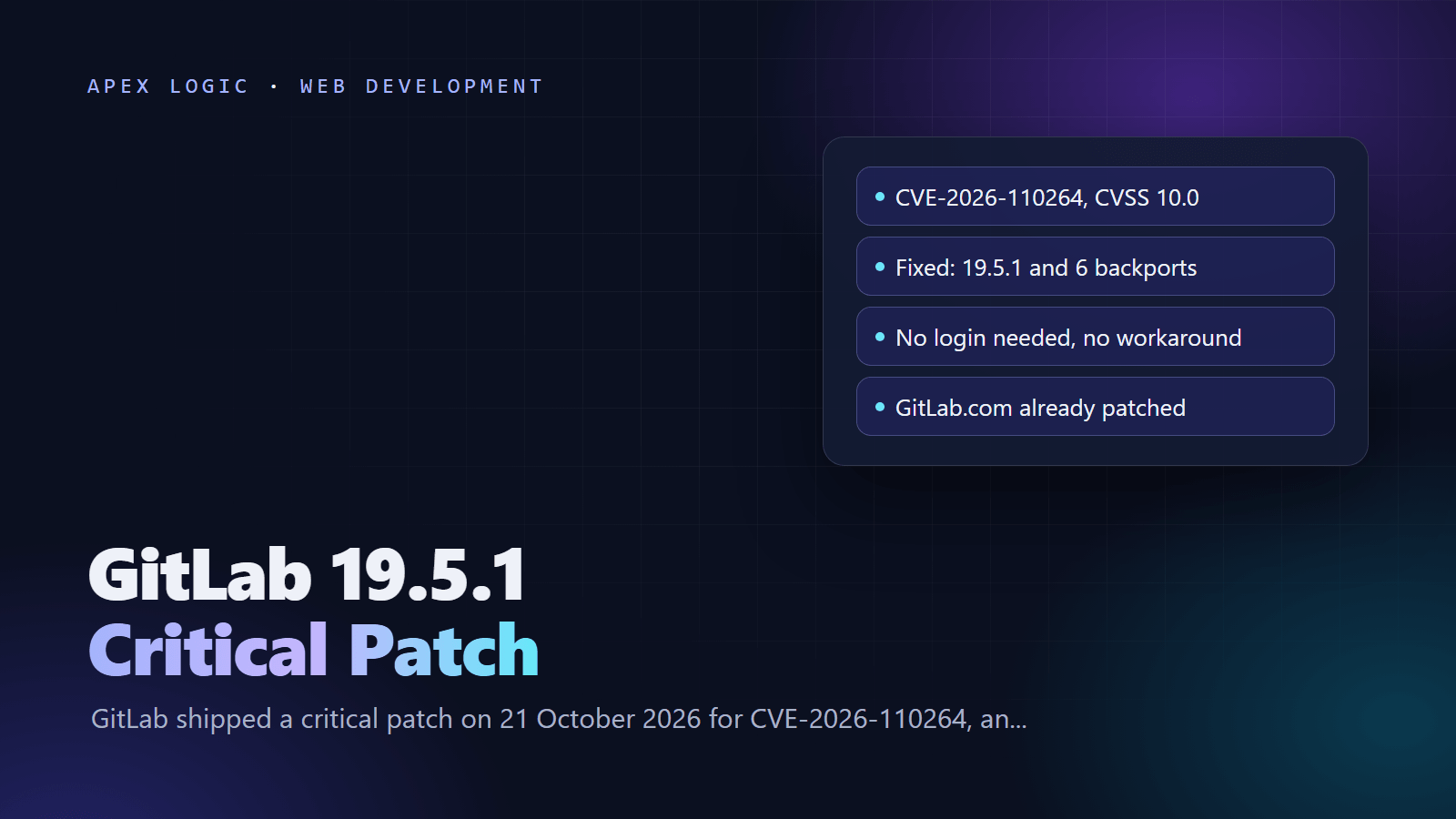
Updated 23 October 2026. GitLab released a critical patch on 21 October 2026 for CVE-2026-110264; this guide lists the fixed version for each branch and the upgrade steps for Linux package, Docker and Helm installs.
CVE-2026-110264 is a critical flaw in self-managed GitLab Community and Enterprise Edition that could let an unauthenticated attacker execute code on the GitLab server through a specially crafted regular expression. It is rated CVSS 10.0 and fixed in GitLab 19.5.1, 19.4.3, 19.3.6, 19.2.9, 19.1.9, 19.0.10 and 18.11.13, released on 21 October 2026. GitLab lists no workaround and asks every self-managed installation to upgrade immediately.
GitLab.com already runs the fix, and GitLab Dedicated tenants on 19.3.5-internal0, 19.4.2-internal0 or later need no action. It is the second CVSS 10.0 regular expression bug in nine days: the 12 October critical patch fixed CVE-2026-97229 in the CI/CD path, also unauthenticated. Upgrading to the 21 October version on your branch covers both.
GitLab CVE-2026-110264 at a glance
| Question | Answer, as of 23 October 2026 |
|---|---|
| What it is | Integer overflow when compiling a crafted regular expression, leading to code execution on the server |
| Severity | Critical, CVSS 10.0 (AV:N/AC:L/PR:N/UI:N/S:C/C:H/I:H/A:H) |
| Login needed? | No |
| Affected | GitLab CE and EE from 7.0 onward, on every branch below the fixed versions |
| Fixed versions | 19.5.1, 19.4.3, 19.3.6, 19.2.9, 19.1.9, 19.0.10, 18.11.13 |
| Workaround | None published; upgrade |
| GitLab.com and Dedicated | Already patched |
| Exploited? | GitLab's advisory does not mention exploitation; not in CISA's KEV catalog when we checked |
| Reported by | joaxcar, through GitLab's HackerOne bug bounty program |
What is CVE-2026-110264?
GitLab's advisory describes an integer overflow when GitLab compiles a specially crafted regular expression. Detection notes from GitLab's security team explain the path in more detail. GitLab renders Org-mode (.org) files with the org-ruby gem, which builds a regular expression from the custom keywords on a #+TODO: line. A keyword with more than 32,767 repeats pushes a counter inside Onigmo, Ruby's regular expression engine, past its 16-bit limit, which leads to an out-of-bounds memory write. With preparation, an attacker can turn that into a command run as the git user.
According to the same notes, the attack needs no login, only a public project that holds the crafted .org file. A successful attack would expose the secrets in gitlab-secrets.json, all CI/CD variables, runner tokens, access tokens and every repository on the instance. That is why the patch should not wait for your next maintenance window.
Which GitLab version should I upgrade to?
| You run | Upgrade to | Helm chart version |
|---|---|---|
| 19.5.0 | 19.5.1 | 10.5.1 |
| 19.4.x | 19.4.3 | 10.4.3 |
| 19.3.x | 19.3.6 | 10.3.7 |
| 19.2.x | 19.2.9 | 10.2.9 |
| 19.1.x | 19.1.9 | 10.1.9 |
| 19.0.x | 19.0.10 | 10.0.10 |
| 18.11.x | 18.11.13 | 9.11.14 |
| 18.10 or older | Step through the required stops to 18.11.13 | 9.11.14 |
GitLab's upgrade path rules matter here. Required upgrade stops fall at the .2, .5, .8 and .11 minor versions, so 18.11, 19.2 and 19.5 are all stops. If you are on 18.10 or older, upgrade to each required stop in turn, use the latest patch release of each one, and let background migrations finish before the next step. On GitLab 18, 18.11.13 is both a required stop and a patched release, so it is the fastest safe target. GitLab's Upgrade Path tool calculates the full route for any version.
How do I check my GitLab version?
In the web interface, select Help at the bottom of the left sidebar, then Help again; the version is shown at the top of the page. On a Linux package install, it also appears under "GitLab information" in the output of:
sudo gitlab-rake gitlab:env:infoIn Docker, run the same task inside the container with docker exec -it <container name> gitlab-rake gitlab:env:info.
How to patch GitLab: 8 steps
1. Confirm which instances are self-managed
Only self-managed GitLab CE and EE need action. Nothing changes on GitLab.com, and GitLab says Dedicated tenants on 19.3.5-internal0, 19.4.2-internal0 or later already have the fixes. List every self-managed instance, including test servers and old instances set up for a single project, because each one reachable from the internet is exposed in the same way.
2. Limit exposure until the upgrade is done
There is no official workaround. Astra Security suggests restricting network access to the GitLab web interface with a firewall, VPN or IP allowlist until you have upgraded. That does not fix the bug, but it reduces who can reach the vulnerable renderer while you prepare. Internet-facing instances come first.
3. Back up GitLab and its secrets
Take a full backup before you upgrade. On a Linux package install:
sudo gitlab-backup createFor Docker, run docker exec -t <container name> gitlab-backup create. GitLab's backup docs say you must also back up /etc/gitlab/gitlab-secrets.json and /etc/gitlab/gitlab.rb yourself, and keep them apart from the backup archive. The Linux package backs up the database automatically before it installs a new version, unless /etc/gitlab/skip-auto-backup exists, but that is not a substitute for a full backup.
4. Pick the target version on your branch
Use the table above. Staying on your current minor branch is the smallest change: 19.3.x moves to 19.3.6, 19.0.x to 19.0.10, and so on. A patch release inside a branch does not cross a required stop, so it needs no extra steps. Read the upgrade notes for your branch, and note that 19.4.3 and 19.3.6 include database migrations.
5. Upgrade with your install method
Linux package on Debian or Ubuntu (Enterprise Edition shown; use gitlab-ce and -ce.0 for Community Edition, and your branch's version number):
sudo apt update && sudo apt install gitlab-ee=19.5.1-ee.0Linux package on RHEL 9 compatible systems:
sudo dnf install gitlab-ee-19.5.1-ee.0.el9Docker Compose: change the image in docker-compose.yml to gitlab/gitlab-ee:19.5.1-ee.0, or the version for your branch, then pull and restart:
docker compose pull
docker compose up -d
Helm chart: refresh the repository and upgrade to the chart version from the table, passing your own values file. The release name and file name below are examples:
helm repo update
helm upgrade gitlab gitlab/gitlab --version 10.5.1 -f values.yaml
6. Plan for downtime on single-node servers
GitLab says this patch includes database migrations. On a single-node instance, expect downtime while they run, because GitLab cannot start until they finish. Multi-node instances can apply the patch without downtime by following the zero-downtime upgrade procedure. GitLab's general single-node steps also suggest maintenance mode, pausing CI/CD jobs and keeping GitLab Runner on the same version as GitLab.
7. Verify the upgrade
Check the Help page or gitlab:env:info again and confirm the new version number. Then run GitLab's built-in checks and confirm background migrations have finished before any further upgrade:
sudo gitlab-rake gitlab:check8. Look for signs of attempted exploitation
GitLab published two detections for self-managed instances. The first looks for a burst of render timeouts on .org files: five or more Timeout::Error exceptions from the OtherMarkup renderer from one client within 30 minutes, in /var/log/gitlab/gitlab-rails/exceptions_json.log. The second looks for native Ruby crash reports that mention org-ruby or Onigmo in /var/log/gitlab/puma/puma_stderr.log. An illustrative first pass on a Linux package install:
sudo grep -c "OtherMarkup" /var/log/gitlab/gitlab-rails/exceptions_json.log
sudo grep -nF "[BUG]" /var/log/gitlab/puma/puma_stderr.log
GitLab notes that a successful exploit is quiet and does not always crash a worker, so a clean result does not prove you were safe. If you find hits, or the server sat exposed for a long time, treat it as compromised: rotate runner tokens, access tokens and CI/CD variables, and work through our web application security guide.
What else does GitLab 19.5.1 fix?
The same release fixes 11 other vulnerabilities. The ones most teams should know about:
- CVE-2026-15723 (High, 8.2): with OmniAuth SAML and LDAP auto-linking both enabled, an authenticated user could take over an existing LDAP-backed account.
- CVE-2026-112212 (High, 7.5): an unauthenticated user could poison a shared cache's OAuth/OIDC discovery document and redirect some flows to an outside server.
- CVE-2026-105777 (Medium, 4.3): internal server credentials could leak through internal response headers.
- CVE-2026-112378 (Medium, 4.3, EE only): paid AI features could be used without a valid subscription.
The rest are medium and low severity access control fixes, plus component updates such as PostgreSQL 17.11 in 19.1.9.
Is self-managed GitLab still worth the patching?
This was a heavy week for anyone running their own servers: PHP2Shell and the Node.js October security release landed on the same day as this patch. Self-managed GitLab still makes sense for teams with compliance or data residency needs, but it comes with a duty to patch within hours, not weeks. If nobody owns that job, compare the real cost with a managed option using our guides to VPS, serverless and managed hosting and maintenance costs.
If you run GitLab for a small team and want help planning the upgrade path, or moving to a setup you do not have to patch yourself, our web development team can help. Get in touch with your current version and install method.
GitLab CVE-2026-110264 FAQ
Is GitLab.com affected by CVE-2026-110264?
No action is needed on GitLab.com, because GitLab says it already runs the patched version. GitLab Dedicated tenants running 19.3.5-internal0, 19.4.2-internal0 or later also include the fixes. The upgrade is only for self-managed installations of GitLab Community Edition and Enterprise Edition, whether they run from the Linux package, Docker, the Helm chart or a source install.
Is there a workaround if I cannot upgrade today?
GitLab has not published a workaround, and its advice is to upgrade immediately. As a stopgap, restricting access to the web interface with a firewall, VPN or IP allowlist reduces who can reach the vulnerable code, as Astra Security suggests. Treat that as a few hours of cover rather than a fix, and turn on GitLab's two detection rules while you schedule the upgrade.
Can I upgrade from GitLab 18.8 straight to 19.5.1?
No. GitLab requires you to stop at each required upgrade stop, which in GitLab 18 and 19 fall at the .2, .5, .8 and .11 minor versions. From 18.8 you would move to 18.11.13, which is already patched, let background migrations finish, then continue to 19.2.9 and 19.5.1 later if you want the newest branch. GitLab's Upgrade Path tool shows the exact route for your version.
Is CVE-2026-110264 being exploited?
GitLab's advisory does not report exploitation, and the CVE was not in CISA's Known Exploited Vulnerabilities catalog, version 2026.10.21, when we checked on 23 October 2026. That can change quickly for an unauthenticated, CVSS 10.0 bug in widely used software, and GitLab has already published detection rules. Patch first, then review your logs for the signs described in step 8.
Will the GitLab 19.5.1 upgrade cause downtime?
On a single-node server, expect a short outage. GitLab says 19.4.3 and 19.3.6 include database migrations that must finish before GitLab starts again. Multi-node deployments can apply the patch without downtime if you follow GitLab's zero-downtime upgrade procedure. Tell your team before you start, pause CI/CD jobs, and keep the backup and secrets files from step 3 within reach.
Do I need to upgrade GitLab Runner for this patch?
The vulnerability is in the GitLab server, not in GitLab Runner, so the security fix comes from upgrading GitLab itself. GitLab's general upgrade guide does recommend keeping Runner on the same version as GitLab, so plan a Runner update if yours has fallen behind. If you suspect the server was attacked, rotate runner tokens, because GitLab's detection notes list them among the secrets at risk.
Sources
- GitLab Critical Patch Release: 19.5.1, 19.4.3, 19.3.6, 19.2.9, 19.1.9, 19.0.10, 18.11.13 (21 October 2026)
- GitLab Critical Patch Release: 19.4.2, 19.3.5, 19.2.8 (12 October 2026)
- GitLab security detection: Org mode render error burst
- GitLab security detection: Onigmo native worker crash
- GitLab docs: Upgrade paths and required upgrade stops
- GitLab docs: Upgrade Linux package instances
- GitLab docs: Back up GitLab
- GitLab docs: Install GitLab in a Docker container (image tags)
- GitLab docs: Helm chart version mappings
- GitLab docs: Find your GitLab version
- GitLab docs: Maintenance Rake tasks
- CISA: Known Exploited Vulnerabilities Catalog
- Astra Security: CVE-2026-110264, GitLab's critical CVSS 10.0 regex RCE explained (22 October 2026)
Loading comments...