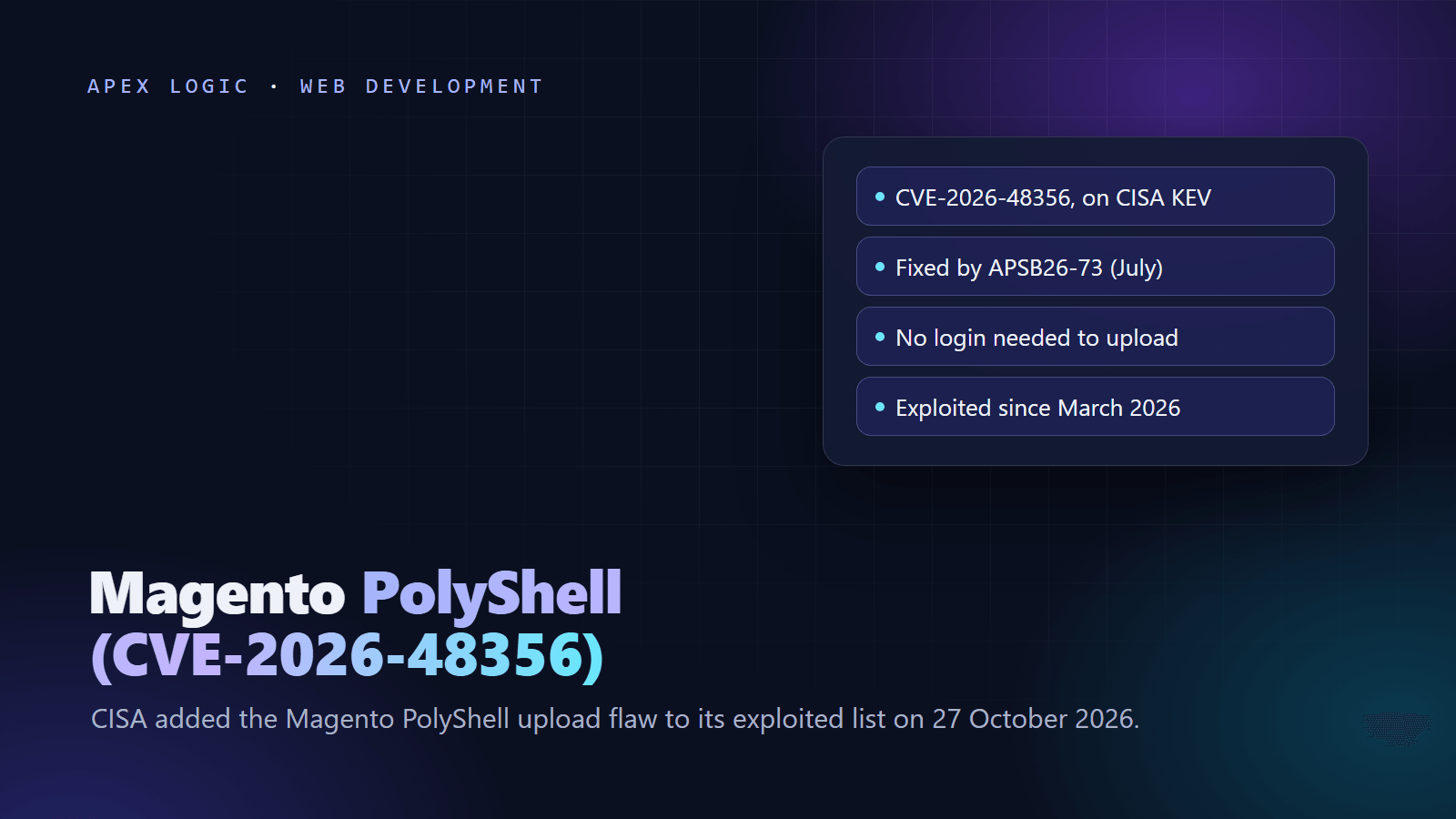
Updated 29 October 2026. CISA added the Magento PolyShell flaw, CVE-2026-48356, to its Known Exploited Vulnerabilities catalog on 27 October 2026; this guide covers the patches that fix it and how to check a store for damage.
Magento PolyShell (CVE-2026-48356) is an unrestricted file upload flaw in Magento Open Source and Adobe Commerce. Anyone, without logging in, can upload a file through the guest cart REST API by abusing a product's file option, and attackers have used it since March 2026 to plant PHP webshells and malicious JavaScript. Adobe fixed it in the July 2026 isolated security patches, bulletin APSB26-73.
On 27 October 2026, CISA added the flaw to its KEV catalog, with a 10 November deadline for US federal agencies. If your store has not installed the July 2026 isolated patch, apply it and the later monthly patches now. Then check for files and scripts the attackers may already have left, because a patch does not remove them.
Magento PolyShell at a glance
| Question | Answer, as of 29 October 2026 |
|---|---|
| CVE | CVE-2026-48356, unrestricted upload of a file with a dangerous type (CWE-434) |
| Severity | Critical: 9.3 in the CVE record and NVD, 9.6 on Adobe's bulletin page |
| Login needed? | No |
| Affected | Adobe Commerce 2.4.4 to 2.4.9, Magento Open Source 2.4.6 to 2.4.9, Commerce B2B and Commerce Events before the July 2026 fixes; Sansec says the bug dates back to the first Magento 2 release |
| Fixed in | The July 2026 isolated patch for each release line (APSB26-73, 14 July 2026), and Commerce Events 1.21.0 |
| Exploited? | Yes. Sansec saw attacks from 19 March 2026 |
| CISA KEV | Added 27 October 2026; federal due date 10 November 2026 |
| Name | PolyShell, from Sansec's research |
How does the PolyShell attack work?
Sansec, which named the bug, explains it. When a product has a custom option of type file, Magento's REST API accepts a file_info object with base64 file data, a MIME type and a filename. Through the guest cart endpoints, POST /V1/guest-carts/:cartId/items and PUT /V1/guest-carts/:cartId/items/:itemId, anyone can send one. Magento skipped three checks: it did not validate the option ID, did not confirm the option type and did not restrict the file extension. The only test was getimagesizefromstring, which a polyglot file, an image that also contains PHP, passes easily. The file lands in pub/media/custom_options/quote/. The GraphQL mutations use a different code path and are not affected.
Whether the uploaded PHP runs depends on the web server. Sansec lists three setups that lead to code execution: stock nginx on Magento 2.0 to 2.2, any nginx configuration that passes every .php request to FastCGI, and Apache on Magento before 2.3.5 without php_flag engine 0. Elsewhere the file may sit on disk without running, but it stays dangerous if the configuration changes.
What have attackers done with it?
Sansec saw the first probes on 16 March 2026 and the first attacks on 19 March, followed by automated mass scanning. On 30 March it reported 471 stores compromised in a single hour, and by 14 April it counted malicious uploads on 82 percent of all stores in its data. The chain it describes is short: upload a PHP webshell, use it to drop accesson.php backdoors across many folders, then inject a JavaScript loader into CMS pages and blocks.
That campaign is still running. On 24 October 2026, Sansec reported that the group behind the loader has hit 953 stores since July 2025, and that its newest loader domain, deepveindrilling.com, sat in the CMS blocks of 83 stores. The new loader fingerprints each visitor and hides from scanners. Sansec also found a fully patched 2.4.7-p10 store that received the loader an hour after a clean scan; it had earlier shown a rogue admin account and a backdoor.
Which Adobe patch fixes PolyShell?
Adobe fixed CVE-2026-48356 in APSB26-73 on 14 July 2026. The fix ships as isolated patch files, not new Composer packages, and each file only applies to the latest security release on its line. Update to that version first, then apply the July file:
| Release line | Be on this version first | July 2026 patch file | Fixed build |
|---|---|---|---|
| 2.4.9 | 2.4.9 | 2-4-9-jul-2026.zip | 2.4.9-2026-jul |
| 2.4.8 | 2.4.8-p5 | 2-4-8-p5-jul-2026.zip | 2.4.8-2026-jul |
| 2.4.7 | 2.4.7-p10 | 2-4-7-p10-jul-2026.zip | 2.4.7-2026-jul |
| 2.4.6 | 2.4.6-p15 | 2-4-6-p15-jul-2026.zip | 2.4.6-2026-jul |
| 2.4.5 (Adobe Commerce only) | 2.4.5-p17 | 2-4-5-p17-jul-2026.zip | 2.4.5-2026-jul |
| 2.4.4 (Adobe Commerce only) | 2.4.4-p18 | 2-4-4-p18-jul-2026.zip | 2.4.4-2026-jul |
Adobe says Magento Open Source users can download patches for 2.4.6 and later, and the 2.4.5 and 2.4.4 files need your Composer keys. Each zip can hold separate CE, EE and B2B files; Adobe Commerce Events needs version 1.21.0. On Adobe Commerce on cloud, the latest cloud-patches update already contains the fix, and Adobe warns that applying the isolated patch on top of it can fail.
One detail is disputed. Sansec says the 2.4.9 release of 12 May 2026 already contained the fix, while Adobe's bulletin and the CVE record list 2.4.9 as affected until the July patch. Apply the July file on 2.4.9 either way.
Do I also need the August, September and October patches?
Yes, if you want a store that is fully patched as of 29 October 2026. Adobe's knowledge base says each monthly isolated patch builds on the ones before it and must be applied in release order: July (APSB26-73), then August (APSB26-92, 11 August), September (APSB26-138, 8 September) and October (APSB26-153, 13 October). The same articles also call the fixes non-cumulative. Read together, each monthly file carries its own fixes, so you need every one of them, in order.
A separate hotfix is not in any monthly file: APSB26-146, released on 7 September for CVE-2026-75650, a template engine flaw that Sansec named StyleSmuggler. It is rated 10.0, Adobe says it was exploited in the wild, and CISA added it to the KEV catalog on 8 September. Adobe's hotfix is VULN-39341, and Adobe recommends rotating your encryption key and every credential it protects.
How to patch and clean up a Magento store: 8 steps
1. Block the attack while you work
Sansec's advice for unpatched stores is a web application firewall rule that filters the guest cart item endpoints, because blocking the upload folder does not stop files being written. Also stop anything in that folder from running. Sansec's nginx rule goes in the server configuration, before any location block that handles .php files:
location ~* ^/pub/media/custom_options/ {
    deny all;
    return 403;
}
On Apache, confirm that pub/media/custom_options/.htaccess exists with this content:
<IfModule mod_php.c>
    php_flag engine 0
</IfModule>
Deny from all
2. Check your version and take a backup
bin/magento --versionBack up code, media and the database, and test every patch on staging before production, as Adobe recommends.
3. Move to the latest -p release on your line
The isolated patches are tested only against the newest security release of each line, such as 2.4.8-p5 or 2.4.7-p10. In a community thread about the 2.4.8 file, a Magento contributor confirmed that a store on 2.4.8-p4 must update to 2.4.8-p5 before applying it. Adobe lists no isolated patch for 2.4.3 or older, so stores on those versions need a full upgrade.
4. Apply the July 2026 isolated patch
Download the zip for your version from Adobe's APSB26-73 knowledge base article and unzip it. Apply the CE file first, then the EE or B2B file if you run those editions. Adobe's instructions for self-hosted stores use the standard patch tool from the Magento root; the file name below is the 2.4.8-p5 Open Source example:
patch -p1 < 248p5-2026-07-001-CE.patchIf that fails, Adobe suggests trying -p2. The same contributor reported in July that Adobe quietly re-issued the 2.4.8-p5 CE file after the first version failed to apply, so use a fresh download. Then refresh the cache under System, Cache Management in the Admin.
5. Apply the later monthly patches and the StyleSmuggler hotfix
Repeat the process with the August, September and October files for your version, in that order, from Adobe's knowledge base articles for APSB26-92, APSB26-138 and APSB26-153. Apply the APSB26-146 hotfix as well; Adobe says it can go before or after the September file.
6. Confirm the patches are applied
The July file includes Adobe's Commerce Version Tool, which reports installed and missing patches and the CVEs they cover:
php vendor/bin/patch-statusOn Adobe Commerce on cloud, Adobe's check uses the Quality Patches Tool. The first line checks the July fix and the second the StyleSmuggler hotfix; a patched store shows the status Applied:
vendor/bin/magento-patches -n status | grep "27015\|Status"
vendor/bin/magento-patches -n status | grep "39341\|Status"
7. Hunt for anything left behind
Patching closes the door but does not remove a webshell that is already inside. From the Magento root, run Sansec's checks for uploaded files and its backdoor:
find pub/media/custom_options/ pub/media/customer_address/ -type f ! -name '.htaccess'
find . -name 'accesson.php' -type f
Any .php, .phtml or .phar file under pub/media/custom_options/ is a strong sign of compromise. Next, search CMS content for the loader patterns Sansec published (add your table prefix if you use one):
SELECT block_id, identifier, update_time FROM cms_block
WHERE content LIKE '%fpCode%' OR content LIKE '%se_referrer%'
   OR content LIKE '%localStorage.getItem%';
Run the same search on cms_page, with page_id in place of block_id. The update_time column shows the attacker's latest write. Finally, check the admin_user table for accounts you do not recognize and look for unfamiliar running processes.
8. Rotate credentials and keep watching
Sansec warns that deleting the injected script does not remove the attacker's access, so change database, admin and API integration passwords. For the StyleSmuggler hotfix, Adobe says to rotate the encryption key and all credentials it protected, because rotating the key alone does not invalidate credentials that were already exposed. Re-run the checks above for a few weeks; Sansec's reinfected 2.4.7-p10 example shows why one clean scan is not enough.
What if my store was already hit?
Treat it as an incident, not a cleanup job. Copy the files and database before you change anything, so you can see when the attacker got in. Assume customers were served malicious JavaScript while the loader sat in your CMS content, talk to your payment provider, and get a forensic review before relaunch if you are unsure the store is clean.
Is it time to move off Magento?
Two KEV-listed Magento flaws in two months, plus monthly isolated patches that must be applied in order, add up to real maintenance work. Some stores are better off on a hosted platform; our Shopify vs WooCommerce comparison and e-commerce website cost guide show the trade-offs, and our maintenance cost guide helps you price the patching. Keep PHP itself patched too: the PHP2Shell flaws hit the layer under Magento last week, and CISA listed PolyShell on the same day as the Brotli bug behind the Node.js October security release.
If you need help applying the isolated patches or checking a store you inherited, our web development team can help. Get in touch with your Magento version and hosting setup.
Magento PolyShell FAQ
Is my store affected if it runs Magento 2.4.9?
Adobe's bulletin and the CVE record list 2.4.9 as affected until the July 2026 isolated patch, which produces the build Adobe calls 2.4.9-2026-jul. Sansec says the 2.4.9 release of 12 May 2026 already contained the PolyShell fix. The safe answer is to apply the July 2.4.9 file and the later monthly patches anyway, because they also fix other critical issues, then run the compromise checks in step 7.
Does blocking pub/media/custom_options stop PolyShell?
No. Sansec stresses that blocking web access to the upload folder stops uploaded PHP from running, but attackers can still write files to disk through the API. Only a firewall rule that blocks the vulnerable guest cart requests, or Adobe's patch, stops the upload itself. Use the folder rule as a second layer, and remove any files you find there even if they cannot run today.
Is Adobe Commerce on cloud affected by PolyShell?
Adobe says the latest cloud-patches update already resolves the issue on Adobe Commerce on cloud, and that applying the isolated patch on top of it can cause installation failures. Confirm the fix with the Quality Patches Tool status command instead. Still run the compromise checks in step 7, because attacks started in March, months before the fix.
What does the CISA KEV listing mean for my store?
CISA adds a flaw to its Known Exploited Vulnerabilities catalog when it has evidence of active exploitation. The 10 November 2026 deadline binds US federal agencies, not private stores, but the listing is a strong signal that attackers are using the flaw right now. Sansec has reported mass exploitation since March 2026, so an unpatched store should assume it has already been probed.
How can I tell if my store was hacked through PolyShell?
Look for PHP, PHTML or PHAR files in pub/media/custom_options, copies of accesson.php anywhere in the code base, scripts in CMS blocks and pages that mention fpCode, se_referrer or localStorage.getItem, and admin users you did not create. Sansec's research lists more indicators, including loader domains such as deepveindrilling.com. A clean result is reassuring but not proof, so keep checking after you patch.
Do I need the StyleSmuggler hotfix if I applied the July patch?
Yes. CVE-2026-75650, which Sansec calls StyleSmuggler, is a separate unauthenticated code execution flaw from September, rated 10.0 and exploited in the wild. Adobe fixed it in the APSB26-146 hotfix, VULN-39341, which is not included in the monthly isolated patch files. Apply it alongside the July to October patches, then rotate your encryption key and the credentials it protects.
Sources
- CISA: CISA adds two known exploited vulnerabilities to catalog (27 October 2026)
- NVD record for CVE-2026-48356, with KEV date added and due date
- CVE record for CVE-2026-48356 (affected and fixed versions)
- Adobe security bulletin APSB26-73 (14 July 2026)
- Adobe knowledge base: Security update available for Adobe Commerce, APSB26-73
- Adobe knowledge base: APSB26-92 (August 2026 isolated patches)
- Adobe knowledge base: APSB26-138 (September 2026 isolated patches)
- Adobe knowledge base: APSB26-153 (October 2026 isolated patches)
- Adobe knowledge base: APSB26-146 hotfix for CVE-2026-75650
- Adobe: How to apply an isolated patch provided by Adobe
- Sansec: PolyShell, unrestricted file upload in Magento and Adobe Commerce
- Sansec: PolyShell mass attack wave (30 March 2026)
- Sansec: deepveindrilling.com Magento CMS block loader hits 953 stores (24 October 2026)
- NVD record for CVE-2026-75650, with KEV date added
- Tenable: StyleSmuggler (CVE-2026-75650) FAQ (8 September 2026)
- Magento GitHub issue 40991: APSB26-73 patch for 2.4.8-p5
Loading comments...