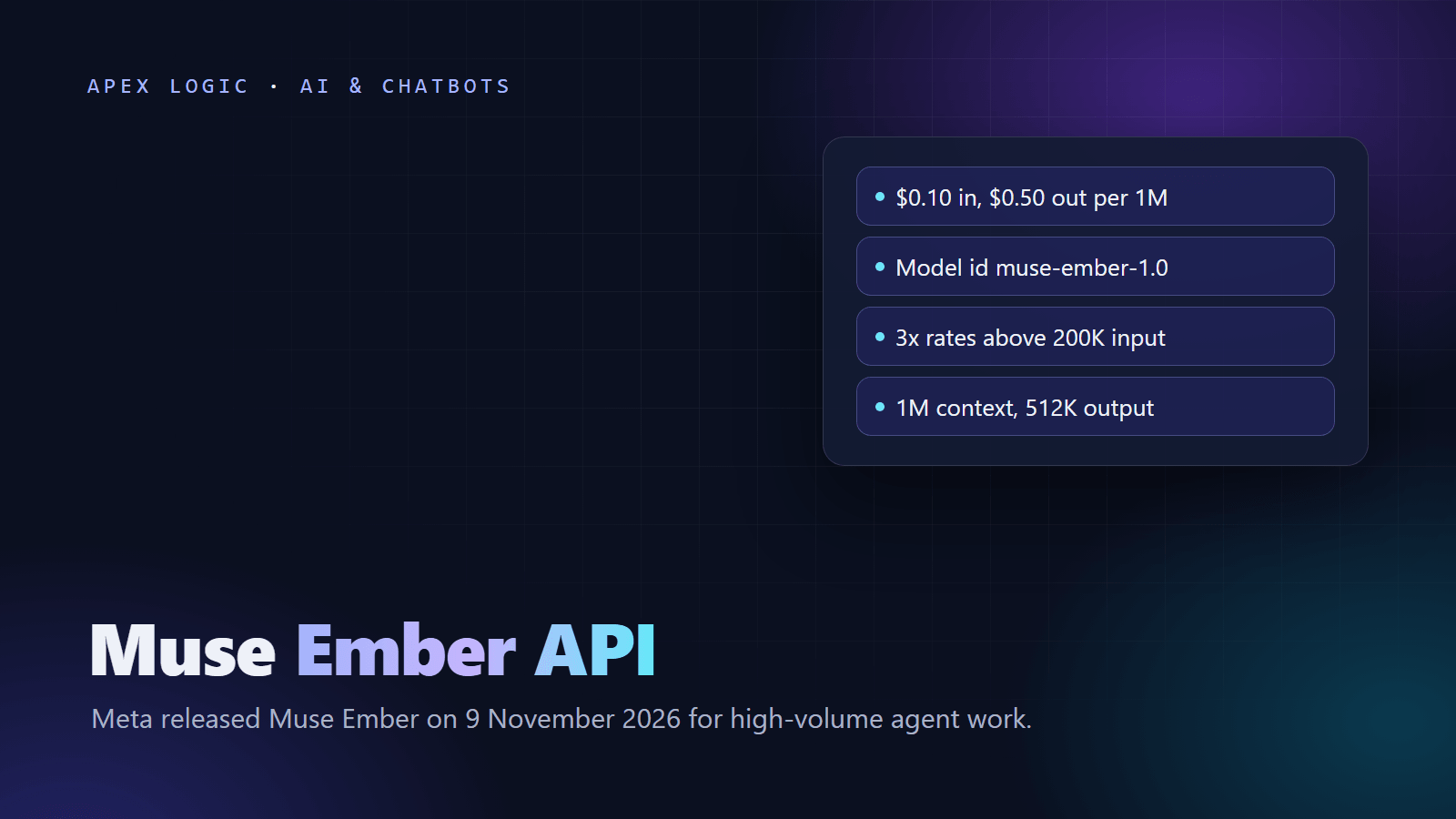
Updated 10 November 2026. Meta released Muse Ember on 9 November; this guide covers its price, the 200K billing rule, setup and first code.
Muse Ember is Meta's smallest and most efficient model, and any Meta Model API account can call it today. Meta released it on 9 November 2026 with the model id muse-ember-1.0. As of 10 November 2026 it costs $0.10 per million input tokens, $0.004 per million cached input tokens and $0.50 per million output tokens, with a 1,048,576-token context window and up to 524,288 output tokens. Meta built it for the repeated work inside agents: tool calls, routing, extraction, coding subtasks and long-document parsing.
Two details decide your bill. If a request has more than 200K input tokens, Meta bills the whole request at three times the normal rates. And Muse Ember reasons at max effort by default, with reasoning tokens billed as output, so set the effort level yourself. Below: the price table, setup in Python and curl, a structured-output example, how it compares with GPT-6 Luna, and where it is weak.
Muse Ember at a glance
From Meta's announcement, the Muse Ember docs and the pricing and rate limits page, checked on 10 November 2026:
| Question | Answer as of 10 November 2026 |
|---|---|
| What it is | Meta's smallest Muse model, built for high-volume agent work |
| Released | 9 November 2026 |
| Model id | muse-ember-1.0, Standard mode only |
| Price up to 200K input tokens | $0.10 input, $0.004 cached input, $0.50 output per 1M tokens |
| Price over 200K input tokens | $0.30 input, $0.012 cached input, $1.50 output per 1M tokens |
| Context window | 1,048,576 tokens |
| Max output | 524,288 tokens |
| Input and output | Text, image, video, audio and PDF in; text out |
| Reasoning effort | minimal to max, default max |
| Endpoints | Responses, Chat Completions and Messages |
| Rate limits | 3,000 requests and 4,000,000 tokens per minute, per team |
| Where to use it | Meta Model API, Muse Code, Google Cloud, Oracle Cloud; OpenRouter lists meta/muse-ember |
How much does Muse Ember cost?
Muse Ember is pay-as-you-go on the Meta Model API, with two tiers set by prompt size:
| Per 1M tokens | Up to 200K input tokens | Over 200K input tokens |
|---|---|---|
| Input | $0.10 | $0.30 |
| Cached input | $0.004 | $0.012 |
| Output, including reasoning | $0.50 | $1.50 |
The rule that catches people: once a request passes 200K input tokens, the whole request is billed at the higher rates, not only the tokens past 200K. Cached tokens count toward the 200K line. Muse Spark and Muse Wonder have no long-context premium, so Ember is the only Muse model where prompt size changes the rate.
Caching is automatic. You do not set cache keys or breakpoints; Meta reuses repeated prompt prefixes and bills them at the cached rate. Put fixed instructions and examples first and the changing text last, then check usage.input_tokens_details.cached_tokens in Responses API replies to see your hit rate.
Worked examples
These are examples with stated assumptions, at list prices as of 10 November 2026:
- Support ticket router: 100,000 tickets a month, 1,500 input and 200 output tokens each, at low effort. Input: 150M x $0.10 = $15.00. Output: 20M x $0.50 = $10.00. Total: $25.00 a month.
- Same router with a cached prefix: if 1,000 of those 1,500 tokens are a fixed system prompt served from cache, input becomes 100M x $0.004 = $0.40 plus 50M x $0.10 = $5.00. With $10.00 of output, the total is $15.40.
- One long contract: a 250,000-token document with 4,000 output tokens crosses the line. Input: 0.25M x $0.30 = $0.075. Output: 0.004M x $1.50 = $0.006. About $0.08, three times the normal-rate cost.
Model fees are usually the small part of an agent budget. Our LLM API costs guide shows how to estimate token use, and how much an AI chatbot costs covers the full build.
How to use the Muse Ember API
The Meta Model API works with the OpenAI SDK, so OpenAI-style code needs a new base URL, key and model id. The steps, from Meta's quickstart and authentication docs:
- Log in to the Model API dashboard and open the API keys tab.
- Choose Create API key, name it and copy it right away. Meta shows it only once. Keys start with
LLM_. - Store it as
MODEL_API_KEY. The OpenAI SDK does not read that name, so pass it to the client. - Install the SDK:
pip install openaifor Python ornpm install openaifor TypeScript. - Set the base URL to
https://api.meta.ai/v1and the model tomuse-ember-1.0.
First call with the Responses API
import os
from openai import OpenAI

client = OpenAI(
    base_url="https://api.meta.ai/v1",
    api_key=os.environ["MODEL_API_KEY"],
)

response = client.responses.create(
    model="muse-ember-1.0",
    input="Summarize this email in one sentence: My order arrived late and the box was damaged.",
    reasoning={"effort": "low"},
)

print(response.output_text)
The same request with curl:
curl -X POST "https://api.meta.ai/v1/responses" \
  -H "Authorization: Bearer $MODEL_API_KEY" \
  -H "Content-Type: application/json" \
  -d '{"model": "muse-ember-1.0", "input": "Classify this ticket: refund not received after 10 days", "reasoning": {"effort": "low"}}'
Route tickets with structured output
Meta recommends structured output for routing and extraction steps. This illustrative example uses Chat Completions, where effort is the top-level reasoning_effort field, with made-up categories:
import json
import os
from openai import OpenAI

client = OpenAI(
    base_url="https://api.meta.ai/v1",
    api_key=os.environ["MODEL_API_KEY"],
)

schema = {
    "type": "object",
    "properties": {
        "category": {"type": "string", "enum": ["billing", "shipping", "technical", "other"]},
        "urgent": {"type": "boolean"},
        "summary": {"type": "string"},
    },
    "required": ["category", "urgent", "summary"],
    "additionalProperties": False,
}

response = client.chat.completions.create(
    model="muse-ember-1.0",
    reasoning_effort="low",
    messages=[
        {"role": "system", "content": "Route the support ticket. Reply only in the given JSON format."},
        {"role": "user", "content": "I was charged twice for order 1182. Please fix this today."},
    ],
    response_format={
        "type": "json_schema",
        "json_schema": {"name": "TicketRoute", "schema": schema},
    },
)

route = json.loads(response.choices[0].message.content)
print(route["category"], route["urgent"])
Meta's structured output docs reject recursive schemas and cap nesting at 10 levels and 5,000 properties. Output always follows the schema.
Set the reasoning effort before you go live
Muse Ember accepts minimal, low, medium, high, xhigh and max; sending none returns HTTP 400. The default is max, which suits hard tasks but spends the most tokens. Use reasoning.effort on the Responses API and reasoning_effort on Chat Completions.
Reasoning tokens are billed at the output rate and count toward max_output_tokens or max_tokens. If that budget runs out mid-reasoning, the visible answer can be cut off. For routing, tagging and extraction, start at low or minimal and raise it only for steps that fail your tests. Meta's benchmark scores use max; Artificial Analysis measured 36 on its Intelligence Index at max and 34 at xhigh.
Muse Ember vs GPT-6 Luna
Meta's charts compare Ember with OpenAI's GPT-6 Luna and Anthropic's Claude Haiku 5.5. Per token, Ember and Luna list at the same input and output price; the bills split on caching and long prompts. Luna figures are from OpenAI's GPT-6 Luna page, as of 10 November 2026:
| Item | Muse Ember | GPT-6 Luna |
|---|---|---|
| Input and output per 1M | $0.10 and $0.50 | $0.10 and $0.50 |
| Cached input per 1M | $0.004 | $0.01, plus $0.125 per 1M cache writes |
| Long-prompt surcharge | Above 200K input: 3x all rates | Above 272K input: 2x input and cache, 1.5x output |
| Context and max output | 1,048,576 and 524,288 | 1,050,000 and 128,000 |
| Default effort | max | medium |
| Default rate limits | 3,000 RPM, 4M TPM per team | Build tier: 5,000 RPM, 2M TPM |
Meta-reported scores at max effort, some from Meta's internal evals:
| Benchmark | Muse Ember | GPT-6 Luna |
|---|---|---|
| AutomationBench-AA | 37.8% | 20.2% |
| Terminal-Bench 4.0 | 40.9% | 16.4% |
| OSWorld 2.1, partial credit | 69.5% | 50.5% |
| PerceptionBench with tools | 80.6% | 62.8% |
| FrontierCode 2.0-AA | 27.2% | 25.2% |
| GDP.pdf-AA | 22.8% | 22.8% |
Token use matters as much as price. Artificial Analysis puts Ember's cost per Intelligence Index task at $0.14 and says it matches Haiku 5.5's score of 36 at about a third of the cost per task. For short prompts with similar token use, the two bills look alike, and Ember's cached input is 60% cheaper. Between 200K and 272K input tokens Luna stays at base rates while Ember triples, and above 272K Luna's surcharge is still smaller. Our Haiku 5.5 vs GPT-6 Luna comparison covers that price tier in more detail.
Muse Ember vs Muse Spark and Muse Wonder
| Model | Input, cached, output per 1M | Meta's suggested use |
|---|---|---|
muse-wonder-1.0 (preview) | $4.00, $0.20, $20.00 | The hardest problems |
muse-spark-1.3 | $1.25, $0.15, $4.25 | Coding and agentic workflows |
muse-ember-1.0 | $0.10, $0.004, $0.50 | Repeatable tasks at scale |
TechCrunch reported that Ember is the fourth model under the Muse brand, after Spark in April, the open-weight Glimmer in August and Wonder in October. Meta's summary is "Muse Wonder plans, Muse Ember handles the volume." Ember is the first model Meta trained using Muse Wonder Full, and it accepts the same request body as Muse Spark, so switching is usually a model id change. Meta says to keep hard single-shot coding, knowledge-heavy questions and visual coding on Spark or Wonder. Our Muse Wonder API guide covers the planner side, and how to build an AI agent explains the planner and worker pattern.
Where is Muse Ember weak?
Knowledge. Artificial Analysis found 21.1% accuracy on its AA-Omniscience test, the lowest among the similarly scored models it compared, and calls knowledge Ember's main weakness. In that test it declined to answer 64% of questions, which kept its hallucination rate at 17.4%. In practice, do not ask Ember to answer from memory. Give it the facts in the prompt, from your documents or a search tool. Meta charges $2.50 per 1,000 queries for search grounding on its reasoning models, on top of tokens.
Where else can you use Muse Ember?
- Muse Code: available in standard mode on every plan. Requests over 200K input tokens use up the plan's allowance faster.
- Google Cloud and Oracle Cloud: Meta says Muse Ember, Muse Spark and Muse Wonder are available there.
- OpenRouter: listed as
meta/muse-emberat $0.10 input and $0.50 output, but not through EU in-region routing, as of 10 November 2026.
No open weights appear on the pages we read. If you must self-host, Meta's open models are Muse Spark Open and Muse Glimmer; see our Muse Spark Open guide.
What can a business build with Muse Ember?
These are hypothetical examples, assuming your volumes fit the rate limits above:
- Support triage: Ember tags, routes and summarizes each ticket, and a person or a larger model writes the hard replies. This is the first step of an AI customer support chatbot.
- Document extraction: Ember reads PDFs and scans natively, so it can pull invoice fields into JSON. Our invoice extraction guide lists the fields and checks to build in.
- Agent subtasks: a planner model splits a job into steps and Ember runs the repeated calls in parallel.
We build tools like these on fixed quotes, and you own 100% of the code. If you want Ember tested against your current model on your own data before you switch, tell us about the workload.
Muse Ember FAQ
Is Muse Ember free?
No free tier is listed. As of 10 November 2026, Meta's pricing page shows only pay-as-you-go rates for muse-ember-1.0 on the Model API: $0.10 per 1M input tokens, $0.004 cached and $0.50 output, tripling for requests above 200K input tokens. Muse Code subscribers can also use Muse Ember in standard mode on every plan, which is the other way to try it.
What is the Muse Ember model id?
On the Meta Model API the id is muse-ember-1.0, and it runs in Standard mode only, with no Contributor-mode variant. Gateways use their own ids; OpenRouter lists it as meta/muse-ember. Meta says Muse Ember accepts the same request body as Muse Spark, so moving existing Muse Spark code is usually a one-line model id change.
What is the Muse Ember context window?
Muse Ember accepts up to 1,048,576 tokens of context and can return up to 524,288 output tokens, including reasoning tokens. Large prompts cost more: any request with more than 200K input tokens is billed at $0.30 input, $0.012 cached input and $1.50 output per 1M tokens for the whole request. Keep routine prompts under 200K tokens to stay on base rates.
Can I use Muse Ember with the OpenAI SDK?
Yes. Meta's quickstart installs the official OpenAI SDK, sets the base URL to https://api.meta.ai/v1 and calls the Responses API. Pass your MODEL_API_KEY explicitly, because the SDK does not read that variable. Chat Completions and Anthropic-style Messages requests also work, so most existing code needs only a new base URL, key and model id.
Is Muse Ember open source?
No open weights appear on the pages we read. Meta offers Muse Ember through the Meta Model API and Muse Code, and says it is also available on Google Cloud and Oracle Cloud. Meta's open-weight models are Muse Spark Open and Muse Glimmer, which you can download and run on your own hardware if your data rules require it.
Is Muse Ember better than GPT-6 Luna?
On Meta's benchmarks at max effort, Ember beats Luna on agent tasks such as AutomationBench-AA, 37.8% to 20.2%, and Terminal-Bench 4.0, 40.9% to 16.4%. Both list at $0.10 input and $0.50 output per 1M tokens, but Luna is cheaper once prompts pass 200K input tokens, while Ember's cached input is cheaper. These are vendor-run numbers, so test both on your own tasks.
Sources
- Meta AI research blog: Introducing Muse Ember
- Meta Model API: Muse Ember docs
- Meta Model API: Pricing and rate limits
- Meta Model API: Quickstart
- Meta Model API: Authentication
- Meta Model API: Reasoning
- Meta Model API: Structured output
- Meta Model API: Caching and token counting
- OpenAI: GPT-6 Luna model page
- Artificial Analysis: Muse Ember on the Intelligence Index
- TechCrunch: Meta releases Muse Ember
- OpenRouter: Muse Ember

Loading comments...