Updated 10 November 2026. Anthropic added fast mode to Claude Fable 5.2 at launch on 9 November, so this guide covers what it costs, how to turn it on in the API and Claude Code, the plan rules and when it pays off.
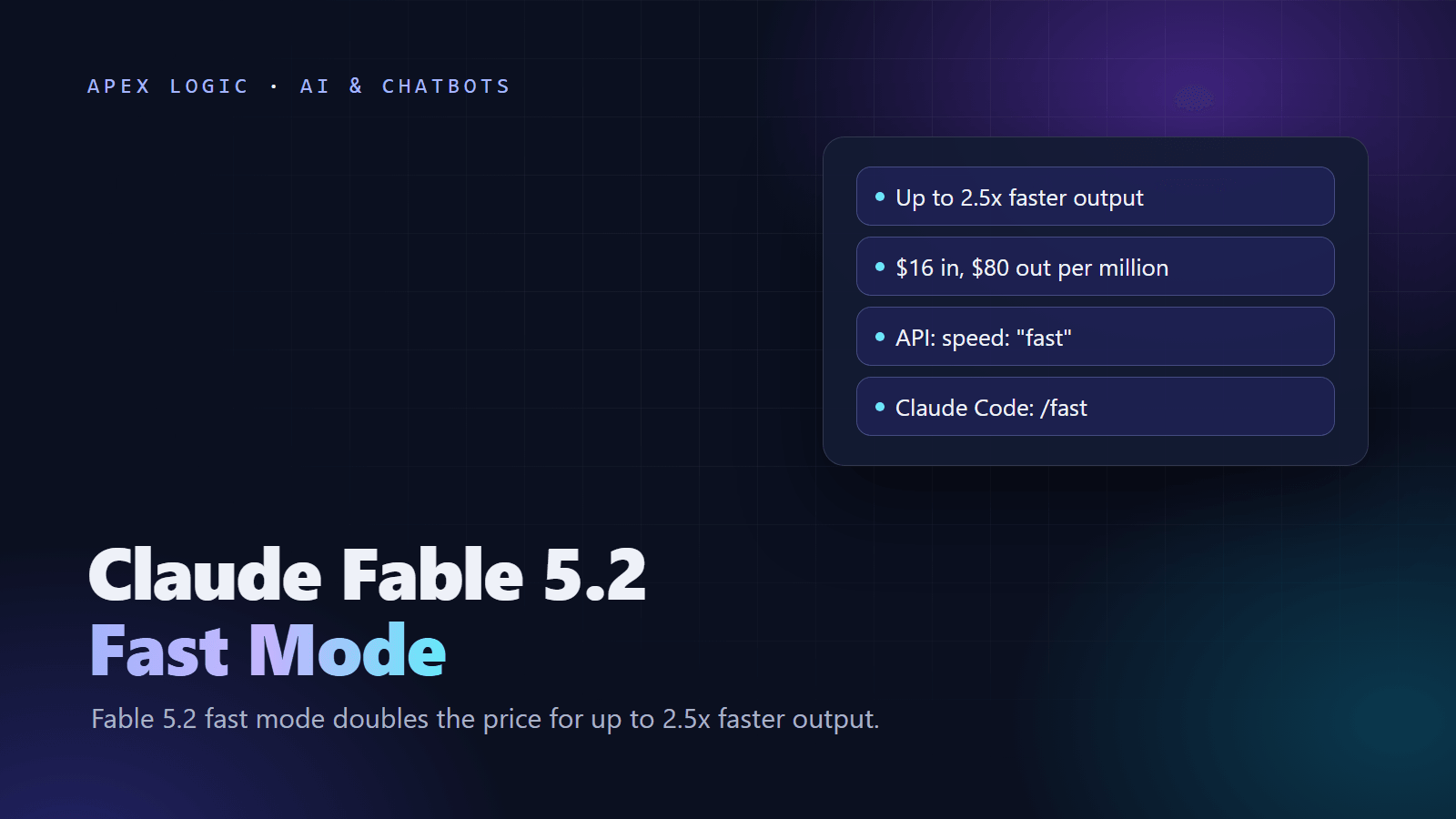
Claude Fable 5.2 fast mode runs the same model on a faster inference setup, giving up to 2.5x higher output tokens per second at twice the standard price: $16 per million input tokens and $80 per million output tokens, as of 10 November 2026. On the API, add speed: "fast" to a Messages API request for claude-fable-5-2, with no beta header. In Claude Code, switch to Fable 5.2 and run /fast, which needs version 2.1.321 or later.
Quality does not change, only speed and price. The speedup applies to output generation, not to the wait for the first token, so it helps most with long, streamed answers in interactive work. Fast mode is not available in the Batch API, with Priority Tier, on Amazon Bedrock, on Claude Platform on AWS or in Claude Managed Agents, and on Claude subscription plans it is paid from usage credits only.
Fable 5.2 fast mode at a glance
From Anthropic's fast mode docs and the Claude Code fast mode page, checked on 10 November 2026:
| Question | Answer |
|---|---|
| What it is | The same Fable 5.2 model on a faster inference configuration |
| Speed | Up to 2.5x higher output tokens per second |
| Price | $16 input, $80 output per million tokens (standard: $8 and $40) |
| API switch | speed: "fast"; usage.speed reports which speed ran |
| Claude Code switch | /fast while on Fable 5.2, v2.1.321 or later |
| Where it works | Claude API, Claude Code, both Google Cloud options, Microsoft Foundry as claude-fable-5-2-fast |
| Where it does not | Batch API, Priority Tier, Amazon Bedrock, Claude Platform on AWS, Managed Agents |
| API access | Default fast mode rate limit on the Start, Build and Scale tiers |
| Subscriptions | Pro, Max, Ultra, Team and Enterprise, through usage credits only |
What is Claude Fable 5.2 fast mode?
Fast mode serves the same model with an inference configuration tuned for speed instead of cost. Anthropic says there is no change to intelligence or capabilities. The benefit is higher output tokens per second, not a shorter time to first token, and it is most visible when you stream. Mythos 5.2 supports it too, for verified organizations.
Opus 5.5 also has fast mode, at $8 and $40 per million tokens, and Opus 5 and Opus 4.8 have it in research preview; Opus 4.8 loses it on 30 November 2026.
Fast mode is not the same as lower effort. Lower effort makes the model think less, which is quicker but can hurt quality on hard tasks. Fast mode keeps the work the same and generates tokens faster. Combined, they give the quickest setting for simple tasks.
How much does Fable 5.2 fast mode cost?
Anthropic's first-party rates in US dollars per million tokens, as of 10 November 2026:
| Rate | Standard speed | Fast mode |
|---|---|---|
| Input | $8 | $16 |
| Output, including thinking | $40 | $80 |
| 5-minute cache write (1.25x input) | $10 | $20 |
| Cache read (0.025x input) | $0.20 | $0.40 |
| US-only inference (1.1x) | $8.80 and $44 | $17.60 and $88 |
| Batch API | $4 and $20 | Not available |
Fast mode pricing is flat across the full 1M-token context window, and the prompt caching and data residency multipliers apply on top of it, which gives the cache and US-only figures above. Microsoft lists the same $16 and $80 for Fable 5.2 Fast in Foundry, with $0.40 cache reads and $20 cache writes. On Google Cloud's own listing, Google sets the price, and its docs put fast mode at 2x the standard-speed rates.
Example: a one-hour debugging session
Assume, for illustration, 30 requests that share 100,000 tokens of cached context and each add 3,000 new input tokens and 5,000 output tokens.
- Standard speed: the first request writes the cache and costs $1.22; each later request costs $0.02 for the cache read, $0.024 for new input and $0.20 for output, or $0.244. Total: about $8.30.
- Fast mode: the first request costs $2.45; each later one costs $0.04 + $0.048 + $0.40 = $0.488. Total: about $16.60.
If fast mode reaches its full 2.5x on output, the 150,000 output tokens take 40% of the time they would at standard speed. Anthropic does not publish a base tokens-per-second figure for Fable 5.2, so measure your own.
The hidden cost of switching mid-conversation
Fast and standard speed keep separate prompt caches. Claude Code's docs warn that the first time you turn fast mode on in a conversation, you pay the full fast mode uncached input price for the whole context. At 300,000 tokens of context, that first fast request costs $4.80 in input, against $0.06 to read the same context from a warm standard cache. Turn fast mode on at the start of a session, not halfway through.
How to turn on fast mode in the API
Python
import anthropic

client = anthropic.Anthropic()

response = client.messages.create(
    model="claude-fable-5-2",
    max_tokens=16000,
    speed="fast",
    messages=[{"role": "user", "content": "Explain why this test fails and patch it: ..."}],
)

print(response.usage.speed)  # "fast" or "standard"
for block in response.content:
    if block.type == "text":
        print(block.text)
TypeScript
import Anthropic from "@anthropic-ai/sdk";

const client = new Anthropic();

const response = await client.messages.create({
  model: "claude-fable-5-2",
  max_tokens: 16000,
  speed: "fast",
  messages: [{ role: "user", content: "Explain why this test fails and patch it: ..." }]
});

console.log(response.usage.speed);
With cURL, add "speed": "fast" to the JSON body of a normal POST /v1/messages request.
speedis a top-level request field. Fable 5.2 needs no beta header;fast-mode-2026-02-01is only required for Opus 5 and Opus 4.8, and requests that still send it keep working on the Claude API.- On both Google Cloud options, the same field works. Google's listing draws fast requests from a separate
anthropic-claude-fable-fastquota and does not offer Provisioned Throughput with fast mode. - On Microsoft Foundry, deploy the separate
claude-fable-5-2-fastmodel and leavespeedout; sendingspeedto the regular deployment returns an error. - A fast request over the fast limit or capacity returns a 429 or 529 instead of quietly running at standard speed.
Fall back to standard speed on a 429
The SDK retries a 429 twice by default after the retry-after delay, which is usually short because capacity refills continuously. If you would rather drop to standard speed at once, turn retries off on the fast attempt and resend without speed. This follows Anthropic's documented pattern, with the Fable model ID:
def create_message_with_fast_fallback(max_retries=0, max_attempts=3, **params):
    try:
        return client.with_options(max_retries=max_retries).messages.create(**params)
    except anthropic.RateLimitError:
        if params.get("speed") == "fast":
            del params["speed"]
            return create_message_with_fast_fallback(max_retries=max_retries, **params)
        raise
    except (anthropic.APIStatusError, anthropic.APIConnectionError) as error:
        if isinstance(error, anthropic.APIStatusError) and error.status_code < 500:
            raise
        if max_attempts > 1:
            return create_message_with_fast_fallback(
                max_retries=max_retries, max_attempts=max_attempts - 1, **params
            )
        raise


message = create_message_with_fast_fallback(
    model="claude-fable-5-2",
    max_tokens=16000,
    messages=[{"role": "user", "content": "Hello"}],
    speed="fast",
)
The standard-speed retry misses the prompt cache, because the two speeds do not share cached prefixes.
How to turn on fast mode in Claude Code
- Update Claude Code to v2.1.321 or later with
claude update. - Switch to Fable 5.2 with
/model fable. - Run
/fast, press Space to toggle it on, then press Enter to confirm. Claude Code confirms Fast mode ON and shows a small ↯ icon next to the prompt. - Run
/fastagain at any time to check the state or turn it off. In the VS Code extension, use the Toggle fast mode command.
Fable 5.2 has its own rules. Setting "fastMode": true in your settings does nothing for Fable 5.2 until you run /fast while using it, and switching to Fable 5.2 turns fast mode off unless you turned it on there. Once on, it lasts across sessions unless per-session opt-in is set. For non-interactive runs, start with claude -p --settings '{"fastMode": true}'; in cloud sessions on claude.ai/code, type /fast on for that session only.
Admins can require a fresh opt-in each session with "fastModePerSessionOptIn": true in managed settings, or block fast mode entirely with the CLAUDE_CODE_DISABLE_FAST_MODE=1 environment variable.
Plan requirements and limits
On the Claude API
- Organizations on the Start, Build and Scale usage tiers get a default fast mode rate limit for Fable 5.2, with no access request. The Evaluation tier has to move up first.
- The fast limit is separate from your standard Fable 5.2 limit. You can see it on the Rate limits page in the Claude Console and in the
anthropic-fast-input-tokens-*andanthropic-fast-output-tokens-*response headers, which report the limit, what remains and when it resets. - Fable 5.2 is a Covered Model, so the 30-day data retention rule applies at either speed.
In Claude Code
- Subscriptions: Pro, Max, Ultra, Team and Enterprise can use fast mode only through usage credits. It is not part of your plan's included limits and draws from credits even when plan usage is left, so turn usage credits on first.
- Team and Enterprise: fast mode is off by default until an Owner enables it under Organization settings, then Claude Code.
- Console API keys: the organization pays per token, an admin manages fast mode in Claude Code preferences, and the free Evaluation plan cannot use it.
- Cloud providers: Claude Code's fast mode does not work when Claude Code runs on Amazon Bedrock, Google Cloud's Agent Platform, Microsoft Foundry or Claude Platform on AWS.
- Hitting the limit: Claude Code falls back to standard speed, the ↯ icon turns gray during the cooldown, and fast mode returns when it ends.
Fast mode spend comes from usage credits, not the plan windows covered in our Claude Code 5-hour limit guide. Rolling it out to a whole team? Read our notes on AI coding assistants for teams first.
When is Fable 5.2 fast mode worth it?
Worth it:
- Live debugging and rapid iteration, where you sit and wait for each answer.
- User-facing features that stream long answers, where speed is part of the product.
- Deadline work, where an hour saved matters more than the token bill.
Not worth it:
- Long autonomous runs, CI jobs and batch work that nobody watches.
- Short replies, where most of the wait is time to first token, which fast mode does not cut.
- Cost-sensitive or high-volume workloads.
- Turning it on deep into a long conversation, because of the cache reset.
Compare cheaper ways to get speed. Opus 5.5 in fast mode costs $8 and $40, the same as Fable 5.2 at standard speed, and Anthropic recommends Opus 5.5 for most coding work anyway. Lower effort on Fable 5.2 costs nothing extra. Our Fable 5.2 vs Opus 5.5 comparison covers that tradeoff, the Claude Fable 5.2 guide covers the model, and the Fable 5.2 API tutorial covers the rest of the request.
Example (assumptions stated): in the session above, fast mode cost about $8.30 more. If it saved 30 seconds on each of the 30 replies, that is 15 minutes, so it pays off when 15 minutes of your time is worth more than $8.30. Our LLM API costs guide shows how to track this per feature.
Building a product where response speed matters, such as a coding assistant or live support agent? We can help you measure whether fast mode, a smaller model or better caching gives the best result per dollar. Contact Apex Logic.
Claude Fable 5.2 fast mode FAQ
How do I turn on fast mode for Claude Fable 5.2?
On the API, add the top-level field speed set to fast to a Messages API request for claude-fable-5-2. No beta header is needed. In Claude Code v2.1.321 or later, switch to Fable 5.2 with /model fable, run /fast, press Space and then Enter. On Microsoft Foundry, deploy the separate claude-fable-5-2-fast model instead of sending the speed field.
How much does Claude Fable 5.2 fast mode cost?
As of 10 November 2026, fast mode costs $16 per million input tokens and $80 per million output tokens, double the standard $8 and $40. Cache reads cost $0.40 and five-minute cache writes $20 per million. The price is flat across the full 1M-token context, US-only inference adds 10%, and the Batch API discount does not apply because batches cannot use fast mode.
Is fast mode included in Claude Pro or Max?
No. As of 10 November 2026, on Pro, Max, Ultra, Team and Enterprise plans fast mode in Claude Code is paid from usage credits only, and it is not part of the plan's included usage. It draws from credits even when you have plan usage left, so turn usage credits on first. Team and Enterprise organizations also need an Owner to enable fast mode.
Does fast mode make Claude Fable 5.2 less accurate?
No. Anthropic says fast mode runs the same model with a faster inference configuration and no change to intelligence or capabilities. What changes is price and output speed. If you want faster answers at lower cost and can accept some quality loss on hard tasks, lowering the effort level is the other lever, and you can combine the two for simple work.
Can I use Fable 5.2 fast mode on Amazon Bedrock or the Batch API?
No. As of 10 November 2026, fast mode for Fable 5.2 runs on the Claude API, in Claude Code, on both Google Cloud options and on Microsoft Foundry through the claude-fable-5-2-fast deployment. It is not available on Amazon Bedrock, on Claude Platform on AWS, in Claude Managed Agents, with Priority Tier or in the Message Batches API, which rejects the speed field.
Why is fast mode not working in Claude Code?
Check five things. Your version must be v2.1.321 or later for Fable 5.2. Usage credits must be turned on for subscription plans. Team and Enterprise need an Owner to enable fast mode. Claude Code must use Anthropic directly, not Bedrock, Google Cloud, Foundry or Claude Platform on AWS. And a gray icon means you hit the fast limit and are in a cooldown.
Sources
- Claude Platform docs: Fast mode
- Claude Code docs: Speed up responses with fast mode
- Claude Code docs: Model configuration
- Anthropic: Introducing Claude Fable 5.2 and Claude Mythos 5.2
- Claude Platform docs: What's new in Claude Fable 5.2
- Claude Platform docs: Claude Fable 5.2 and Claude Mythos 5.2 migration guide
- Claude Platform docs: Pricing
- Claude Platform docs: Rate limits
- Claude Platform docs: Batch processing
- Google Cloud docs: Claude Fable 5.2
- Microsoft Foundry blog: Claude Fable 5.2 and Mythos 5.2 in Microsoft Foundry

Loading comments...