Related: Jev AI for Trading: What TypeSafe's New Model Can and Cannot Do
This is a software guide, not financial advice. Automated trading can lose money quickly. Run everything in paper mode first, and only trade money you can afford to lose.
Jev, the new decision model from TypeSafe AI, answers typed questions in 70 to 500 milliseconds with a probability attached. That makes it tempting to wire straight into a trading bot. This guide shows how to build a Jev AI trading bot that stays safe when the model is wrong, slow or unavailable. New to Jev? Start with what Jev AI can and cannot do for trading.
The shape of a good Jev trading bot
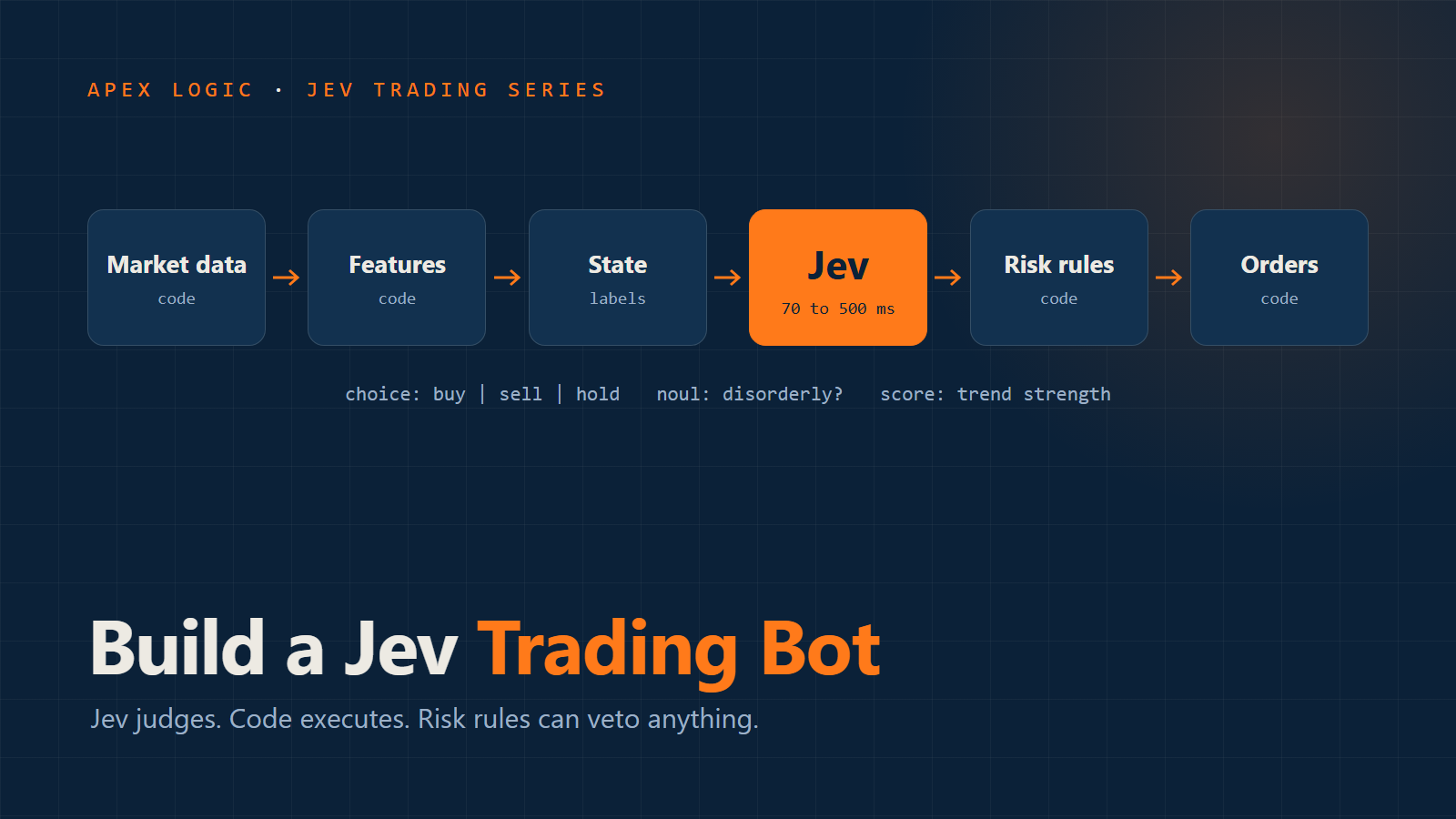
Every stage except one is ordinary code:
- Market data: prices, the order book, recent trades, your positions.
- Features, in code: spread, returns, volatility, indicators.
- State, in code: a small summary, with numbers turned into labels.
- Judgement, by Jev: typed answers with probabilities.
- Policy, in code: thresholds that turn answers into an intended action.
- Risk rules, in code: hard limits that can veto anything.
- Execution, in code: placing, cancelling and tracking orders.
- Logging, in code: every state, answer and outcome.
The open-source Jev trading bots published so far all follow this split. Jev answers questions. It never touches an order.
Step 1: Get Jev API access and pin the version
Jev is in early access, so join the waitlist at typesafe.ai. Once you have an API key, store it in an environment variable called TYPESAFE_API_KEY. Never put it in your code.
Every request goes to one endpoint:
POST https://api.typesafe.ai/v1/systemone
Authorization: Bearer YOUR_TYPESAFE_API_KEY
Content-Type: application/json
TypeSafe's examples use the model name jev-latest. For a trading bot, name the exact version instead, currently jev-1.13.0. Aliases move when a new version ships, and you do not want your bot's behaviour to change overnight without a test.
Step 2: Calculate everything in code
TypeSafe's list of known weaknesses says plainly that Jev is not a calculator, does not count reliably, and reads dates as text. So:
- Compute returns, spreads, moving averages, RSI, volatility and position values in code.
- Count in code: green candles in a row, trades in the last minute, open orders.
- Handle time in code: seconds since the last fill, minutes until the session closes.
Step 3: Turn numbers into labels for Jev
TypeSafe recommends converting numbers into named categories before asking. For trading, that means bucketing each feature with rules you control. A state for Jev might look like this:
{
  "market": "BTC-USD",
  "trend_1h": "up, moderate",
  "trend_5m": "flat",
  "rsi_14": "overbought",
  "volatility": "high versus the last 24 hours",
  "spread": "normal",
  "order_book": "bids thicker than asks",
  "position": "long, half of maximum size",
  "open_pnl": "small gain"
}
It is short, and every value means something. Keep it that way. Jev's accuracy falls as unrelated content grows, and one well-designed open-source bot keeps its whole state under 400 tokens.
Your bucket boundaries, such as what counts as "overbought" or "high volatility", are part of your strategy. Write them down, and change them on purpose, not by accident.
Step 4: Ask Jev narrow questions
Ask several small questions rather than one big one. Each should ask exactly one thing. Here is a complete Jev API request in the documented format:
{
  "model": "jev-1.13.0",
  "state": {
    "market": "BTC-USD",
    "trend_1h": "up, moderate",
    "rsi_14": "overbought",
    "volatility": "high versus the last 24 hours",
    "spread": "normal",
    "position": "long, half of maximum size"
  },
  "questions": {
    "action": {
      "type": "choice",
      "instructions": "Which action best fits a short-term trend-following strategy in this state?",
      "criteria": {
        "buy": "Open or add to a long position",
        "sell": "Reduce or close the long position",
        "hold": "Do nothing this round"
      }
    },
    "trend_strength": {
      "type": "score",
      "instructions": "How strong and consistent is the short-term trend?",
      "criteria": ["no trend", "weak", "moderate", "strong"]
    },
    "disorderly": {
      "type": "noul",
      "instructions": "Does the state describe a disorderly market, such as very high volatility with a thin order book?"
    }
  }
}
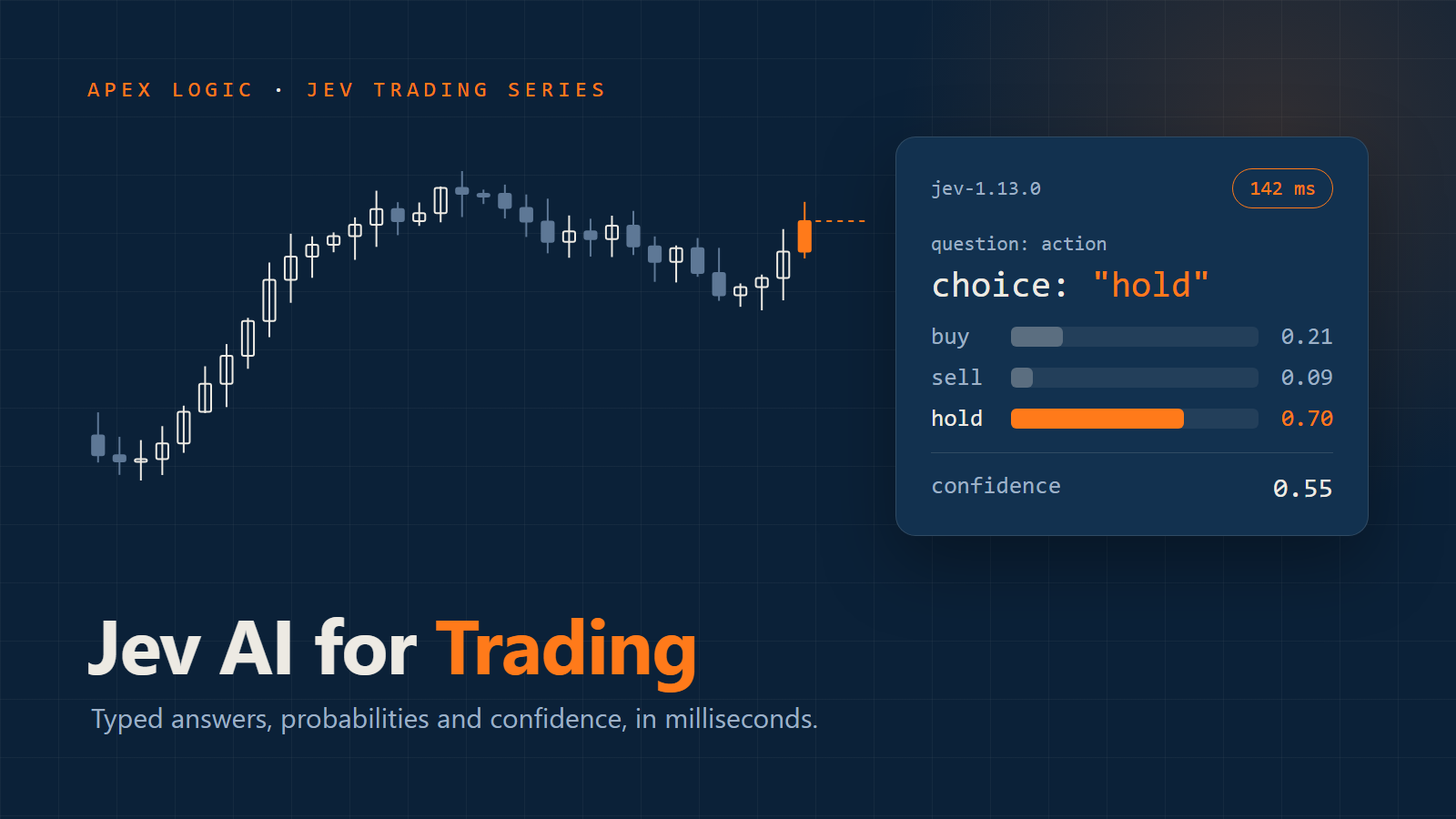
Jev returns each answer under the name you gave it. A choice answer looks like this (the numbers are illustrative):
"action": {
  "type": "choice",
  "choice": "hold",
  "probabilities": { "buy": 0.31, "sell": 0.12, "hold": 0.57 },
  "confidence": 0.36
}
Score answers include a probability for each level and a probability-weighted score. Noul answers are a single probability that the statement is true.
The same Jev request in Python
TypeSafe's Python SDK installs with pip install typesafe-sdk and needs Python 3.10 or later:
from typesafe_sdk import TypeSafeClient, Choice, Noul

with TypeSafeClient() as client:  # reads TYPESAFE_API_KEY
    response = client.system_one(
        state=state,
        questions={
            "action": Choice(
                instructions="Which action best fits a short-term trend-following strategy in this state?",
                criteria={
                    "buy": "Open or add to a long position",
                    "sell": "Reduce or close the long position",
                    "hold": "Do nothing this round",
                },
            ),
            "disorderly": Noul(
                instructions="Does the state describe a disorderly market?",
            ),
        },
        model="jev-1.13.0",
    )

action = response.answers["action"]
print(action.choice, action.confidence, action.probabilities)
print(response.answers["disorderly"].noul)
Step 5: Turn Jev answers into actions
Now your code decides. A simple policy:
MIN_CONFIDENCE = 0.6  # placeholder: set it from your own data

def decide(answers):
    if answers["disorderly"].noul > 0.5:
        return "hold"
    action = answers["action"]
    if action.confidence < MIN_CONFIDENCE:
        return "hold"
    return action.choice
These thresholds are placeholders. Choose yours from logged data, as explained in Jev confidence scores explained.
Step 6: Add risk rules Jev cannot override
These run after the policy, and can turn any action into "hold" or "close everything":
- Maximum position size, per market and in total.
- Maximum daily loss. Once it is reached, stop trading for the day.
- Spread and liquidity limits. No new entries when the order book is thin.
- A stale data check. If market data is more than a few seconds old, do nothing.
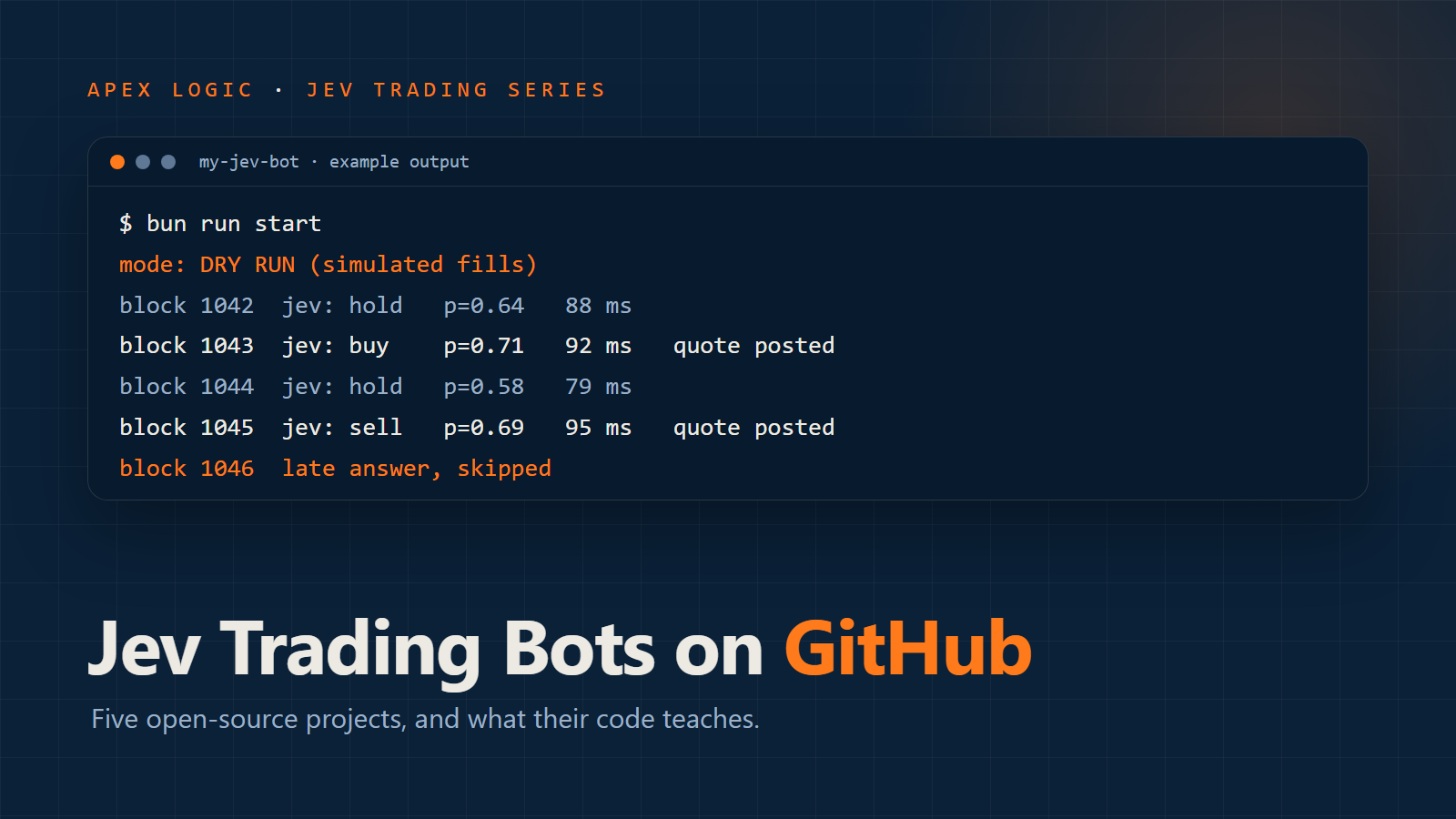
- A late answer check. If Jev answers after the moment has passed, ignore it. One open-source bot on the Monad blockchain skips any decision that arrives after its block has closed.
- A kill switch a person can press to cancel all orders and stop the loop.
Step 7: Decide what happens when the Jev API fails
APIs time out. TypeSafe documents two "slow down" responses, 429 for rate limits and 529 for overload, and recommends retrying with exponential backoff. In a fast trading loop, a retried answer often arrives too late to use. Decide your failure rules before you go live:
- New entries fail closed. No answer means no new trade.
- Exits never depend on the model. Stop losses, take profits and position limits run in code whether Jev is reachable or not.
- Set a short timeout that fits your decision cycle, and log every timeout.
QuantDinger, an open-source trading platform that added Jev as a pre-trade check, makes a different choice for entries: if Jev fails, the order goes ahead and the reason is logged. Its exits and stops skip the AI check entirely, so an outage can never trap a position. Either approach can be right. What matters is choosing it on purpose.
Step 8: Place orders carefully
Most Jev bots so far use limit orders, often post-only orders a tick inside the best price. They wait to be filled instead of paying the spread, which suits a model that decides every second or two. It also means some orders never fill, so always track actual fills from the exchange, not the orders you sent.
Step 9: Log everything, then paper trade
For every decision, log the state, Jev's full answers and probabilities, what your policy chose, what the risk rules changed, and what happened next. That log is the only way to find out whether Jev is helping.
Then run the bot in paper mode, with real market data and simulated fills, for weeks. Compare it with simple baselines, such as doing nothing, or the same rules without Jev. If Jev does not beat the rule it replaces after fees, it has not earned its place.
Jev cost and speed budget
- Price: $0.042 per million input tokens, and output is free. A 400-token request once a second costs about $1.45 a day. Once every 300 milliseconds, about $4.84 a day.
- Latency: TypeSafe quotes 70 to 500 ms. Plan for the slow end, plus your own network time.
- Rate limits: 1,200 requests a minute by default, which is 20 a second. A bot trading several markets on a fast loop can reach that.
Checklist
- Pin the Jev model version.
- Compute every number in code.
- Send a small, labelled state.
- Ask narrow questions, several per call.
- Act only above a confidence threshold you have tested.
- Add hard risk limits the model cannot override.
- Decide what happens when Jev fails. Exits never wait for it.
- Log everything.
- Paper trade for weeks against a simple baseline.
- If you go live, start very small.
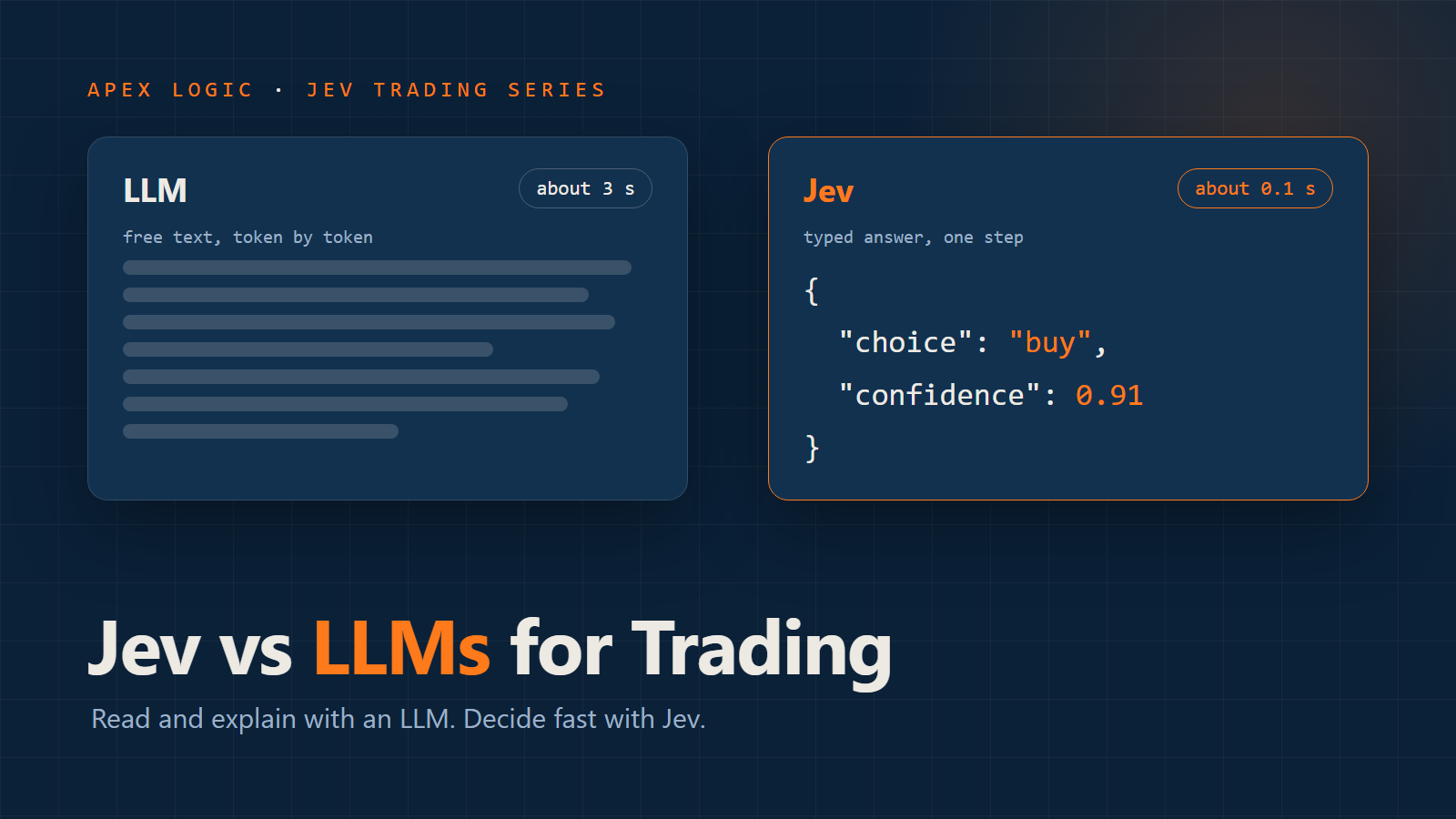
For real examples of this design, see Jev trading bots on GitHub. To see where an LLM still fits, read Jev vs ChatGPT and other LLMs for trading. If you want a Jev trading tool or pre-trade check built and tested properly, talk to us.
Jev trading bot FAQ
Do I need to know how to code to build a Jev trading bot?
Yes. Jev is an API for software, not an app. You need code to fetch market data, compute features, call Jev, apply risk rules and place orders. TypeSafe offers SDKs for Python and JavaScript.
Which programming language is best for a Jev bot?
Python is the most common choice, with an official SDK and strong data libraries. TypeScript is popular for crypto bots, and the best-known open-source Jev trader is written in TypeScript on Bun.
How fast is Jev for trading?
TypeSafe quotes 70 to 500 milliseconds per request. That suits decisions every second or every few seconds. It is far too slow for high-frequency trading.
Can a Jev bot trade stocks as well as crypto?
Yes, if your broker offers an API. Jev only sees the state you send it, so the market makes no difference to the model. Most early open-source Jev bots trade crypto because exchange APIs are easy to reach and the markets never close.
How much does it cost to run a Jev trading bot?
The Jev API itself is cheap: about $1.45 a day for a 400-token request every second, at $0.042 per million input tokens. Trading fees, spreads and slippage will usually cost far more.
Comments