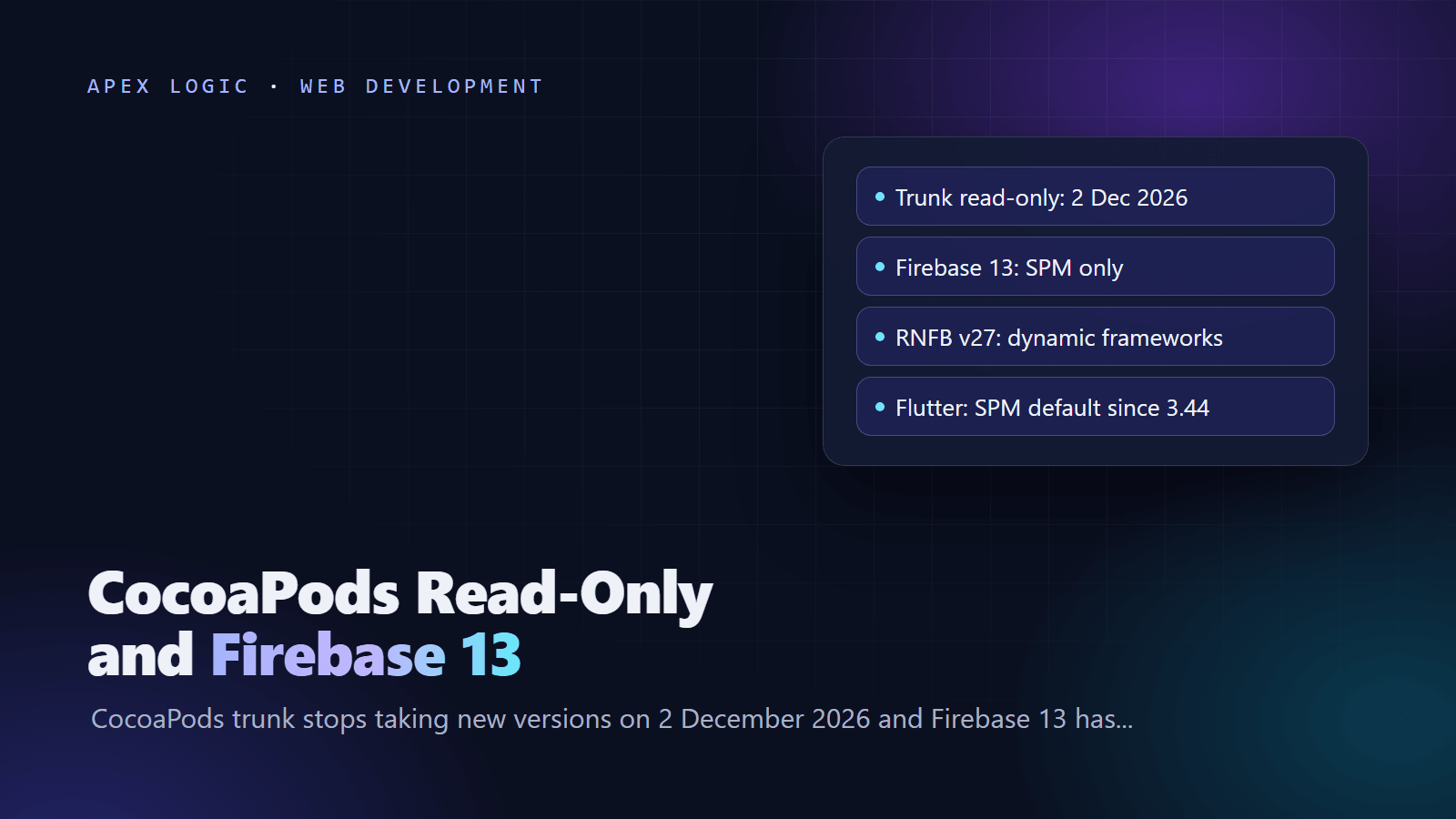
Updated 22 October 2026. Firebase 13 shipped without CocoaPods on 7 October and CocoaPods trunk goes read-only on 2 December, so this guide shows what breaks, what does not, and how to move each kind of iOS app to Swift Package Manager.
CocoaPods trunk, the public registry behind pod install, becomes permanently read-only on 2 December 2026, after a test run from 1 to 7 November. Existing builds keep working, because published pod versions stay available, but no new pods or versions can be added. Firebase has already moved on: 12.19.0, released on 9 September 2026, was its final scheduled CocoaPods release, and Firebase 13.0.0, released on 7 October 2026, ships only through Swift Package Manager (SPM) and binary downloads.
So nothing breaks on 2 December. The trouble starts the next time you need a security fix, a new Firebase feature or an SDK that only ships through SPM. Move before you are forced to: native iOS apps switch in Xcode, React Native apps that use React Native Firebase upgrade to v27 with dynamic frameworks, Expo apps set one build property, Flutter apps have used SPM by default since Flutter 3.44, and Capacitor apps have a migration assistant. If you are rethinking Firebase itself, see our Firebase vs Supabase comparison.
What to do, by stack
Status as of 22 October 2026.
| Your app | Where it stands | What to do |
|---|---|---|
| Native iOS (Swift or Objective-C) | SPM is built into Xcode; Firebase 13 needs Xcode 26.2 or later | Remove CocoaPods and add packages in Xcode |
| React Native with React Native Firebase | v27, released 19 October 2026, resolves Firebase 13 through SPM and drops the CocoaPods path | Upgrade all RNFB packages to v27 and use dynamic frameworks |
| React Native without Firebase | CocoaPods is fully supported in 0.88; SPM is experimental and planned as the default in 0.89 | Audit trunk pods now and try the SPM preview on a branch |
| Expo | SDK 58 keeps CocoaPods as the default | With RNFB, set useFrameworks to dynamic in expo-build-properties |
| Flutter | SPM on by default since 3.44; CocoaPods in maintenance mode; firebase_core 5.0.0 uses Firebase 13 | Upgrade, find plugins still on CocoaPods, then remove CocoaPods |
| Capacitor | SPM supported since Capacitor 6 | Run the SPM migration assistant |
Key dates
| Date | Change |
|---|---|
| 6 August 2026 | Google Maps SDK for iOS 11.0.0 deprecates CocoaPods and points to SPM |
| 9 September 2026 | Firebase 12.19.0, the final scheduled Firebase release on CocoaPods |
| 7 October 2026 | Firebase 13.0.0: SPM and binary distributions only |
| 15 October 2026 | FlutterFire firebase_core 5.0.0 moves to the Firebase iOS SDK 13; Expo SDK 58 ships |
| 19 October 2026 | React Native 0.88 release post and React Native Firebase v27 |
| 1 to 7 November 2026 | CocoaPods trunk read-only test run |
| 2 December 2026 | CocoaPods trunk permanently read-only |
What read-only means for your app
| Keeps working | Stops |
|---|---|
| pod install with versions already published | Publishing new pods or new versions to trunk |
| Existing apps and CI builds | Updates for SDKs that leave CocoaPods, such as Firebase 13 and later |
| The specs repo and CDN for existing versions | Fixes that only ship in new versions |
CocoaPods says the specs repository will be archived on GitHub and existing versions stay available through it and its CDN. Teams that already run a private spec repo or vendor every dependency are not affected. The plan's author also said the dates might be extended, but will not be brought forward.
Step 1: Find which pods come from trunk
Your Podfile.lock lists every pod pulled from the public registry under SPEC REPOS, in the trunk group. This command prints that list (run it in the folder that holds Podfile.lock):
awk '/^SPEC REPOS:/{f=1;next} /^[A-Z]/{f=0} f' Podfile.lockIn a React Native or Flutter app, most native code comes from local podspecs inside node_modules or the Flutter plugin folders, listed under EXTERNAL SOURCES, and those keep working. The trunk list is what matters: usually SDKs for Firebase, maps, analytics, crash reporting, payments and push. For each one, check whether the vendor ships a Package.swift and whether it has announced an end to CocoaPods releases.
Step 2: Native iOS apps: replace CocoaPods with SPM
- Install Xcode 26.2 or later if you use Firebase 13.
- Close Xcode, run
pod deintegratein the project folder and delete the generated .xcworkspace. - Open the .xcodeproj and choose File, Add Package Dependencies.
- Add
https://github.com/firebase/firebase-ios-sdk.git, pick only the Firebase products you use, then repeat for each other SDK. - Check Build Phases, Link Binary With Libraries on every target, then build and run.
The Terminal part looks like this (replace MyApp with your project name):
cd MyApp
pod deintegrate
rm -rf MyApp.xcworkspace
open MyApp.xcodeproj
Xcode records exact package versions in Package.resolved; commit it so CI builds the same thing. If a dependency has no SPM package, Firebase's guide points to manual installation from prebuilt XCFrameworks as the more stable route.
Step 3: React Native: upgrade React Native Firebase to v27
React Native Firebase v27 pins the Firebase iOS SDK to 13.0.0 through SPM and removes the CocoaPods route. On React Native 0.75 or later it picks SPM automatically, but only with dynamic frameworks:
- Upgrade every
@react-native-firebase/*package to v27 at the same time. - In
ios/Podfile, use dynamic framework linkage and remove any$RNFirebaseDisableSPM = trueline. - Run
pod installand look for the log line saying RNFBApp is using SPM for Firebase dependency resolution. - On Android, v27 also needs minSdk 24 and Kotlin Gradle plugin 2.4.0 or later, because it moves to Firebase BoM 35.
# ios/Podfile
use_frameworks! :linkage => :dynamic
npm install @react-native-firebase/app@27 @react-native-firebase/messaging@27
cd ios
pod installThree things to watch:
- Static linkage fails on purpose. A Podfile with no use_frameworks line links statically, and pod install now rejects SPM with static linkage instead of failing later with duplicate symbols.
- Other native modules that call Firebase get their own copy of FirebaseCore and cannot share one configured FirebaseApp with React Native Firebase, and mixing a CocoaPods copy of Firebase with the SPM one is not supported. Read the FirebaseCore sharing notes in the React Native Firebase SPM docs before you upgrade.
- Google Sign-In. Firebase 13 depends on App Check 12, and the latest tagged GoogleSignIn-iOS release, 10.0.0, does not allow it yet. Firebase says a compatible release will follow in the coming weeks, so apps that use Google Sign-In should stay on React Native Firebase v26 and Firebase 12 until it ships.
React Native's own SPM support is a separate track. React Native 0.87 added an experimental npx react-native spm command that replaces CocoaPods for React Native itself, and 0.88 hardened it, but the React Native team says not to use it in production yet. Its plan is to make SPM the default in 0.89, with an opt-out to CocoaPods, and to remove CocoaPods support in a later release. Try it on a branch to learn which of your libraries lack a Package.swift; npx react-native spm scaffold can generate one from a podspec. For the wider framework picture, see React Native vs Flutter.
Step 4: Expo apps
Expo SDK 58, released on 15 October 2026 with React Native 0.88, keeps CocoaPods as the default and offers SPM autolinking as a preview. Expo regenerates the Podfile on every prebuild, so with React Native Firebase v27, set the linkage in app config instead of editing ios/Podfile:
{
  "expo": {
    "plugins": [
      ["expo-build-properties", { "ios": { "useFrameworks": "dynamic" } }]
    ]
  }
}
Do not pass disableSPM: true to the React Native Firebase config plugin; with Firebase 13 it makes prebuild fail. Regenerate the native project with npx expo prebuild --clean and run a fresh build. Switching to dynamic frameworks changes how every native library links, so test the whole app, not only Firebase.
Step 5: Flutter apps
Flutter turned SPM on by default in 3.44 and put CocoaPods into maintenance mode. It still falls back to CocoaPods for any plugin without a Package.swift, so many apps use both today. Firebase says most FlutterFire users need no action beyond updating, and firebase_core 5.0.0, published on 15 October 2026, moves to the Firebase iOS SDK 13 and Android BoM 35, which needs minSdk 24.
- Upgrade Flutter, then raise firebase_core to ^5.0.0 and the other FlutterFire packages to their matching new major versions in pubspec.yaml.
- Keep SPM enabled. Flutter's documentation says turning it off will not be allowed in the future.
- Build for iOS, then open ios/Podfile.lock: any plugin still listed there, other than Flutter itself, has no SPM support yet, so update or replace it.
- When no plugin needs CocoaPods, remove it completely:
cd ios
pod deintegrate
cd ..
rm -rf ios/Podfile ios/Podfile.lock ios/Pods ios/.symlinks
flutter clean
flutter pub get
flutter run
Also delete any include lines that point to Pods files in ios/Flutter/Debug.xcconfig and Release.xcconfig. If a plugin needs a newer iOS version than your app targets, raise Minimum Deployments in Xcode and run flutter build ios --config-only.
Step 6: Capacitor and Ionic apps
Capacitor has supported SPM since version 6. Back up the project, then either delete the ios folder and recreate it with npx cap add ios --packagemanager SPM, or run npx cap spm-migration-assistant from the project root. The assistant removes CocoaPods, builds a CapApp-SPM package from your plugins and leaves two steps for Xcode: add CapApp-SPM as a local package and add the generated debug.xcconfig. Plugins without SPM support will not work properly and trigger warnings, so check them first.
Step 7: Update CI and plan for libraries that never move
- CI: drop pod install steps where CocoaPods is gone, cache SPM downloads, and use Xcode 26.2 or later for Firebase 13. With React Native's SPM preview, run
npx react-native spmonce after a fresh clone; it plays the role of pod install. - Unmaintained pods: pinned versions keep installing after 2 December, so nothing breaks at once. Long term, vendor the library as an XCFramework, host its podspec in a private spec repo, or replace it. Firebase notes you can copy its podspecs and host them yourself, but without official support. Frozen dependencies also miss security patches, and patching is one of the two habits our guide to securing an application rates highest.
- Bigger rewrites: if an abandoned library sits at the core of your app, our guide on rewriting or refactoring helps you size the work.
Every iOS app with native dependencies will need some of this work in the next few months, which is why it belongs in the yearly plan described in our app maintenance cost guide. If you would rather hand it off, we can audit your Podfile.lock, plan the SPM move for each dependency and ship it as a fixed-quote job, with all the code staying yours. Get in touch or see our development services.
CocoaPods and SPM FAQ
Will my iOS app stop building on 2 December 2026?
No. CocoaPods says read-only mode will not break existing builds: every pod version already published stays available through the specs repo and its CDN, so pod install keeps resolving the versions in your Podfile.lock. What stops is publishing. After 2 December no pod can get a new version on trunk, so any fix or feature released after that date reaches you only through SPM or another channel.
Can I keep using Firebase with CocoaPods?
Only on old versions. Firebase 12.19.0 was the final scheduled release on CocoaPods, and Firebase 13.0.0 and later ship only through Swift Package Manager and binary distributions. Pods for version 12 and earlier stay installable, and Firebase says you could host copied podspecs yourself, but without official support. For security fixes and new features, plan to move to SPM.
Does React Native still need CocoaPods?
Yes, for now. React Native 0.88 keeps CocoaPods as the default and fully supported path, and its Swift Package Manager support is still experimental and opt-in. The React Native team plans to make SPM the default in 0.89 with an opt-out to CocoaPods, then remove CocoaPods support in a later release. React Native Firebase v27 already resolves Firebase itself through SPM inside your CocoaPods setup.
Do Flutter apps need to do anything?
Less than most. Flutter has used Swift Package Manager by default since 3.44 and falls back to CocoaPods only for plugins without SPM support. Update Flutter and your FlutterFire packages, keep SPM enabled, and check ios/Podfile.lock for plugins that still come through CocoaPods. When none are left, remove CocoaPods from the project using the steps in Flutter's documentation.
What Xcode version does Firebase 13 need?
Xcode 26.2 or later. Firebase's release notes say the Swift package will not resolve in earlier Xcode versions and that 26.2 is also the minimum officially supported version. The package uses Swift tools version 6.2.1, and the minimum deployment target is iOS 15. Update local machines and CI runners before you upgrade, or builds will fail at package resolution.
What should I do about libraries with no SPM support?
Ask the vendor first, since large vendors such as Google have already moved their SDKs to SPM. If nothing is coming, you have three options: keep the pinned CocoaPods version, which still installs but never updates; vendor the library as a prebuilt XCFramework; or host its podspec in a private spec repo. For a library that is no longer maintained, replacing it is usually the safer long-term choice.
Sources
- CocoaPods blog: CocoaPods Specs repo going read-only
- Firebase Apple SDK release notes
- Firebase: Migrating from CocoaPods
- Firebase: Installation methods for Apple platforms
- React Native Firebase v27.0.0 release
- React Native Firebase: iOS SPM support
- React Native Firebase: Migrating to v27
- React Native 0.87 release post
- React Native 0.88 release post
- Expo SDK 58 changelog
- Flutter: Swift Package Manager for app developers
- firebase_core changelog on pub.dev
- Capacitor: Swift Package Manager
- Maps SDK for iOS release notes
Loading comments...