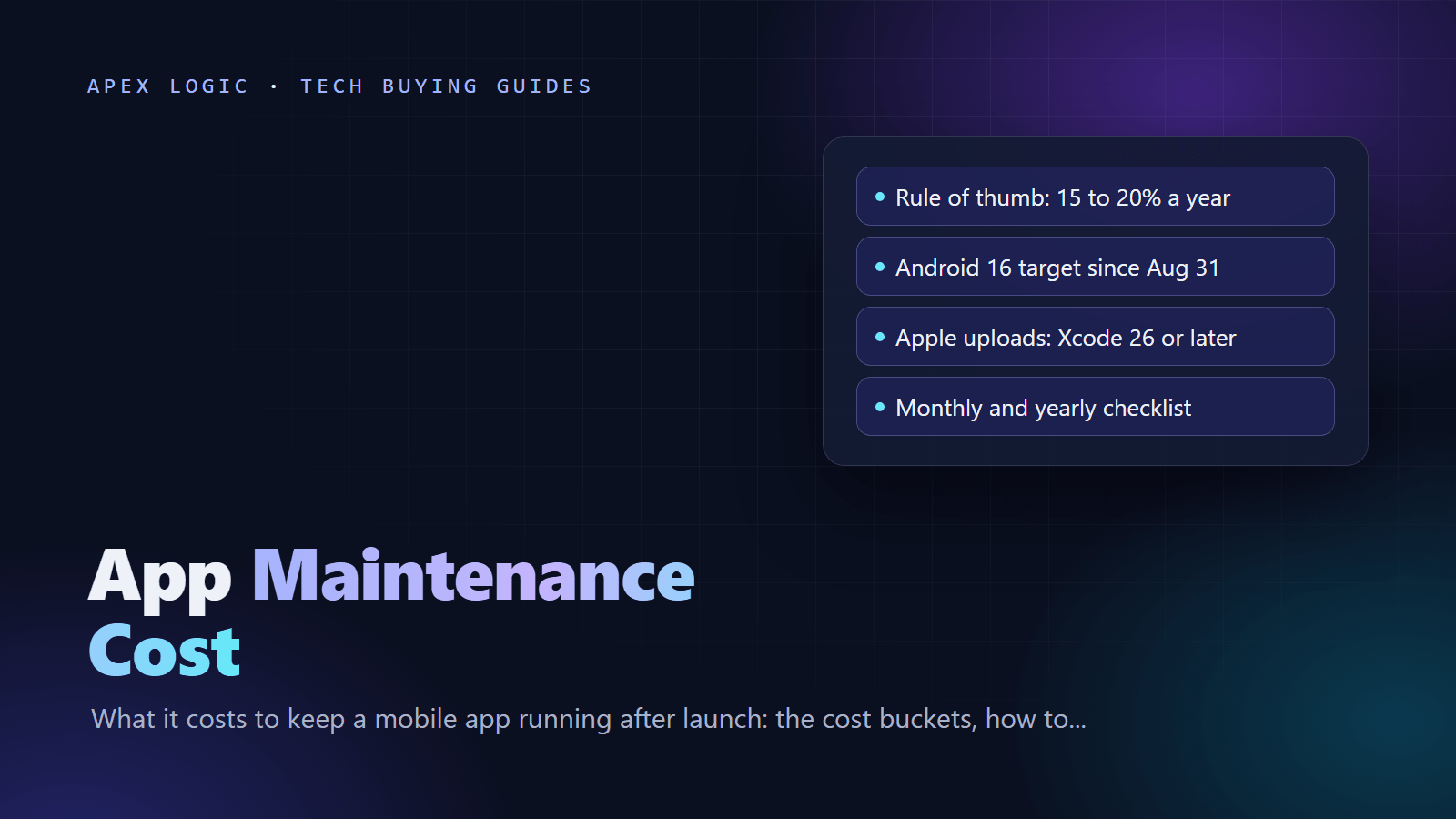
A common rule of thumb is that maintaining a mobile app costs 15 to 20 percent of its original build cost each year, plus running costs for servers, third-party services and store fees. A simple app with few integrations can need less; an app with payments, real-time features or many SDKs can need more. Some maintenance is always required, because Apple and Google move their requirements every year.
As of September 2026, for example, Google Play has required new apps and updates to target Android 16 (API level 36) since 31 August 2026, and Apple has required uploads to be built with Xcode 26 since 28 April 2026. An app that nobody has touched for a year cannot ship even a one-line fix until it catches up with both. Below are the cost buckets, a way to budget, a monthly and yearly checklist, and how support plans work.
App maintenance cost at a glance
| Cost bucket | What it covers | How often | What pushes the cost up |
|---|---|---|---|
| OS and SDK updates | New iOS and Android versions, Xcode and Android SDK changes, React Native or Flutter upgrades | A yearly OS cycle, plus framework releases every two to three months | Old framework versions, many native modules, custom UI |
| Store policy and target API changes | Target API levels, billing library versions, SDK minimums, privacy and age rating forms | Yearly, with fixed deadlines | Payments, ad SDKs, sensitive permissions |
| Bug fixes | Crashes, edge cases and device-specific problems | Ongoing | No automated tests or crash reporting |
| Servers and third-party services | Hosting, database, storage, push, email and SMS, maps, analytics | Monthly bills | User growth, media, real-time features |
| Security | Dependency patches, keys and secrets, backend hardening | Monthly, plus urgent patches | Sensitive data, many dependencies |
| Monitoring | Crash reports, uptime, performance, store reviews | Daily to weekly | No alerts, manual checking |
| Small features | Changes users ask for, content and copy | As agreed | Unclear scope |
What app maintenance covers
OS and SDK updates
Apple and Google each ship a major new OS version every year. A new version can change permissions, background limits, notifications or how standard controls look, and the stores later require the new SDK. Since 28 April 2026, for example, apps uploaded to App Store Connect must be built with Xcode 26 or later using the iOS 26 SDK.
Your framework moves too. As of September 2026, React Native's latest version is 0.87, released on 11 August 2026, and its support policy maintains the newest version plus the previous two minor versions. When 0.87 arrived, 0.84, released only six months earlier, moved to unsupported. Flutter ships stable releases roughly once a quarter, and 3.47 arrived on 12 August 2026. If you are still choosing a framework, see React Native vs Flutter.
Store policy and target API changes
These come with fixed deadlines, and missing one blocks your next release. The rules as of September 2026:
- Google Play target API: since 31 August 2026, new apps and updates must target Android 16 (API level 36). Existing apps must target Android 15 (API level 35) or higher to stay available to new users on newer Android versions. Extensions to 1 November 2026 can be requested.
- Google Play Billing: if you sell in-app purchases or subscriptions, new apps and updates must use Billing Library 8 or later from 31 August 2026, with extensions to 1 November 2026. Every version has a two-year deprecation cycle.
- 16 KB memory pages: apps targeting Android 15 and higher must support 16 KB page sizes on 64-bit devices, and from 1 February 2027 Google Play will block updates that do not. Java and Kotlin-only apps already comply; apps with native code need current tools (React Native has supported 16 KB pages since 0.77).
- Apple privacy and age ratings: approved reasons for a listed set of APIs (privacy manifests) since 1 May 2024, and answers to the new age rating questions by 31 January 2026.
Each is a small job, but together they make maintenance a yearly budget line rather than a favor you ask for when something breaks. The submission side is covered in how to publish an app on the App Store and Google Play.
Bug fixes
Every release meets new combinations of devices, OS versions and user behavior. Most fixes are small, but they are cheaper when you already have crash reporting, a short automated test suite for the critical flows (sign-in, checkout) and a staging environment where you can reproduce problems.
Servers and third-party services
Most apps depend on a backend and paid services: hosting, a database, file storage, push notifications, email or SMS, maps, analytics and payments. These bills grow with usage, and providers change things on their own schedule. In early 2025, for example, Apple switched the server certificate for its push notification service (APNs), and push providers had to add the new root certificate to their trust store. If you are still choosing a backend, our Firebase vs Supabase comparison looks at two common options.
Security
Security maintenance means patching dependencies, rotating keys, and checking what the app stores on the device and how it talks to your API. The OWASP Mobile Top 10 (2024) is a practical checklist, from insecure data storage to inadequate supply chain security. Much of the real risk sits in the backend, so read how to secure a web application as well.
Monitoring
Crash reports, error logs, uptime checks and store reviews tell you what to fix first. Set up alerts, and read reviews every week: users often describe a bug before your tools catch it.
Small features and content changes
Once users arrive, they ask for things. Keep a separate small-feature budget; otherwise feature requests eat the maintenance hours and the required updates slip.
How to budget: the 15 to 20 percent rule of thumb
Treat the 15 to 20 percent figure as a starting point for planning, not a measured fact. It covers the work, not the bills for servers and services, so budget in two lines:
- Maintenance work. Start at 15 to 20 percent of the build cost per year. Move lower for a simple app with few SDKs and good tests; move higher for payments, real-time features, many integrations or a framework version that is already behind.
- Running costs. Add the store accounts and your services. As of September 2026, the Apple Developer Program is 99 USD per membership year and the Google Play registration fee is a one-time US$25, paid before launch. Price hosting and services from each provider's pricing page at your expected usage.
Example (hypothetical, with stated assumptions):
| Line | Assumption | Per year |
|---|---|---|
| Build cost | Assume the app cost $40,000 to build | Reference only |
| Maintenance work | 15 to 20 percent of $40,000 | $6,000 to $8,000 |
| Apple Developer Program | 99 USD per membership year | $99 |
| Google Play | One-time US$25, already paid at launch | $0 |
| Hosting and services | Assume $150 a month at current usage | $1,800 |
| Total | Sum of the lines above | About $7,900 to $9,900 |
For build ranges, see how much a mobile app costs. Websites follow the same logic, covered in our guide to website maintenance costs.
Monthly and yearly app maintenance checklist
Every month
- Review crash reports and fix the top crashes; on Android, check ANRs too.
- Read new store reviews, reply, and log repeated complaints as tickets.
- Apply security patches to app dependencies, SDKs and server packages.
- Check uptime, API error rates and slow endpoints.
- Compare hosting and service bills with actual usage.
- Check App Store Connect and Play Console for policy notices and deadlines.
- Confirm backups run, and test a restore every quarter.
- Ship small releases regularly so the build and release pipeline keeps working.
Every year
- Renew the Apple Developer Program. If it expires, your apps are no longer available for download and you cannot submit updates.
- Test on the new iOS and Android betas as soon as they are out, and ship fixes before the public releases.
- Meet Google Play's target API level before its August deadline.
- Rebuild with the Xcode version and SDK Apple requires for uploads.
- Upgrade React Native or Flutter to a supported version, plus your key libraries.
- Re-check App Privacy details and the Data safety form against the SDKs you actually ship.
- List certificates, push credentials and API keys that expire, with renewal dates.
- Run a security review against the OWASP Mobile Top 10.
- Agree next year's maintenance budget and small-feature plan.
How app support plans work
Agencies and freelancers usually offer maintenance in one of four shapes:
| Model | How it works | Good for | Watch for |
|---|---|---|---|
| Warranty period | Fixes for defects in the delivered work, for a set time after launch | Every new app | Usually excludes OS changes and new features |
| Pay as you go | Hourly or per task, when you ask | Simple, stable apps | No guaranteed response time |
| Monthly retainer | A block of hours each month for fixes, updates and small changes | Apps that change often | Unused hours may expire |
| Fixed annual plan | A defined scope (OS and store updates, monitoring, security patches, bug fixes) for a fixed fee | Business-critical apps | What is out of scope |
Whatever the shape, get these points in writing:
- Response and fix times for critical, major and minor issues.
- Whether the yearly OS, SDK and store policy work is included.
- What counts as a bug and what counts as a new feature.
- Who owns the code, the store accounts and the signing keys. It should be you.
- What monitoring, backups and reports you get each month.
- How to end the plan and hand over to another team.
The trade-offs mirror fixed price vs time and materials for the build itself. At Apex Logic we quote work at a fixed price, clients own 100% of the code, and an optional 24-month support plan covers the app after launch.
How to keep app maintenance costs down
- Use fewer, well-maintained dependencies, and remove SDKs you no longer need.
- Stay within your framework's supported versions and upgrade in small steps.
- Automate builds and store uploads so each release is cheap and routine.
- Add crash reporting and automated tests for the flows that make money.
- Keep the backend simple and prefer services with predictable pricing.
- Remove features nobody uses, because every screen has to survive each OS release.
- Document accounts, keys and release steps so any developer can take over.
- Put store deadlines and the yearly OS release season on a shared calendar.
What happens if you stop maintaining an app?
- Google Play: apps that fall behind the target API level become unavailable to new users on devices running newer Android versions, and you cannot publish updates until you catch up.
- App Store: Apple may remove apps that have had no update in three years and are downloaded extremely rarely over a rolling 12 months. You get a notice and 90 days to submit an update, and apps that crash on launch are removed immediately.
- Lapsed Apple membership: your apps are no longer available for download, although they keep working for people who already have them.
Reviving a long-neglected app can turn into a partial rebuild. If you are weighing that option, see how long it takes to build an app.
Want a maintenance plan for your app?
If you have an app in the stores and are not sure what it needs this year, send us the details. We will look at the framework version, store deadlines and dependencies, and give you a plain list of what needs doing and a fixed quote.
App maintenance cost FAQ
How much does it cost to maintain an app per year?
A common rule of thumb is 15 to 20 percent of the original build cost per year for maintenance work, plus running costs such as hosting, third-party services and the Apple Developer Program fee (99 USD per membership year as of September 2026). For an app that cost $40,000 to build, that suggests $6,000 to $8,000 a year of work before running costs. Adjust it for your app.
Is app maintenance necessary if nothing is broken?
Yes. Even a stable app has to keep up with store rules, such as Google Play's Android 16 (API level 36) target for new apps and updates and Apple's Xcode 26 requirement for uploads. If your app falls behind, you cannot ship even an urgent fix until you catch up, and on Google Play an outdated app stops being offered to new users on newer Android versions.
Do I have to pay Apple and Google every year?
Apple, yes: as of September 2026 the Apple Developer Program costs 99 USD per membership year, and if it expires your apps are no longer available for download. Google Play charges a one-time US$25 registration fee, so there is no yearly store fee on Android. Both stores take a commission on digital goods sold in the app, which is separate from maintenance.
Is a React Native or Flutter app cheaper to maintain?
Usually, because one codebase gets one set of fixes and upgrades instead of two. The trade-off is that you must keep up with the framework, which ships new versions every few months and supports only recent ones. A cross-platform app on a supported version is normally cheaper to run than two native apps; one that falls years behind can be expensive to bring back.
Can I maintain an app myself without a developer?
You can handle part of it: replying to reviews, watching crash reports, paying bills, renewing accounts and keeping store listings accurate. The code work, such as SDK upgrades, target API changes and security patches, needs a developer who knows your framework. A small support plan or retainer is often cheaper than hiring someone full time just for that work.
Sources
- Target API level requirement (Android Developers)
- Google Play Billing Library version deprecation (Android Developers)
- Support 16 KB page sizes (Android Developers)
- Upcoming requirements (Apple Developer News)
- Apple Developer Program enrollment
- Apple Developer Program renewal
- App Store Improvements (Apple)
- Offering account deletion in your app (Apple)
- Get started with Play Console (Play Console Help)
- Account deletion requirements (Play Console Help)
- React Native 0.87 release post (React Native blog)
- React Native 0.77 release post (React Native blog)
- React Native release support policy (React Native working group)
- Flutter release history (Flutter docs)
- OWASP Mobile Top 10

Loading comments...