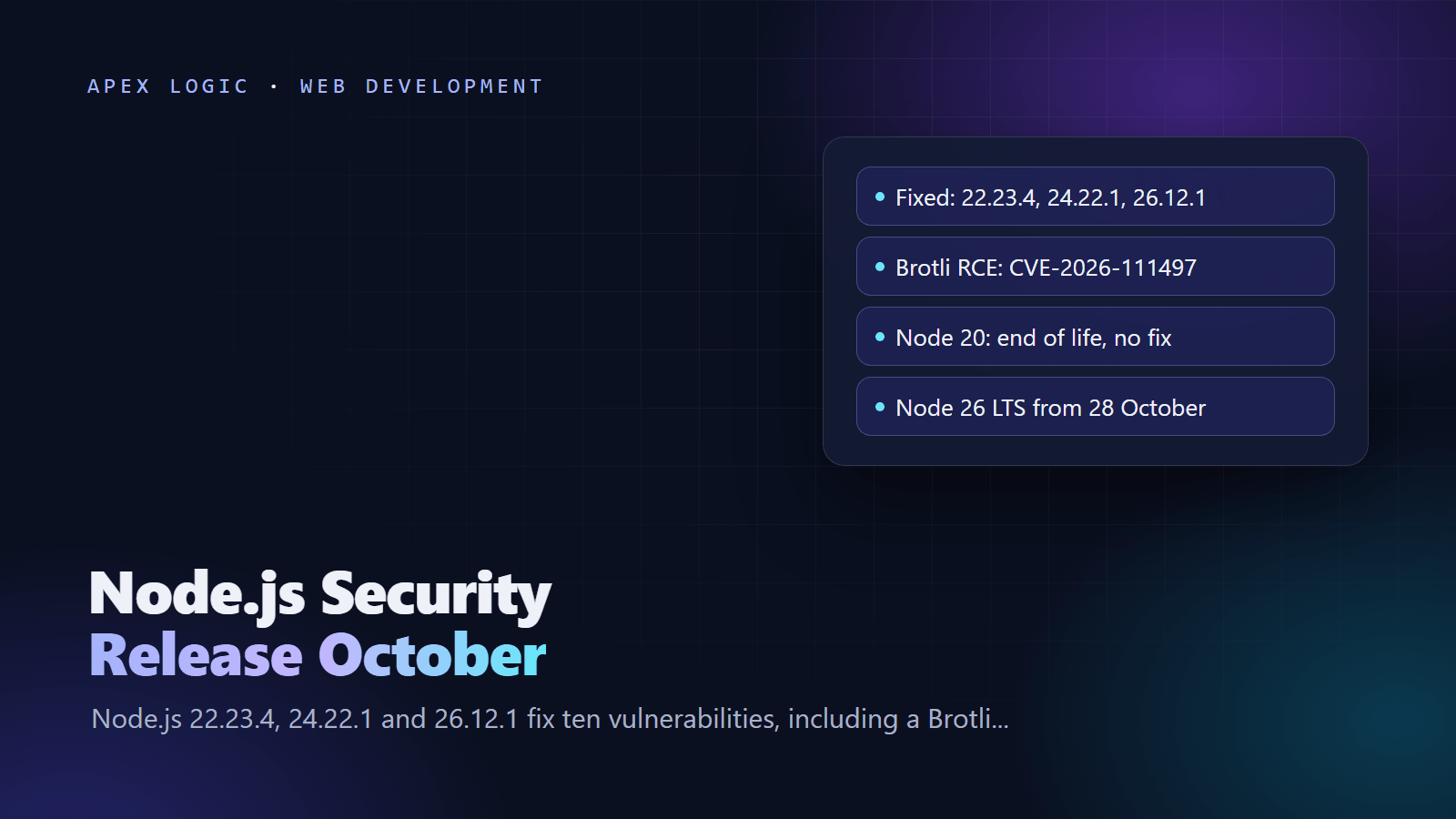
Updated 22 October 2026. Node.js released security fixes for its 22, 24 and 26 lines on 21 October 2026; this page explains what they fix, who is exposed and how to update, plus what changes when Node.js 26 becomes LTS on 28 October.
On 21 October 2026, Node.js released 22.23.4, 24.22.1 and 26.12.1 to fix ten vulnerabilities. The most serious is CVE-2026-111497, an out-of-bounds write in the Brotli decoder bundled with Node.js that can permit remote code execution. Four of the ten are rated High. All three supported lines are affected, and so are end-of-life lines such as Node.js 20, which will not get a fix.
The action is the same for every team: move each Node.js runtime you run, on servers, in containers, in CI and on serverless platforms, to the patched release of its line, then restart the processes. If anything still runs Node.js 20, this is the push to upgrade it. And with Node.js 24 in maintenance since 20 October and Node.js 26 becoming Active LTS on 28 October, it is a good week to decide which line you will run next.
Node.js October 2026 security release at a glance
| Release line | Patched version | Status on 22 October 2026 | End of life | What to do |
|---|---|---|---|---|
| 26.x | 26.12.1 | Current; Active LTS from 28 October 2026 | 30 April 2029 | Patch now; adopt for production after testing |
| 24.x | 24.22.1 | Maintenance LTS since 20 October 2026 | 30 April 2028 | Patch now; still a safe production default |
| 22.x | 22.23.4 | Maintenance LTS | 30 April 2027 | Patch now; plan a move before April 2027 |
| 20.x | No fix | End of life since 30 April 2026 | Ended | Upgrade to 22, 24 or 26 |
| 25.x | No fix | End of life | Ended | Move to 26 |
Dates are from the Node.js release schedule, which notes that dates can change.
What the October 2026 release fixes
| CVE | Severity | What it means | Lines |
|---|---|---|---|
| CVE-2026-111497 | High | Malformed Brotli data causes an out-of-bounds write in the decoder; code execution is possible | 22, 24, 26 |
| CVE-2026-105482 | High | dns.resolve truncates names that contain a NUL character | 22, 24, 26 |
| CVE-2026-105483 | High | TLS hostname check bypass when an IP address is written with fullwidth digits | 24, 26 |
| CVE-2026-106069 | High | TLS hostname check bypass when a host loosely resolves to an IP address | 22, 24, 26 |
| CVE-2026-105481 | Medium | A keep-alive socket can process a response written before the request was sent | 22, 24, 26 |
| CVE-2026-106072 | Medium | Non-canonical IPv4 hostnames let DNS names in a certificate vouch for IP addresses | 22, 24, 26 |
| CVE-2026-106074 | Medium | Random caches for crypto.randomUUID() and randomInt() are saved into startup snapshots and single executable apps, so every process repeats the same values | 22, 24, 26 |
| CVE-2026-106070 | Low | ZipFile returns attacker-controlled bytes after a failed header check | 26 only |
| CVE-2026-106071 | Low | The Permission Model grants too much file system access through a wildcard lookup | 26 only |
| CVE-2026-106073 | Low | Permission Model bypass with fs.realpathSync | 22, 24, 26 |
The releases also update bundled dependencies: c-ares 1.34.9 on all three lines, OpenSSL 3.5.9 on 22 and 24, undici on all three, and root certificates to NSS 3.131.1. The Node.js advisory lists a certificate update for the eMudhra intermediate CA compromise, and the 24 and 26 release notes add a TLS change that rejects certificate chains containing blocked public keys.
Is your app exposed to the Brotli bug?
Vercel's bulletin puts it simply: your app is exposed if its code, or a library it uses, decompresses Brotli data that an attacker controls, either in a request body or in a response it fetches. Researchers demonstrated memory disclosure and command execution. Common ways that happens:
- Express 5 body parsers. Express 5 depends on body-parser 2.x, which added Brotli support in version 2.0.0. Its parsers inflate
gzip,br,deflateandzstdbodies automatically, and theinflateoption defaults to true. So a public JSON endpoint will hand an attacker's Brotli body to the decoder. - fetch() calls to servers you do not control. Webhooks you call, link previews, scrapers and any URL a user supplies can return a Brotli response. Vercel notes that its new firewall rules do not cover responses your functions fetch.
- Direct use of zlib. Code that calls
zlib.brotliDecompress()orzlib.createBrotliDecompress()on uploads, files or messages from outside.
Even if none of these apply, patch anyway. The TLS fixes matter for outbound connections that use IP addresses or IP-like hostnames, and dependencies can decompress data in places you do not see. As a stopgap for an Express app that cannot be updated today, the JSON parser can reject compressed bodies entirely; Express documents that compressed bodies are rejected when inflate is off:
app.use(express.json({ inflate: false }));That stopgap is our suggestion, not the Node.js project's: its advisory lists no workaround, and upgrading is the fix.
How to update Node.js: 7 steps
1. Find every place Node.js runs
Production servers, Docker images, CI runners, serverless functions, build machines, internal tools and developer laptops. Run node --version on each, and log process.version when your app starts so you can see what production really runs.
2. Install the patched release
With nvm, installing a major line picks its newest release, which for the 24 line was 24.22.1 on 22 October 2026:
nvm install 24
nvm alias default 24
node --version
Installers for Windows and macOS are linked from each release note on nodejs.org. On cPanel servers with CloudLinux, run yum update 'alt-nodejs*'. CloudLinux shipped fixed alt-nodejs packages for 22, 24 and 26 and also for older lines such as 20 and 18. Those old lines keep their version numbers, so check the package release with rpm -qa 'alt-nodejs*' rather than node --version.
3. Rebuild container images
The official node image on Docker Hub already lists 26.12.1, 24.22.1 and 22.23.4 tags. Pin the patched version so a cached base image cannot creep back in, rebuild with fresh layers and check the result:
FROM node:24.22.1-bookworm-slimdocker build --pull -t my-node-app .
docker run --rm my-node-app node --versionThen redeploy. Containers keep running the old image until they are replaced.
4. Pin the version in your project and CI
Put 24.22.1 in an .nvmrc file, which nvm use and nvm install read automatically, and raise the engines field in package.json. In GitHub Actions, setup-node first looks for a matching version cached on the runner; check-latest: true makes it fetch the newest version that matches your spec:
- uses: actions/setup-node@v7
  with:
    node-version: 24
    check-latest: true
5. Restart every Node.js process
As CloudLinux's advisory puts it, running applications keep using the old binary until they restart. Restart systemd services, pm2 processes and containers, and confirm the new version in your startup log:
sudo systemctl restart my-node-app
pm2 restart all
6. Check your hosting platform
- Vercel deployed firewall rules on 21 October that block the inbound attack for all projects at no cost, and is rolling out patched runtimes. Projects on Node.js 22.x or 24.x do not need to change their version setting. Projects on 20.x must switch to 22.x or 24.x and redeploy. Your own backends, containers and CI runners still need the update.
- AWS Lambda applies runtime updates automatically for managed runtimes in its default Auto mode, in a two-phase rollout. Functions in Function update mode pick up the patch on their next deployment, Manual mode gets nothing, and functions deployed as container images need a rebuild from the updated base image.
- A VPS or your own servers are entirely your job. Our comparison of VPS, serverless and managed hosting explains who patches what on each.
7. Verify and keep watching
Confirm that every host and image reports 22.23.4, 24.22.1, 26.12.1 or later. Subscribe to the nodejs-sec mailing list named in the Node.js advisory, so the next security release reaches you on day one rather than through a news story. Our guide to securing a web application covers the rest of a sound patching routine.
Should you move to Node.js 26 LTS now?
Patch first, on the line you already run. Then plan the bigger move with the schedule in mind:
- Node.js 26 becomes Active LTS on 28 October 2026, moves to maintenance on 20 October 2027 and reaches end of life on 30 April 2029. It is the last line released under the old two-a-year model.
- Node.js 24 entered maintenance on 20 October 2026 and is supported until 30 April 2028.
- Node.js 22 reaches end of life on 30 April 2027.
- From Node.js 27, there is one major release a year, in April, and every release becomes LTS in October with 30 months of LTS support. Odd-numbered lines are no longer skipped, and the Alpha channel for Node.js 27 opens on 28 October 2026.
The Node.js project says production applications should only use Active LTS or Maintenance LTS releases. Before moving to 26, read the breaking changes in its 26.0.0 release: the Temporal API is on by default, V8 moves to 14.6, undici moves to version 8, the long-deprecated writeHeader() alias and the legacy _stream_* modules are removed, module.register() is runtime-deprecated, and native add-ons must be rebuilt because NODE_MODULE_VERSION is now 147. Run your test suite on both lines before you switch:
strategy:
  matrix:
    node-version: [24, 26]
Our rule of thumb: teams on 22 should move before April 2027, to 24 for the smallest change or to 26 for the longest runway. Teams on 24 can stay put and test 26 over the coming months. New projects can start on 26 once it is LTS. If you are choosing a stack from scratch, our guide on choosing a tech stack for your startup covers the wider decision, and our website maintenance cost guide explains why keeping runtimes current is cheaper than catching up.
If you would rather hand this off, runtime upgrades, container rebuilds and the testing around them are routine web development work for us, quoted at a fixed price. Our app maintenance cost guide shows what that ongoing care costs, and you can send us your setup for a quick review.
Node.js security release FAQ
Which Node.js versions fix CVE-2026-111497?
Node.js 22.23.4, 24.22.1 and 26.12.1, released on 21 October 2026, fix the Brotli decoder bug along with nine other vulnerabilities. Upgrade to the patched release of the line you run, or to any later release on that line. End-of-life lines such as Node.js 20 and 25 are affected but get no fix from the Node.js project, so they need to move to a supported line.
Is Node.js 20 still safe to use?
No. Node.js 20 reached end of life on 30 April 2026, and the Node.js project says end-of-life versions are always affected when a security release happens. It will not receive the October 2026 fixes, including the Brotli remote code execution fix. Some vendors, such as CloudLinux for its alt-nodejs packages, still ship patched builds, but the safe plan is to move to Node.js 22, 24 or 26.
Does the Brotli bug affect my app if I never use Brotli?
Possibly. You do not need to call Brotli yourself to be exposed. Express 5 body parsers inflate Brotli request bodies automatically, and responses your app fetches from other servers can be Brotli-compressed too. Vercel describes the risk as any code or library that decompresses attacker-controlled Brotli data. Rather than auditing every dependency, update Node.js, which settles the question and also fixes the other nine vulnerabilities.
Do I need to do anything on Vercel or AWS Lambda?
On Vercel, projects on Node.js 22.x or 24.x need no settings change, because Vercel manages patch versions and has added firewall rules, but projects on 20.x must switch to 22.x or 24.x and redeploy. On AWS Lambda, managed runtimes in the default Auto mode are updated automatically, while container-image functions need rebuilding. Your own servers, containers and CI runners always need updating by you.
When does Node.js 26 become LTS, and should I upgrade?
Node.js 26 becomes Active LTS on 28 October 2026 and is supported until 30 April 2029. Patch your current line first. Then test your app on 26, rebuild native add-ons and check the removed APIs listed in the 26.0.0 release notes. Teams on Node.js 22, which ends on 30 April 2027, should move within the next few months, while teams on 24 can take their time.
How do I check which Node.js version my server runs?
Run node --version on the server, or inside the container with docker run --rm followed by your image name and node --version. Better still, log process.version when your app starts, so you see the version production actually runs rather than the one on your laptop. With nvm, nvm ls shows the installed versions and the default. Compare the result with 22.23.4, 24.22.1 or 26.12.1.
Sources
- Node.js: Wednesday, October 21, 2026 security releases
- Node.js 24.22.1 release notes
- Node.js 22.23.4 release notes
- Node.js 26.12.1 release notes
- Node.js 26.0.0 release notes
- Node.js release schedule
- Node.js: Evolving the Node.js release schedule
- Node.js: Previous releases
- Vercel: Node.js security advisory bulletin
- AWS Lambda: How Lambda manages runtime version updates
- CloudLinux: alt-nodejs updates for the October 2026 Node.js security releases
- Docker Hub: official node image
- body-parser README
- body-parser release history
- Express package.json (5.x dependencies)
- Express 5.x API: express.json()
- GitHub Actions: setup-node
- nvm README
Loading comments...