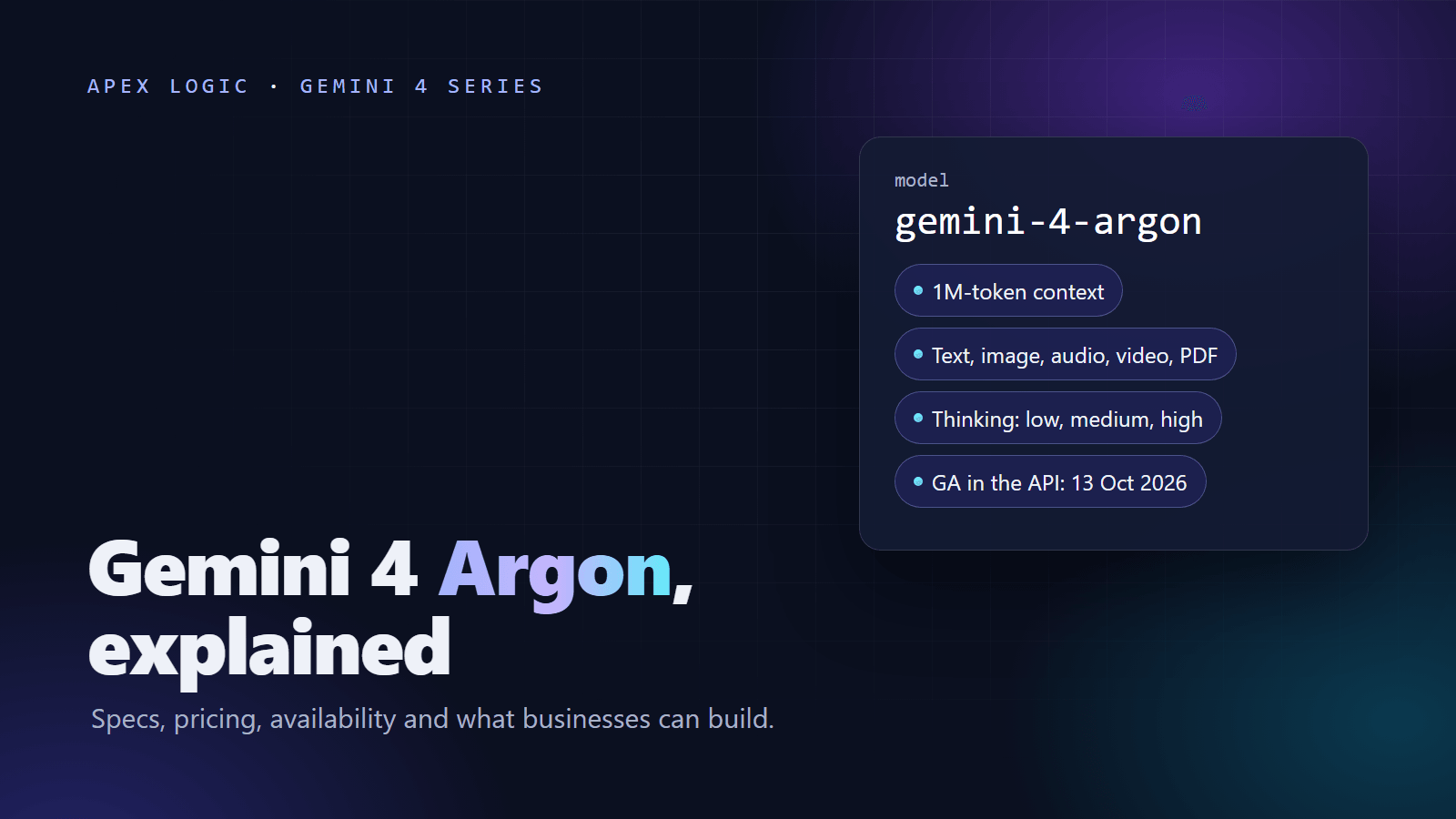
Updated 14 October 2026. Gemini 4 Argon became generally available in the Gemini API on 13 October 2026. Prices change on 1 December 2026; this article shows both.
To call Gemini 4 from code you need three things: a Gemini API key from Google AI Studio on a paid-tier project (Argon is not on the free tier), the Google Gen AI SDK (google-genai 2.30.1 or later for Python, @google/genai 2.29.1 or later for JavaScript), and the model id gemini-4-argon. Set max_output_tokens yourself, choose a thinking level, and allow at least 20 minutes before a request times out.
This tutorial goes from a first request to production: thinking levels, structured JSON for invoices, function calling, long outputs, migrating from Gemini 3.x and cost control. For background on the model itself, start with our Gemini 4 Argon guide.
Prerequisites
- A paid-tier project. Argon is not available on the Gemini API free tier.
- An API key from Google AI Studio. Store it in an environment variable named
GEMINI_API_KEY, which the SDK clients below read automatically. Keep it on your server, never in browser or mobile code. - Python or Node.js on the machine that will make the calls.
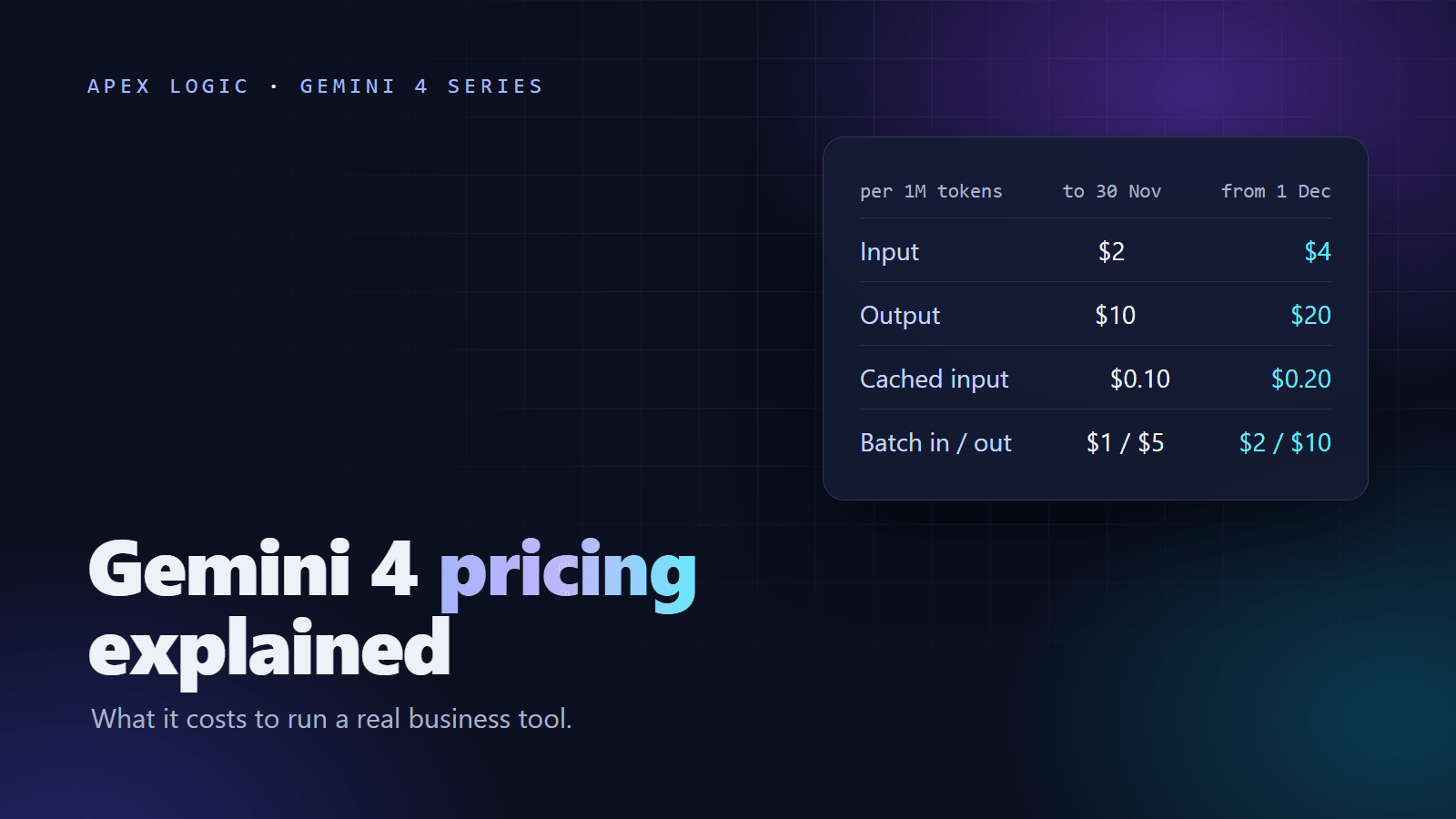
- A budget. As of 14 October 2026, Argon costs $2 per million input tokens and $10 per million output tokens through 30 November 2026, then $4 and $20 from 1 December 2026. Thinking tokens bill as output.
You can also try prompts in Google AI Studio, where Argon has been generally available since 13 October 2026, before you write any code.
Install the SDK
Google's official samples ask for these minimum versions:
- Python:
pip install -U "google-genai>=2.30.1" - JavaScript:
npm install "@google/genai@>=2.29.1"
Keep upgrading after that. The latest SDKs continue long outputs automatically, which saves you writing your own continuation loop.
Your first Gemini 4 request
Python
This is Google's official sample with a business prompt in place of the placeholder:
# pip install -U "google-genai>=2.30.1"
from google import genai
from google.genai import types

client = genai.Client()

prompt = (
    "A customer says their order arrived damaged and they need it by Friday. "
    "Write a short, polite reply that apologizes and offers a replacement or a refund."
)

response = client.models.generate_content(
    model="gemini-4-argon",
    contents=prompt,
    config=types.GenerateContentConfig(
        max_output_tokens=65536,
        thinking_config=types.ThinkingConfig(thinking_level="medium"),
    ),
)
print(response.text)
JavaScript
The same request in Node.js. Save it as first-request.mjs so top-level await works.
// npm install "@google/genai@>=2.29.1"
import { GoogleGenAI } from "@google/genai";

const ai = new GoogleGenAI({});

const contents =
  "A customer says their order arrived damaged and they need it by Friday. " +
  "Write a short, polite reply that apologizes and offers a replacement or a refund.";

const response = await ai.models.generateContent({
  model: "gemini-4-argon",
  contents,
  config: {
    maxOutputTokens: 65536,
    thinkingConfig: { thinkingLevel: "medium" },
  },
});

console.log(response.text);
Both samples set the output limit explicitly. The default is 65,536 tokens per request for streaming and SDK calls but 32,768 for non-streaming REST calls, and thinking tokens count toward it.
Choosing a thinking level
Argon has three thinking levels. Thinking tokens count toward max_output_tokens and are billed as output, so the level affects both quality and cost.
| Level | Try it for |
|---|---|
low | Extraction, classification, routing and short replies |
medium (default) | Most business tasks: drafting, summaries and single-document analysis |
high | Multi-step reasoning, long documents, agent workflows and hard code changes |
Set it with thinking_config=types.ThinkingConfig(thinking_level="low") in Python or thinkingConfig: { thinkingLevel: "low" } in JavaScript. To choose, run a sample of real tasks at each level, compare accuracy and output tokens, and keep the lowest level that passes.
Structured output: extract invoice fields as JSON
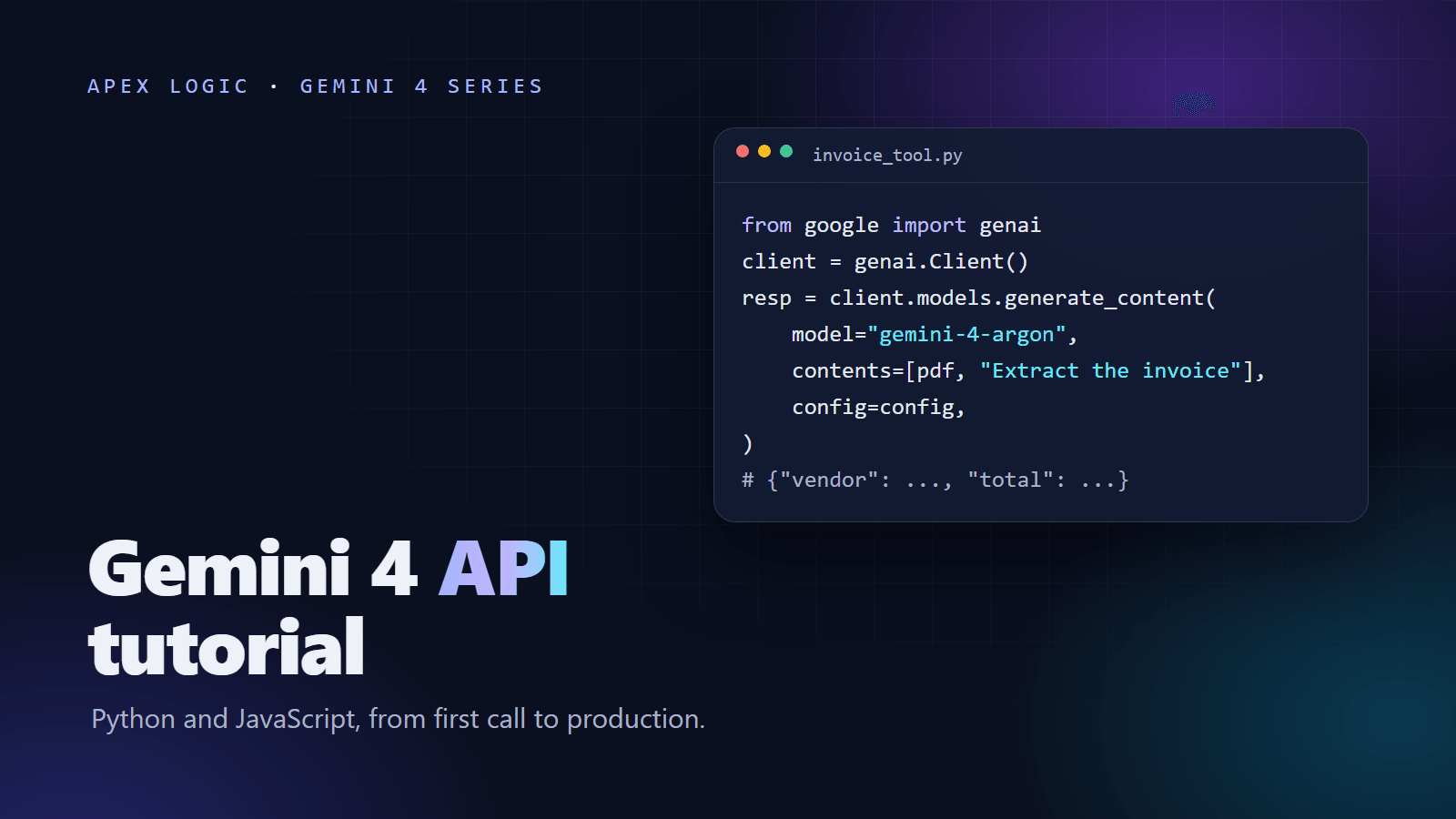
Structured outputs make Argon return JSON that follows a schema you define, so your code can store results without parsing free text. This minimal invoice extractor uses the Python SDK's documented pattern: a Pydantic model as response_schema, with response_mime_type set to JSON.
from google import genai
from google.genai import types
from pydantic import BaseModel


class Invoice(BaseModel):
    supplier_name: str
    invoice_number: str
    invoice_date: str
    currency: str
    total_amount: float


client = genai.Client()

with open("invoice.txt", encoding="utf-8") as f:
    invoice_text = f.read()

response = client.models.generate_content(
    model="gemini-4-argon",
    contents=["Extract the invoice fields from this invoice.", invoice_text],
    config=types.GenerateContentConfig(
        max_output_tokens=65536,
        thinking_config=types.ThinkingConfig(thinking_level="low"),
        response_mime_type="application/json",
        response_schema=Invoice,
    ),
)

invoice = response.parsed
print(invoice.invoice_number, invoice.total_amount)
Tips for real invoices:
- Argon also accepts PDFs and images, so you can send the invoice file itself instead of extracted text.
- Keep dates as strings at first and normalize them in your own code.
- Check totals in code. Hallucination is a known limitation, so confirm line items add up before anything reaches your accounts.
- Start at the low thinking level and move to medium only if tests show errors on messy scans.
For a finished version of this workflow, see our AI invoice data extraction page. Our guide to AI document processing explains where it beats plain OCR and how to roll it out safely.
Function calling, in plain terms
Function calling lets Argon ask your code to do something, such as looking up an order, instead of guessing. You describe a function, the model replies with a call and arguments when it needs one, your code runs it and returns the result, and the model writes its final answer from that result.
In Python you can pass a plain function as a tool, and the SDK handles that loop for you:
from google import genai
from google.genai import types


def get_order_status(order_id: str) -> dict:
    """Look up an order and return its current status."""
    return {"order_id": order_id, "status": "shipped", "expected_delivery": "Friday"}


client = genai.Client()

response = client.models.generate_content(
    model="gemini-4-argon",
    contents="A customer asks: where is my order A-1042?",
    config=types.GenerateContentConfig(
        max_output_tokens=65536,
        thinking_config=types.ThinkingConfig(thinking_level="low"),
        tools=[get_order_status],
    ),
)
print(response.text)
In production the function would query your order system. Keep risky actions, such as refunds, behind a human approval step. An order lookup like this is a natural first tool for an AI customer support chatbot. If you need to connect many tools across systems, read our explainer on the Model Context Protocol.
Handling long outputs
- Per-request limit: 65,536 output tokens by default with streaming and the SDKs, 32,768 for non-streaming REST.
- Long decode: output can continue up to 1M tokens minus your input, using a
continuation_token. - Automatic continuation: the latest SDKs follow continuation tokens for you. With REST or an older SDK, write a loop that passes each token back as shown in Google's latest-model guide and joins the parts.
- Empty text is not an error: on hard tasks an output step can be all thinking, returning empty text plus a continuation token. Continue instead of retrying from scratch.
- Shared context: input, thinking and output all share the 1,048,576-token window.
Long requests take time, and occasional slowness or timeouts are a known limitation. Set HTTP timeouts to at least 20 minutes. In the Python SDK the client timeout is in milliseconds, so 1,200,000 is 20 minutes:
client = genai.Client(http_options=types.HttpOptions(timeout=1200000))
For user-facing features, stream responses so people see progress while Argon works.
Migrating from Gemini 3.x
- Change the model id to
gemini-4-argon. - Set
max_output_tokensexplicitly, at least 32,768. - Replace
thinking_budgetwiththinking_level. - Remove explicit caching and any
cached_content. Argon has implicit caching only. - Remove
temperature,top_p,top_kandcandidate_count, which Argon ignores. - Set HTTP timeouts to at least 20 minutes.
- Use the latest SDK, or a continuation loop for long outputs.
- Move anything that needs the Live API, image generation or audio generation to a model that supports them.
- Re-run your own tests. The model card says Argon's results cannot be compared with earlier Gemini model cards.
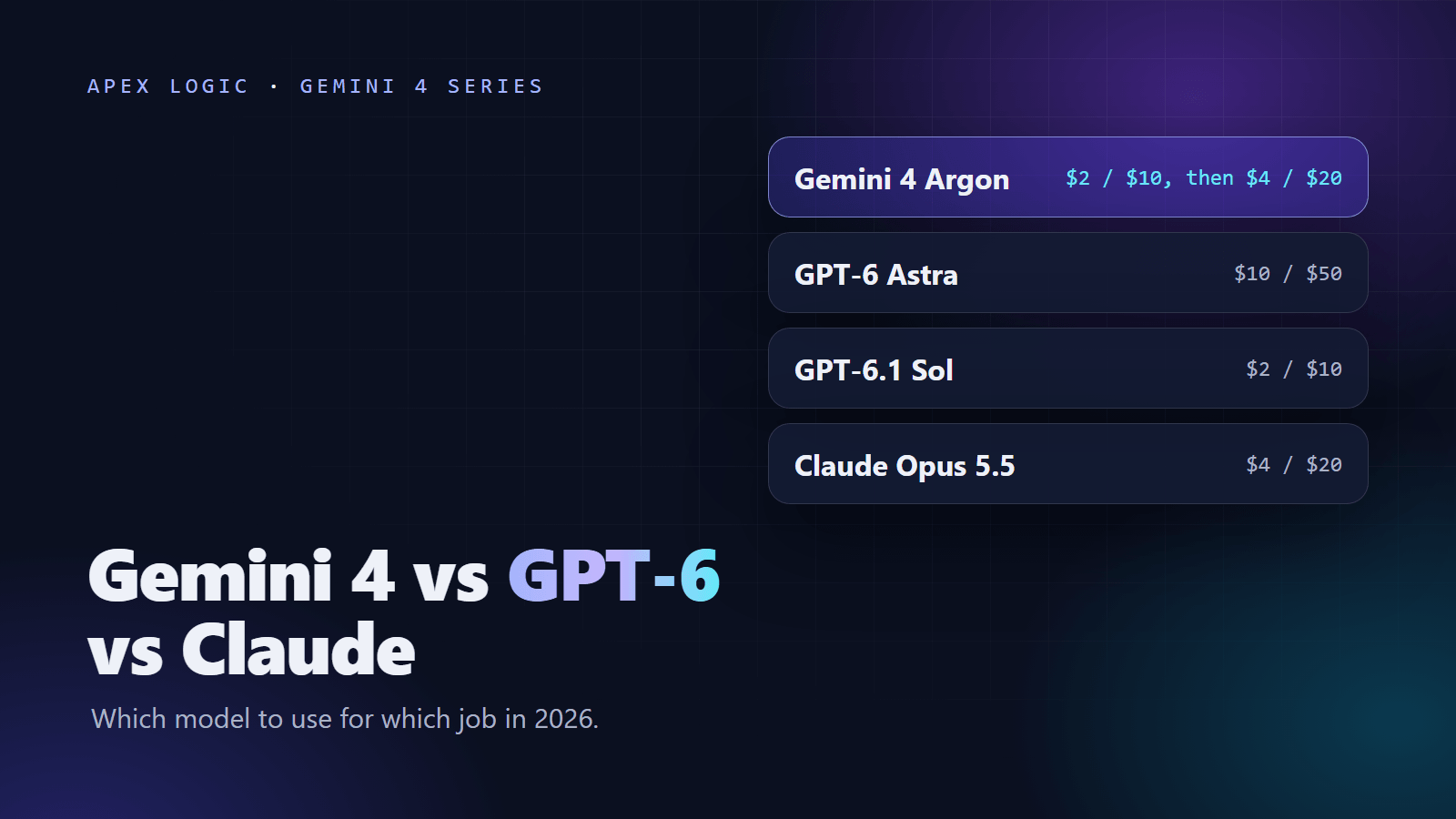
Weighing a move from another provider instead? Our Gemini 4 vs GPT-6 vs Claude comparison sets out the trade-offs.
Cost control
Prices here are Gemini API list prices as of 14 October 2026, and every token rate doubles on 1 December 2026.
- Implicit caching applies automatically to prompts of at least 4,096 tokens (6,144 on Google Cloud), with no storage fee. Cached input costs $0.10 per million tokens through 30 November and $0.20 from 1 December, against $2 and $4 for normal input. Keep long fixed content, such as instructions and reference text, identical and at the start of the prompt.
- Batch and Flex cost half the standard rate: $1 input and $5 output per million tokens through 30 November, then $2 and $10. Use Batch for work nobody waits on, such as overnight document runs.
- Priority costs 1.8 times standard ($3.60 and $18, then $7.20 and $36), so use it only where you need it.
- Thinking level: use the lowest level that passes your tests.
- Grounding: Google Search grounding includes 5,000 free requests a month, shared across Gemini 3 and newer models, then costs $14 per 1,000 requests as of 14 October 2026. Check this rate again after 1 December.
Our Gemini 4 pricing guide has the full table and worked monthly budgets, and our LLM API costs guide explains caching and batching in depth.
Production checklist
- API key on the server only, in an environment variable or secret manager.
- Model id pinned to
gemini-4-argon, and SDK upgrades done on purpose. max_output_tokensand the thinking level set on every call.- Timeouts of at least 20 minutes, with retries and backoff for timeouts and rate-limit errors. We found no official per-tier rate limits as of 14 October 2026, so load-test at your expected volume.
- Empty text with a continuation token handled as "keep going", not as a failure.
- Every structured output validated against your schema and business rules.
- Input, cached and output tokens logged per request, so you know the cost per task.
- Human review for legal, financial and customer-facing actions.
- Search grounding or URL context for facts newer than the March 2026 knowledge cutoff.
- Budgets based on the 1 December 2026 rates.
If you would rather have a tool like this built for you, we build custom AI tools on fixed quotes, and you own 100% of the code. Our AI tools page shows the kinds of tools we can build.
Gemini 4 API FAQ
How do I get a Gemini 4 API key?
Create a key in Google AI Studio for a project on the paid tier of the Gemini API. Gemini 4 Argon is not available on the free tier, so a free-tier key cannot call it. Store the key in an environment variable such as GEMINI_API_KEY, keep it on your server, and never put it in browser or mobile app code where users could copy it.
What is the model name for Gemini 4 in the API?
Use gemini-4-argon. It is the only Gemini 4 model id in the Gemini API, and it is a stable id with no preview alias, so you can pin it in production code. There is no separate Gemini 4 Pro or Gemini 4 Flash id. Google's Flash models continue on the 3.x line, for example Gemini 3.8 Flash, which went GA on 2 September 2026.
Which SDK version do I need for Gemini 4?
Google's official samples use google-genai 2.30.1 or later for Python and @google/genai 2.29.1 or later for JavaScript. Install them with pip or npm and keep upgrading, because the latest SDKs continue long outputs automatically. That saves you writing your own continuation loop and handling continuation tokens by hand, which matters for long reports and agent runs.
Why did my Gemini 4 response come back empty?
On hard tasks, an output step can be entirely thinking, so the API returns empty text plus a continuation_token. That is not an error. The latest SDKs continue automatically; with REST or an older SDK, pass the token back to get the rest. Also check max_output_tokens: thinking counts toward that limit, so set it explicitly and keep it at 32,768 or more.
Does Gemini 4 support temperature and top_p?
No. Gemini 4 Argon ignores temperature, top_p, top_k and candidate_count, so remove them when you migrate. To make outputs more consistent, use clear instructions, examples in the prompt, structured outputs with a schema and a suitable thinking level. Then test against a fixed set of real inputs, since sampling settings are no longer a lever you can pull.
Does Gemini 4 support explicit caching or the Live API?
No. Argon does not support explicit caching, the Live API, image generation or audio generation. It does support implicit caching, which applies automatically to prompts of at least 4,096 tokens, or 6,144 on Google Cloud, with no cache storage fee. Remove cached_content from code you migrate from Gemini 3.x, and keep features that need any of these on a model that supports them.
Loading comments...