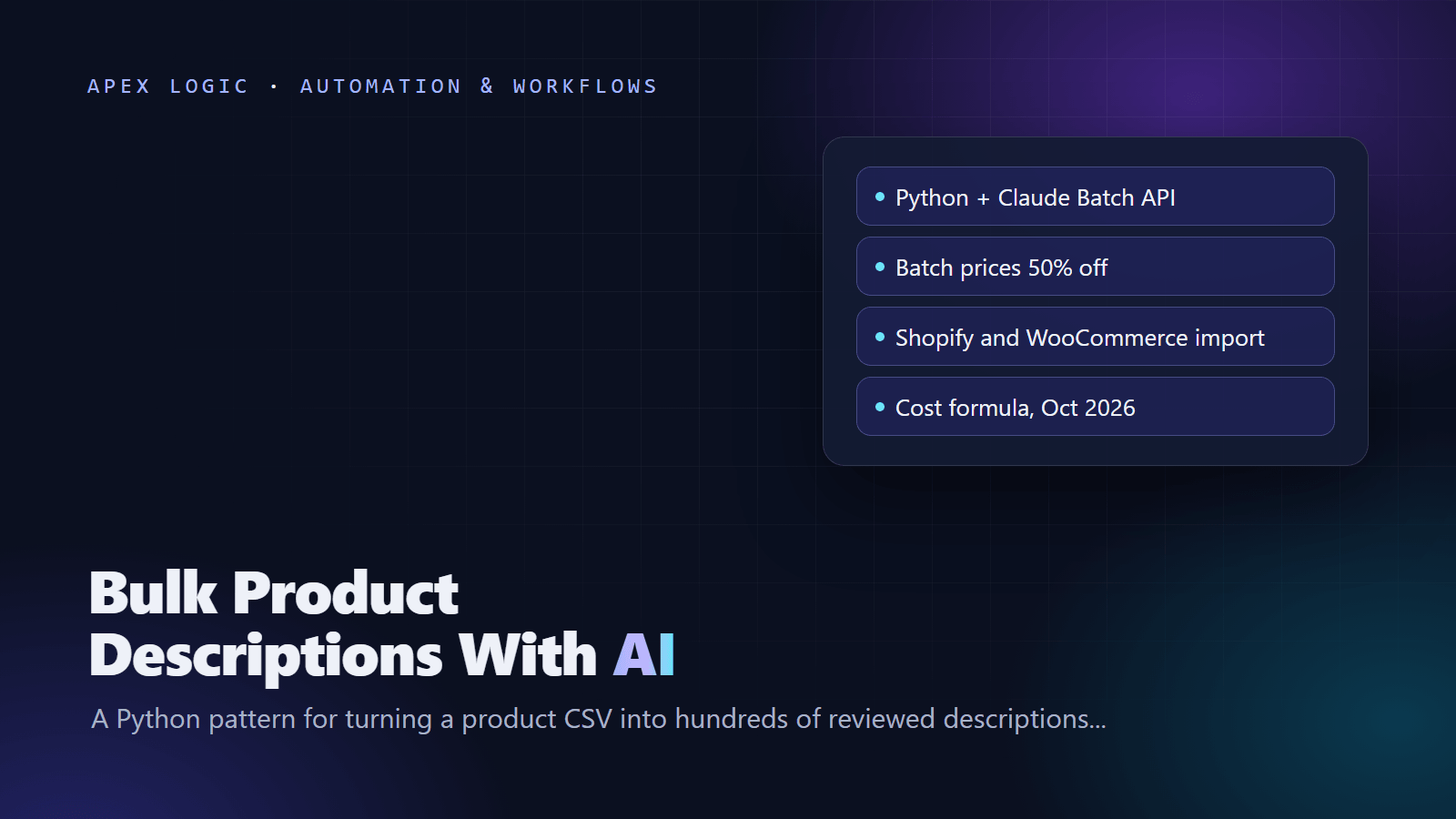
Updated 18 October 2026. New tutorial: a Python script for Anthropic's Message Batches API (SDK 1.15.0), token prices checked today, automatic quality checks and the current Shopify and WooCommerce CSV columns.
To generate product descriptions in bulk, export your catalog to CSV, send each product's facts to an LLM API with one fixed prompt, get structured JSON back, check every result automatically and have a person approve it before you import the file back into your store. This guide does it with Python and Anthropic's Message Batches API, which runs large jobs asynchronously at half the normal token price.
Assuming 800 input and 600 output tokens per product, 1,000 descriptions cost about $0.19 with Claude Haiku 5.5 or $7.60 with Claude Opus 5.5 at batch prices, as of 18 October 2026.
The workflow in seven steps
- Export products to CSV, one row per product.
- Write one prompt and a JSON schema.
- Draft five products in test mode and read them.
- Submit the whole file as one batch.
- Let the script flag risky claims, invented numbers and wrong lengths.
- Review the drafts and mark rows approved.
- Import the approved rows into Shopify or WooCommerce.
What you need
- Python 3.10 or later and the official SDK:
pip install anthropic. The latest release on PyPI is 1.15.0, from 15 October 2026. - An Anthropic API key in the
ANTHROPIC_API_KEYenvironment variable, which the SDK reads automatically. - A
products.csvwith ahandlecolumn (the Shopify URL handle or your WooCommerce SKU) and one column per fact.
Step 1: Prepare the product CSV
Only facts go in; leave unknown cells blank rather than guessing. This sample uses fictional products:
handle,title,product_type,material,size,features,audience
harbor-linen-shirt,Harbor Linen Shirt,Shirt,100% linen 160 gsm,S to XXL,relaxed fit; coconut buttons,people who run warm
lumo-desk-lamp,Lumo Desk Lamp,Desk lamp,aluminum,42 cm tall,3 brightness levels; USB-C power,home office workers
Leave out prices, stock and promotions; they change too often for evergreen copy.
Step 2: The Python script
Save this next to products.csv as bulk_descriptions.py. Run python bulk_descriptions.py test to draft five products directly, then python bulk_descriptions.py for the whole batch. It is an illustrative script written against Anthropic's current SDK documentation.
import csv
import json
import re
import sys
import time

import anthropic

MODEL = "claude-opus-5-5"
PRICE_IN, PRICE_OUT = 4.00, 20.00
BATCH_DISCOUNT = 0.5
INPUT_FILE, OUTPUT_FILE = "products.csv", "descriptions.csv"
SKIP = ("handle", "status")
CLAIM_WORDS = ["cure", "treat", "prevent", "heal", "fda", "clinically",
               "guaranteed", "eco-friendly", "non-toxic", "antibacterial",
               "hypoallergenic", "best"]

SYSTEM = (
    "You write product copy for an online store in a warm, plain, specific "
    "voice. Use only the facts inside the facts tags. Never invent specs, "
    "materials, certifications or results, and make no health, safety or "
    "environmental claim unless it is in the facts. List important missing "
    "facts in missing_facts instead of guessing."
)

SCHEMA = {
    "type": "object",
    "properties": {
        "description_html": {"type": "string"},
        "bullets": {"type": "array", "items": {"type": "string"}},
        "seo_title": {"type": "string"},
        "seo_description": {"type": "string"},
        "missing_facts": {"type": "array", "items": {"type": "string"}},
    },
    "required": ["description_html", "bullets", "seo_title",
                 "seo_description", "missing_facts"],
    "additionalProperties": False,
}


def build_params(row):
    facts = "; ".join(key + ": " + value.strip() for key, value in row.items()
                      if key and isinstance(value, str) and value.strip()
                      and key not in SKIP)
    prompt = (
        "Write copy for this product. description_html: 80 to 150 words in "
        "two <p> paragraphs, product type in the first sentence. bullets: 3 "
        "to 5, each based on one fact. seo_title: under 60 characters. "
        "seo_description: 140 to 155 characters. <facts>" + facts + "</facts>"
    )
    return {
        "model": MODEL,
        "max_tokens": 16000,
        "system": SYSTEM,
        "messages": [{"role": "user", "content": prompt}],
        "output_config": {
            "effort": "low",
            "format": {"type": "json_schema", "schema": SCHEMA},
        },
    }


def numbers(text):
    return set(re.findall(r"\d+(?:\.\d+)?", text))


def check(row, data):
    facts = " ".join(v for v in row.values() if isinstance(v, str)).lower()
    copy = " ".join([data["description_html"], data["seo_title"],
                     data["seo_description"]] + data["bullets"]).lower()
    problems = []
    words = len(re.sub(r"<[^>]+>", " ", data["description_html"]).split())
    if words < 60 or words > 180:
        problems.append("description is " + str(words) + " words")
    if not 3 <= len(data["bullets"]) <= 5:
        problems.append(str(len(data["bullets"])) + " bullets")
    if len(data["seo_title"]) > 70 or len(data["seo_description"]) > 160:
        problems.append("SEO title or description too long")
    for word in CLAIM_WORDS:
        if re.search(r"\b" + re.escape(word) + r"\b", copy) and word not in facts:
            problems.append("check claim: " + word)
    new_numbers = numbers(copy) - numbers(facts)
    if new_numbers:
        problems.append("numbers not in facts: " + ", ".join(sorted(new_numbers)))
    if data["missing_facts"]:
        problems.append("missing: " + "; ".join(data["missing_facts"]))
    return problems


def read_message(row, msg):
    if msg.stop_reason in ("max_tokens", "refusal"):
        return {"status": "failed", "problems": "stop reason: " + msg.stop_reason}
    try:
        text = next(b.text for b in msg.content if b.type == "text")
        data = json.loads(text)
    except (StopIteration, json.JSONDecodeError):
        return {"status": "failed", "problems": "no valid JSON"}
    problems = check(row, data)
    bullets = "".join("<li>" + b + "</li>" for b in data["bullets"])
    return {
        "description_html": data["description_html"],
        "bullets_html": "<ul>" + bullets + "</ul>",
        "seo_title": data["seo_title"],
        "seo_description": data["seo_description"],
        "status": "flagged" if problems else "auto_ok",
        "problems": "; ".join(problems),
    }


def run_batch(client, rows):
    requests = [{"custom_id": "row-" + str(i), "params": build_params(row)}
                for i, row in enumerate(rows)]
    batch = client.messages.batches.create(requests=requests)
    print("Batch", batch.id, "submitted with", len(requests), "products")
    while True:
        batch = client.messages.batches.retrieve(batch.id)
        if batch.processing_status == "ended":
            break
        time.sleep(60)
    results, tokens_in, tokens_out = {}, 0, 0
    for entry in client.messages.batches.results(batch.id):
        index = int(entry.custom_id.split("-")[1])
        if entry.result.type == "succeeded":
            msg = entry.result.message
            tokens_in += msg.usage.input_tokens
            tokens_out += msg.usage.output_tokens
            results[index] = read_message(rows[index], msg)
        else:
            results[index] = {"status": "failed", "problems": entry.result.type}
    return results, tokens_in, tokens_out


def main():
    with open(INPUT_FILE, newline="", encoding="utf-8-sig") as f:
        rows = list(csv.DictReader(f))
    client = anthropic.Anthropic(max_retries=5)
    if sys.argv[1:] == ["test"]:
        for row in rows[:5]:
            msg = client.messages.create(**build_params(row))
            print(row["handle"], read_message(row, msg), msg.usage)
        return
    results, tokens_in, tokens_out = run_batch(client, rows)
    extra = ["description_html", "bullets_html", "seo_title",
             "seo_description", "status", "problems"]
    with open(OUTPUT_FILE, "w", newline="", encoding="utf-8") as f:
        writer = csv.DictWriter(f, fieldnames=list(rows[0]) + extra)
        writer.writeheader()
        for i, row in enumerate(rows):
            writer.writerow({**row, **results.get(i, {"status": "failed"})})
    cost = (tokens_in * PRICE_IN + tokens_out * PRICE_OUT) / 1e6 * BATCH_DISCOUNT
    print("Input tokens:", tokens_in, "Output tokens:", tokens_out)
    print("Estimated cost in USD:", round(cost, 2))


if __name__ == "__main__":
main()- MODEL is
claude-opus-5-5, which Anthropic suggests starting with if unsure; PRICE_IN and PRICE_OUT hold its prices per million tokens as of 18 October 2026. Then testclaude-haiku-5-5at 0.10 and 0.50, which is 40 times less per token. - output_config asks for JSON matching SCHEMA at low effort, the level Anthropic describes for simpler, low-cost tasks. There is no temperature setting: current Claude models reject non-default sampling values.
- check() flags wrong lengths, risky claim words and numbers that are not in your facts. Structured outputs do not support length limits, so the script checks lengths itself.
- descriptions.csv gets your columns plus the copy, a status (auto_ok, flagged or failed) and the problems found.
Batching, retries and rate limits
- Size and timing. A batch holds up to 100,000 requests or 256 MB. Most finish within an hour; requests not processed within 24 hours expire, and results stay available for 29 days.
- Order. Results arrive in any order, so the script matches them by custom_id (row-0, row-1 and so on), which allows up to 64 letters, numbers, hyphens and underscores.
- Failures. Errored, canceled and expired requests are not billed. The script marks them failed so you can rerun just those rows.
- Retries. The SDK retries connection errors and 408, 409, 429 and 5xx responses twice by default with exponential backoff; the script raises that to five.
- Rate limits. The Messages API limits requests and tokens per minute by usage tier and returns a 429 error, often with a retry-after header, when you go over. Batches have separate limits: 200,000 queued batch requests on the Start tier.
- Spend caps. The Start tier caps spending at $500 a month as of 18 October 2026, and you can set a lower limit in the Console before a big run.
Cost estimate formula
cost = products x (input_tokens x input_price + output_tokens x output_price) / 1,000,000
batch cost = cost x 0.5
Input tokens cover the system prompt, instructions and facts. Output tokens cover the JSON plus any thinking, which Anthropic bills as output tokens even when the thinking text is not returned. Measure both in test mode, where the script prints usage. Prices as of 18 October 2026, for 1,000 products at 800 input and 600 output tokens each:
| Model | Input / output per million tokens | Standard | Batch |
|---|---|---|---|
| Claude Haiku 5.5 (prompts up to 100,000 tokens) | $0.10 / $0.50 | $0.38 | $0.19 |
| Claude Sonnet 5.5 | $2 / $10 | $7.60 | $3.80 |
| Claude Opus 5.5 | $4 / $20 | $15.20 | $7.60 |
More on token pricing: our guide to estimating and cutting an LLM API bill and our Claude Haiku 5.5 vs GPT-6 Luna comparison.
Quality checks and the human review step
- Filter descriptions.csv by status. Fix the facts behind failed rows and rerun them.
- Read every flagged row. "numbers not in facts: 24" usually means an invented spec.
- Read regulated categories in full: supplements, cosmetics, baby products, toys, electrical goods and food.
- Spot-check at least 1 in 10 auto_ok rows against the facts. If one is wrong, read that whole category.
- Set status to approved only for rows a person has read or sampled. Only approved rows get imported.
Keep the file as your approval record. For prompt and SEO rules, see our AI product description generator guide; Amazon needs the stricter rules in our Amazon product description AI guide.
Import into Shopify
Shopify's current product CSV uses the columns URL handle, Title, Description, SEO title (up to 70 characters) and SEO description (up to 320 characters). URL handle and Title are required for updates, and Shopify warns that leaving out the Option1 name and Option1 value columns can create a new default variant and delete existing ones. Older templates may use other column names, which Shopify still accepts. Start from a full export, change only the copy columns and do not sort the file: Shopify warns that sorting in a spreadsheet can detach product images.
import csv

COLUMNS = {"Description": "description", "SEO title": "seo_title",
           "SEO description": "seo_description"}

with open("descriptions.csv", newline="", encoding="utf-8") as f:
    approved = {r["handle"]: r for r in csv.DictReader(f)
                if r["status"] == "approved"}

with open("products_export.csv", newline="", encoding="utf-8-sig") as f:
    reader = csv.DictReader(f)
    fieldnames, rows = reader.fieldnames, list(reader)

updated = 0
for row in rows:
    new = approved.get(row.get("URL handle"))
    if new and row.get("Title"):
        new["description"] = new["description_html"] + new["bullets_html"]
        for column, key in COLUMNS.items():
            if column in row:
                row[column] = new[key]
        updated += 1

with open("shopify_import.csv", "w", newline="", encoding="utf-8") as f:
    writer = csv.DictWriter(f, fieldnames=fieldnames)
    writer.writeheader()
    writer.writerows(rows)
print("Products updated:", updated)- Export all products as
products_export.csvand keep a copy as your backup. - Run the script to create
shopify_import.csv. - In Products, click Import, add the file, select Overwrite products with matching handles, then Upload and continue.
- Review the preview and click Import products. Files over 15 MB must be split.
- Test first: keep only five products' rows in the file, import them and check that the HTML paragraphs and bullet list display correctly.
Import into WooCommerce
- Filter descriptions.csv to approved rows and save it as UTF-8.
- Rename handle to SKU (or use an ID column), description_html to Description and bullets_html to Short description, as in WooCommerce's import schema.
- Go to Products, All Products, Import, and select Update existing products. WooCommerce matches rows by ID or SKU.
- Set every other column to Do not import on the mapping screen, then run the importer.
- For SEO plugin fields, export with custom meta first to see their names; WooCommerce uses a meta: prefix.
WooCommerce's documentation advises backing up the store and testing imports on a staging site. Our Shopify vs WooCommerce comparison covers the wider differences.
Rather not maintain scripts? Our AI product description generator does this as a finished tool with your style guide, photo reading, a review queue and store sync, from $1,500 on a fixed quote as of 18 October 2026. Our automation service builds single workflows too. Ask us for an estimate.
Bulk product descriptions FAQ
How much does it cost to generate 1,000 product descriptions with AI?
With Anthropic's Batch API, about $0.19 on Claude Haiku 5.5 or $7.60 on Claude Opus 5.5, as of 18 October 2026, if each product uses about 800 input and 600 output tokens. Your numbers depend on prompt length, output length and thinking, so measure five test products first. Review time will cost far more than tokens.
Which model should I use for product descriptions?
Start with Claude Opus 5.5 on a test set, since Anthropic suggests it when you are unsure, then run the same products on Claude Haiku 5.5, which costs 40 times less per token as of 18 October 2026. If reviewers cannot tell the drafts apart for a category, use the cheaper model there and keep the stronger one for complex or regulated products.
Can I do this without writing code?
Partly. Shopify's Sidekick writes one product at a time, Amazon's spreadsheet option drafts new listings in bulk, and dedicated tools such as Describely charge per product. Automation platforms can loop through a spreadsheet and call an AI step; our n8n vs Zapier vs Make comparison explains the options. For thousands of products with checks and approvals, a script is easier to control.
Will the Shopify import overwrite my other product data?
Only the columns your file includes. With Overwrite products with matching handles selected, a blank cell in an included column overwrites the existing value, while columns you leave out keep their values. Shopify also warns about leaving out the variant option columns, which is why the merge script starts from a full export.
What if the AI invents a feature?
Treat it as a problem with your inputs, not only the output. Fix the draft, then check whether the facts were incomplete, because models tend to fill gaps. The number check catches many invented specs, and the missing_facts field lets the model say what it does not know instead of guessing.
Sources
- Anthropic: Python SDK
- PyPI: anthropic
- Anthropic: Models overview
- Anthropic: Pricing
- Anthropic: Batch processing
- Anthropic: Structured outputs
- Anthropic: Effort
- Anthropic: Thinking
- Anthropic: Rate limits
- Shopify: Using CSV files to import and export products
- Shopify: Importing products with a CSV file
- WooCommerce: Product CSV Importer and Exporter
- Shopify: Automatically generating product descriptions
- Amazon: How to use Amazon AI to create product listings
- Describely: Pricing


Loading comments...