Updated 16 October 2026. New guide with three worked examples, a sensitivity check and a spreadsheet layout; labor cost figures use BLS data released on 9 September 2026.
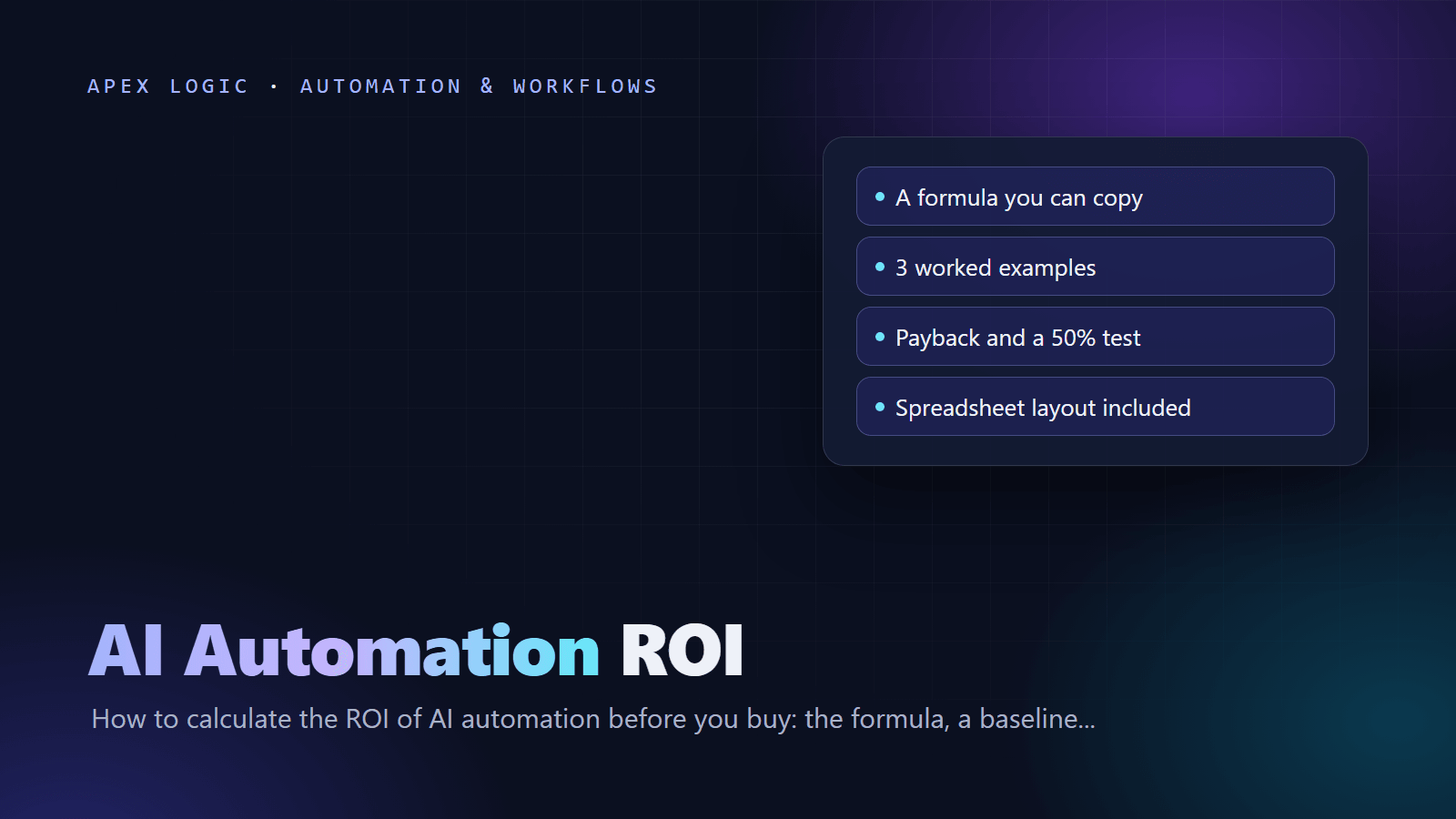
To calculate the ROI of AI automation, work out the monthly benefit (hours saved times the loaded hourly cost, plus the value of fewer errors and faster work), subtract the monthly running cost, and compare the result with the one-time cost of building and rolling it out. The payback period is the one-time cost divided by the net monthly benefit. First-year ROI is the first year's benefits minus its costs, divided by those costs.
Do it before you buy, with your own baseline numbers, and test every case at half the adoption you expect. In the three hypothetical examples below, payback ranges from under 3 months to about 8 months at full adoption, and one example loses money in year one at half adoption. Finding that out before you sign is the point of the exercise.
The AI automation ROI formula
Hours saved per month = tasks per month × (minutes before - minutes after) / 60
Labor savings         = hours saved × loaded hourly cost
Monthly benefit       = labor savings + error savings + speed gains
Net monthly benefit   = monthly benefit - monthly running cost
Payback (months)      = one-time cost / net monthly benefit
First-year ROI        = (12 × monthly benefit - one-time cost - 12 × running cost)
/ (one-time cost + 12 × running cost)- Loaded hourly cost is what an hour of work really costs you: the wage plus benefits, payroll taxes and overhead.
- Error savings are errors avoided per month times the cost to find and fix one.
- Speed gains are money you earn or keep because work finishes sooner, such as early-payment discounts or leads answered first. Count them only if you can explain how they happen.
- One-time cost is the build price plus setup and your staff's time to test and learn the tool.
- Running cost covers model usage, hosting, any automation platform, support and upkeep.
Step 1: Measure today's baseline
Spend one or two weeks measuring before you talk to vendors. You need five numbers for each process:
- Volume: tasks per month, taken from your systems (invoices in the accounting tool, tickets in the help desk, leads in the CRM), not from memory.
- Time per task: time 20 to 30 real tasks, including small steps such as searching and copying, and use the typical (median) time.
- Error rate and cost: count corrections, credit notes and rework, and estimate what fixing one costs.
- Delay: how long work waits, and what the wait costs you, such as missed discounts or slow replies.
- Loaded hourly cost: start from the wage, then add benefits and overhead.
For the last number, the US Bureau of Labor Statistics reported that employer costs for private-industry workers averaged $46.89 per hour worked in June 2026: $32.82 in wages and salaries (70.0%) and $14.07 in benefits (30.0%). That is about 1.43 times the wage, before office, software or management overhead. Use your own payroll data where you can. The examples below use an assumed wage times 1.43, rounded.
Step 2: Estimate the after state honestly
- Review time does not drop to zero. Someone still checks flagged items, so estimate the minutes left after automation.
- AI rarely handles every case. Count only the share it will handle, such as 30% of support chats.
- Adoption takes time. Staff may keep old habits for weeks, which is why the sensitivity test below matters.
- Saved hours are only money if they are used: less overtime, fewer temp hours, a delayed hire or more time selling.
Three worked examples
These examples are hypothetical. Every number is an assumption for illustration, so replace each one with your own.
Example 1: Invoice data entry
| Assumption | Value |
|---|---|
| Invoices per month | 600 |
| Minutes per invoice, before and after | 6 and 1.5 (checking flagged fields) |
| Loaded hourly cost | $30 ($21 wage × 1.43, rounded) |
| Errors per month, before and after | 12 and 3, at $40 each to fix |
| Speed gain | $200 a month: a 2% early-payment discount on $10,000 of bills, now missed |
| Running cost per month | $220 (model usage $40, hosting $30, support $150) |
| One-time cost | $5,600 (build $5,000 plus 20 staff hours at $30) |
Hours saved: 600 × (6 - 1.5) / 60 = 45 hours, worth 45 × $30 = $1,350. Error savings: (12 - 3) × $40 = $360. Monthly benefit: $1,350 + $360 + $200 = $1,910. Net monthly benefit: $1,910 - $220 = $1,690. Payback: $5,600 / $1,690 = 3.3 months. First year: benefits of $22,920 against costs of $5,600 + $2,640 = $8,240, so ROI is $14,680 / $8,240 = 178%. This is the kind of job our AI invoice data extraction tool does.
Example 2: Customer support chatbot
| Assumption | Value |
|---|---|
| Conversations per month | 2,000 |
| Minutes per conversation, before and after | 6 and 4.2 on average (the bot resolves 30%, people handle 70%) |
| Loaded hourly cost | $25 ($17.50 wage × 1.43, rounded) |
| Error savings and speed gains | None counted; faster replies are treated as upside |
| Running cost per month | $390 (model usage $40, hosting $50, support $200, 4 staff hours of answer updates $100) |
| One-time cost | $8,750 (build $8,000 plus 30 staff hours at $25) |
Hours saved: 2,000 × (6 - 4.2) / 60 = 60 hours, worth 60 × $25 = $1,500. Net monthly benefit: $1,500 - $390 = $1,110. Payback: $8,750 / $1,110 = 7.9 months. First year: benefits of $18,000 against costs of $8,750 + $4,680 = $13,430, so ROI is $4,570 / $13,430 = 34%. Over three years, benefits of $54,000 against costs of $22,790 give an ROI of 137%. See our AI customer support chatbot for what such a build includes.
Example 3: Lead intake and qualification
| Assumption | Value |
|---|---|
| Leads per month | 400 |
| Minutes per lead, before and after | 7.5 (read, research, enter, route) and 1.5 (check the summary, send the draft) |
| Loaded hourly cost | $40 ($28 wage × 1.43, rounded) |
| Speed gain | $600 a month: one extra closed deal at $600 gross profit from replying in minutes |
| Running cost per month | $230 (model usage $30, automation platform $50, support $150) |
| One-time cost | $5,300 (build $4,500 plus 20 staff hours at $40) |
Hours saved: 400 × (7.5 - 1.5) / 60 = 40 hours, worth 40 × $40 = $1,600. Monthly benefit: $1,600 + $600 = $2,200. Net monthly benefit: $2,200 - $230 = $1,970. Payback: $5,300 / $1,970 = 2.7 months. First year: benefits of $26,400 against costs of $5,300 + $2,760 = $8,060, so ROI is $18,340 / $8,060 = 228%. The speed gain is the least certain number. Without it, the net monthly benefit is $1,370, payback is 3.9 months and first-year ROI is 138%. Our AI lead qualification assistant page shows how this workflow runs.
Payback period: the number owners understand
Payback is how many months of net benefit it takes to earn back the one-time cost. It ignores everything after that point, so read it next to ROI:
| Example | One-time cost | Net monthly benefit | Payback | First-year ROI |
|---|---|---|---|---|
| Invoice entry | $5,600 | $1,690 | 3.3 months | 178% |
| Support chatbot | $8,750 | $1,110 | 7.9 months | 34% |
| Lead qualification | $5,300 | $1,970 | 2.7 months | 228% |
Our rule of thumb for a small business: be comfortable when payback is under 12 months at half adoption, and ask hard questions when a project only works at full adoption.
Sensitivity: what if adoption is half?
Halve the monthly benefit but keep the running cost, because you pay for the system whether people use it or not:
| Example | Net monthly at 50% | Payback at 50% | First-year ROI at 50% | Break-even adoption, year one |
|---|---|---|---|---|
| Invoice entry | $735 | 7.6 months | 39% | 36% |
| Support chatbot | $360 | 24.3 months | -33% | 75% |
| Lead qualification | $870 | 6.1 months | 64% | 31% |
Break-even adoption is the share of the expected benefit you need just to cover year-one costs: (one-time cost + 12 × running cost) / (12 × full monthly benefit). The chatbot needs 75% in year one, so it carries the most risk. It still returns 137% over three years at full adoption and 18% at half, so its case depends on how long you keep it and how well you maintain its answers.
Hidden costs to include
- Your staff's time for scoping, testing and training, and for writing or cleaning the content the AI uses.
- Review time that remains after launch, plus the cost of the AI's own mistakes.
- Upkeep: updating answers, prompts and rules as your products and policies change.
- Model and price changes: providers retire models and change prices, which means re-testing. Our LLM API costs guide explains how usage is billed.
- Integration surprises: old systems without good APIs, rate limits and messy data.
- Monitoring and security: logs, alerts, access control and a fallback for when a service is down.
- Exit cost: what it would take to move if a vendor raises prices or shuts down.
Copy-paste spreadsheet layout
Put these headers in row 1 and one process per row from row 2. Enter inputs as plain numbers and adoption as a percentage. The formulas work in Google Sheets and Excel.
| Column | Header | Row 2 input or formula |
|---|---|---|
| A | Process | Text |
| B | Tasks per month | Input |
| C | Minutes per task before | Input |
| D | Minutes per task after | Input |
| E | Loaded hourly cost | Input |
| F | Hours saved per month | =B2*(C2-D2)/60 |
| G | Labor savings | =F2*E2 |
| H | Errors per month before | Input |
| I | Errors per month after | Input |
| J | Cost per error | Input |
| K | Error savings | =(H2-I2)*J2 |
| L | Speed gains per month | Input, 0 if unsure |
| M | Adoption | Input, 100% or 50% |
| N | Monthly benefit | =(G2+K2+L2)*M2 |
| O | Running cost per month | Input |
| P | Net monthly benefit | =N2-O2 |
| Q | One-time cost | Input |
| R | Payback months | =IF(P2>0,Q2/P2,"no payback") |
| S | First-year ROI | =(12*N2-Q2-12*O2)/(Q2+12*O2) |
| T | Break-even adoption | =(Q2+12*O2)/(12*(G2+K2+L2)) |
Format S and T as percentages. Copy row 2 down for each process, and add a second row per process at 50% adoption to see the downside next to the base case. With Example 1's inputs, F2 shows 45, P2 shows 1,690 and R2 shows about 3.31.
Our homepage has a quick automation calculator built on the same idea: hours per week, people and hourly cost, assuming about 70% of the repetitive work can be automated. For a real business case, send us your baseline numbers and we will check the assumptions with you. To price the build side, read how much an AI chatbot costs, what custom software costs and the cost to build an AI tool on Gemini 4. For ideas on where to start, see our list of AI automation ideas for small businesses.
AI automation ROI: FAQ
How do you calculate the ROI of automation?
Multiply the hours saved each month by the loaded hourly cost, add error savings and speed gains, and subtract the monthly running cost to get the net monthly benefit. First-year ROI is twelve months of benefit minus the one-time cost and twelve months of running cost, divided by those costs. Payback is the one-time cost divided by the net monthly benefit.
What is a good ROI for AI automation?
There is no single benchmark, because it depends on volume, labor cost and risk. As a practical test, a small business can be comfortable when payback is under 12 months at half the expected adoption and first-year ROI stays positive. Projects that only pay back at full adoption, or only after two years, need a stronger reason, such as better quality or room to grow without hiring.
What is a loaded hourly cost?
It is the full cost of one hour of an employee's work, not just the wage. It adds benefits, payroll taxes and overhead such as equipment and software. The US Bureau of Labor Statistics reported that benefits made up 30.0% of private-industry compensation costs in June 2026, which puts total compensation at about 1.43 times wages before overhead. Use your own payroll figures when you have them.
How do I calculate the payback period for automation?
Divide the one-time cost, meaning the build price plus setup and your staff's time, by the net monthly benefit after running costs. For example, a $5,600 project that saves a net $1,690 a month pays back in about 3.3 months. If the net monthly benefit is zero or negative, the project never pays back, however low the build price.
Do hours saved mean money saved?
Only if the hours go somewhere useful. Saved time becomes money when it cuts overtime or temp staff, delays a hire, or moves people to work that brings in revenue. If nothing changes, the saving is spare capacity rather than cash. Write down what the team will do with the freed hours before you count them in the business case.
Should I use an AI ROI calculator or a spreadsheet?
Use a calculator for a quick first estimate and a spreadsheet for the decision. Quick calculators, including the one on our homepage, multiply hours, people and hourly cost by a fixed automation share. A spreadsheet adds error savings, speed gains, running costs, one-time costs and an adoption rate, which turns a rough number into a business case you can defend.


Loading comments...