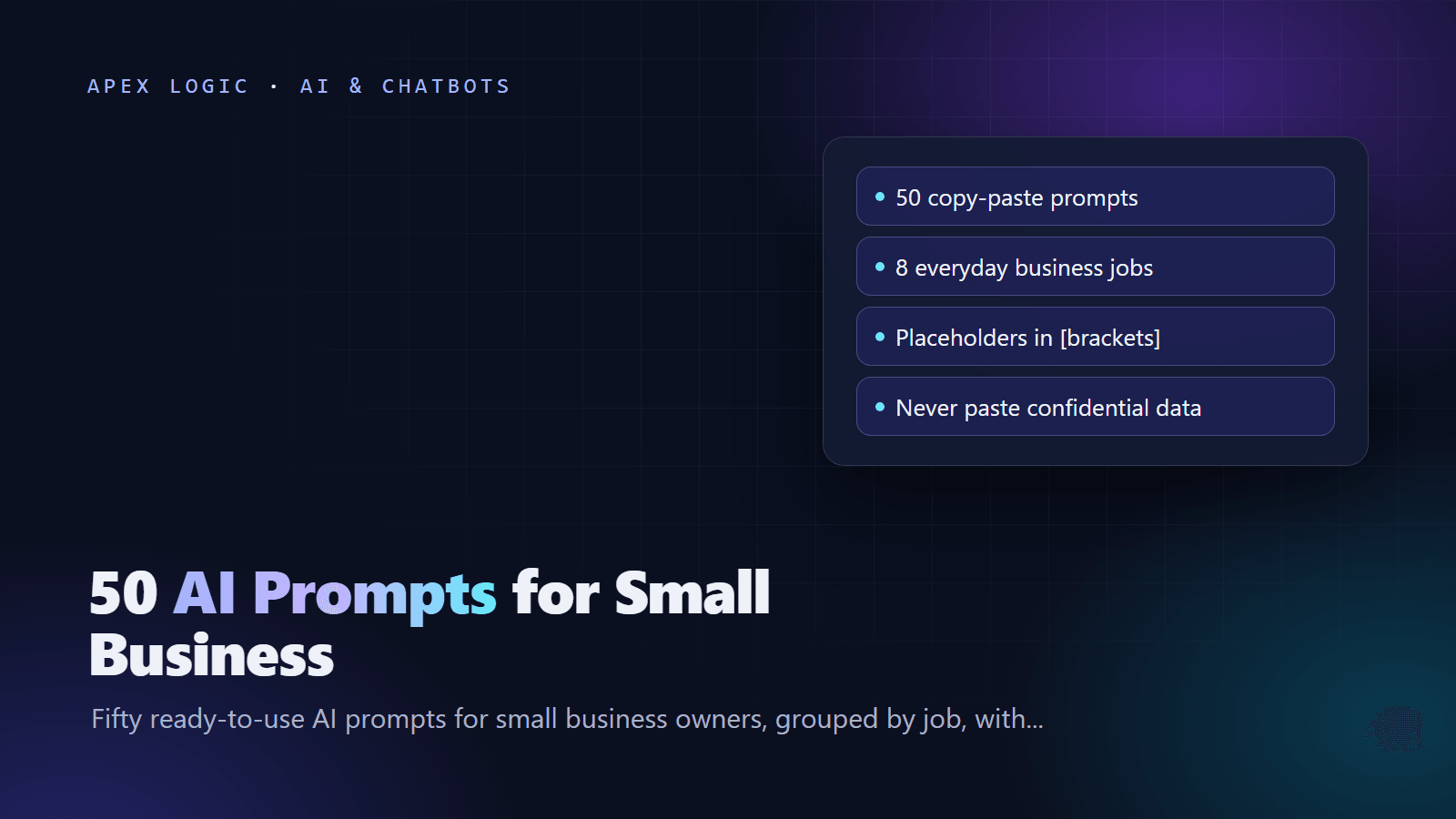
Updated 16 October 2026. New: 50 copy-paste prompts in eight groups, each with placeholders and a tip on when to use it.
The best AI prompts for small business give the model one clear job, the facts it cannot guess and the format you want back. Below are 50 copy-paste prompts grouped by job: sales, customer support, marketing, operations, finance, hiring, research and editing. Replace the parts in [square brackets], paste the prompt into ChatGPT, Claude, Gemini or Copilot, and edit the result before you use it.
For better drafts, fill every bracket, paste an example of the style you like and ask for two or three versions. Two rules apply to every prompt: never paste confidential data into a tool your company has not approved, and have a person check anything that goes to a customer.
Sales and lead follow-up prompts
1. New inquiry reply. Send within the hour, or let an AI lead qualification assistant draft it.
Reply to this inquiry about [service]. Thank them, answer
briefly, ask one question about [budget or timeline] and
offer a call. Under 120 words. Inquiry: [paste]
2. Quote follow-up. Two or three days after a quote goes quiet.
Write a short follow-up to [name] about my [date] quote for
[service]. Mention [key benefit], invite questions and suggest
a 15-minute call. Friendly, under 100 words.
3. Cold lead revival. For leads who went quiet weeks ago.
Write a low-pressure email to [name], who asked about
[service] [time ago]. Share one useful tip about [their
problem], then ask if it is still a priority. Under 90 words.
4. Discovery call questions. Run it the morning of the call.
List 10 discovery questions for a [role] at a [industry]
company that wants [goal]. Cover needs, budget, timeline and
who decides. Order them from broad to specific.
5. Price objection. Plan your answer; do not paste blindly.
A prospect says [price] for [service] is too expensive.
Suggest three honest replies: explain the value, offer a
smaller first step, and ask about their budget.
6. Call notes to follow-up. Send it the same day.
Turn these call notes into a follow-up email to [name]: what
we discussed, next steps with owners and dates, and the next
meeting. Brief and clear. Notes: [paste]
7. Proposal outline. Add your own pricing and terms afterward.
Outline a one-page proposal for [client], who needs [service]:
their goal, our approach in three steps, timeline, what is
included and excluded, next step. Their words: [paste quotes]
Customer service reply prompts
8. Complaint reply. Paste the complaint, not the account details.
Reply to this complaint. Acknowledge the problem, apologize
once, say we will [action] by [date] and give a direct
contact. Calm, under 120 words. Complaint: [paste]
9. Polite no. For refunds or exceptions you cannot grant.
A customer asked for [request]. Our policy does not allow it
because [reason]. Write a kind reply that says no clearly and
offers [alternative]. Under 100 words.
10. Late order update. Send it before the customer has to ask.
Write a short update for a customer whose order [number] is
late because [reason]. New date: [date]. Apologize and offer
[gesture, if any]. Under 80 words.
11. Handoff summary. Before a colleague takes over a case.
Summarize this support thread in five bullets: the problem,
what we tried, what we promised, open questions, next step.
Leave out personal details. Thread: [paste]
12. FAQ from past replies. Feed it your best answers.
Turn these support replies into five help center FAQ entries:
a question in the customer's words and an answer under 60
words. Replies: [paste]
13. Tone check. When you are tired or annoyed.
Review this reply to an upset customer. Flag anything
defensive, vague or cold, then rewrite it warm, clear and
firm, keeping the facts. Reply: [paste]
14. Saved replies. For questions you answer every week.
Write a saved reply under 80 words for each question below,
with gaps in square brackets for names and order details.
Questions: [list]Marketing and social media prompts
15. Social post ideas. Keep the best, then write them yourself.
Give me 12 social post ideas for [business] serving
[audience] in [area]. Mix tips, behind the scenes, customer
questions and offers. One line each, with a suggested platform.
16. Repurpose an article. One article can fill a week of posts.
Turn this article into five posts for [platform]: one point
per post, a strong first line, and a question or call to
action at the end. Article: [paste]
17. Newsletter. Give it your real news; it cannot know your month.
Write a short newsletter for [business]. News: [items]. Add a
friendly opening, one reader tip and this call to action:
[action]. Under 250 words, plus three subject lines.
18. Product description. Check every claim. For a full catalog, see our AI product description generator.
Write an 80 to 120 word description of [product] for [buyer].
Facts: [features, materials, sizes]. Lead with the main
benefit. Use only the facts given.
19. Review reply. Never confirm private details. At volume, try an AI review reply assistant.
Write a public reply to this [rating]-star review. Thank them,
answer their specific points and, if negative, invite them to
contact [email]. Under 80 words. Review: [paste]
20. Headlines. Test two options against each other.
Write 10 landing page headlines for [offer] aimed at
[audience]. Main benefit: [benefit]. Mix plain, question and
number styles. Under 12 words each.
21. Ad variations. Check the platform's character limits first.
Write five ads for [platform] promoting [offer] to [audience],
each with a headline under [X] characters, a description
under [Y] characters and a clear call to action.
Operations and SOP prompts
22. SOP from notes. Talk through the task, then paste the transcript.
Turn these notes into an SOP for [task]: purpose, owner,
tools, numbered steps, common mistakes and how to check the
work is done. Notes: [paste]
23. Checklist. Pin it where the work happens.
Create a checklist for [process]. Group items by stage, keep
each under 10 words, and mark the steps that cause problems
when skipped.
24. Meeting agenda. Share it a day ahead.
Create a 30-minute agenda for a meeting on [topic] to decide
[decision]. Show time per item, who leads it and what to
prepare.
25. Action items from notes. Paste notes, not raw recordings.
From these meeting notes, list decisions, open questions and a
table of action items with owner and due date. Notes: [paste]
26. Process bottlenecks. Describe each step for better ideas.
Here is how we handle [process]: [steps, who does each, time
taken]. Name the three biggest bottlenecks or error risks and
a practical fix for each, including automation.
27. Client onboarding plan. Build it once, reuse it for every client.
Create a one-page onboarding plan for new [service] clients:
welcome email, information we need, kickoff agenda, first-week
milestones and how we report progress.
Finance and admin prompts
28. Invoice reminder. Use the firmer version for a second reminder.
Write a polite reminder that invoice [number] for [amount] was
due on [date]. Include payment options: [options]. Under 80
words. Then write a firmer second version.
29. Numbers in plain English. Use totals, not raw bank data.
Explain these monthly figures for a business owner: revenue
[X], costs [Y], top costs [list], cash [Z]. What stands out,
and what should I ask my accountant?
30. Expense categories. Remove card and account numbers first.
Sort these expenses into [categories]. Return a table of item,
amount and category, and flag anything unusual or duplicated.
Expenses: [paste]
31. Quote comparison. Ask it to show the math.
Compare these supplier quotes for [item] in a table: price,
what is included, delivery time, payment terms and risks.
Recommend one and explain why. Quotes: [paste]
32. Supplier negotiation. Know your walk-away point first.
Write a polite email asking [supplier] for a better price on
[item]. We order [volume] and have a quote of [price]
elsewhere. Ask for [target]. Under 120 words.
33. Budget draft. Treat its numbers as a starting draft.
Draft a monthly budget table for a [business type] with
revenue of about [amount] and these known costs: [list]. Add
sensible categories and a cash buffer.
Hiring prompts
34. Job ad. Cut requirements you do not truly need.
Write a job ad for a [role] at [company], [location or
remote]. Duties: [list]. Must-haves: [list]. Pay: [range].
Friendly, plain, under 350 words.
35. Screening questions. Ask every candidate the same ones.
Write six screening questions for a [role] that test [skills].
For each, describe a strong answer and one warning sign.
36. Interview scorecard. Score right after each interview.
Create a scorecard for [role] with five criteria from these
requirements: [list]. Use a 1 to 4 scale and describe what
each score looks like.
37. Rejection email. Send within a few days of deciding.
Write a kind rejection email to [name] for the [role] role.
Thank them, mention one real strength, [strength], and keep
the door open. Under 100 words.
38. 30-60-90 day plan. Share it on day one.
Create a 30-60-90 day plan for a new [role]. Goals: [goals].
For each period, list what to learn, what to deliver and who
to meet.
39. Welcome email. Send it before day one.
Write a welcome email to [name], who starts as [role] on
[date]: start time, how to log in, who meets them and the
first-week plan: [plan]. Under 150 words.
Research prompts
40. Competitor overview. Paste their public pages so it works from facts.
Using only this text from [competitor]'s website, list their
services, prices if shown, target customers and claimed
strengths, then three ways we could stand out. Text: [paste]
41. Customer interview questions. Ask about past behavior, not future wishes.
Write 10 open interview questions for [customer type] about
[problem]. Focus on the last time it happened, what they tried
and what it cost them. No leading questions.
42. Feedback themes. Remove names and emails before pasting.
Group these customer comments into themes, count each theme,
quote one short example per theme and suggest a fix for the
top three. Comments: [paste]
43. Pressure-test an idea. Use it before you spend money.
I am considering [idea]. Act as a skeptical advisor: list the
five biggest risks, the assumptions to test and the cheapest
way to test each within [budget].
44. Decision memo. For decisions a partner must sign off.
Write a one-page memo on whether to [decision]. Options:
[options]. Facts: [facts]. Cover pros, cons, costs, risks and
a recommendation. Mark assumptions clearly.
Writing and editing prompts
45. Clarity edit. Paste one section at a time.
Edit this for clarity: short sentences, plain words, no
repetition. Keep my meaning and tone, then list the main
changes. Text: [paste]
46. Shorten. For emails, bios and proposals.
Cut this to [number] words. Keep the key facts, the call to
action and my voice. Text: [paste]
47. Brand voice. Paste two or three samples you like.
Describe the writing style of these samples in five bullets,
then rewrite the text below in that style. Samples: [paste].
Text: [paste]
48. Proofread. Name the spelling your market uses.
Proofread this in [American] English for spelling, grammar
and punctuation. Do not change meaning or style. Show the
corrected text, then list each change. Text: [paste]
49. Bullets to email. The fastest way from notes to a message.
Turn these bullets into a clear, polite email to [person]
about [topic]. Put the main request first. Under [number]
words. Bullets: [paste]
50. Explain simply. For proposals on technical topics.
Explain [topic] to [audience] in under 150 words. Use one
everyday comparison, no jargon, and end with what it means
for them.
How to write your own prompts
Every prompt above follows one pattern. The official prompting guides from Google, OpenAI and Anthropic all stress clear instructions, relevant context, a defined output format and examples. In practice, cover five parts:
- Audience: who the answer is for, and in what voice.
- Task: one clear job, starting with a verb.
- Context: the facts the model cannot know, pasted in.
- Format: length, structure and tone.
- Limits: what to avoid, and what to do if something is missing.
Write [deliverable] for [audience] in a [tone] voice.
Context: [facts, examples, pasted text]. Format: [length and
structure]. Avoid: [things to leave out]. If anything is
missing, ask me before you answer.
For more, read our guide to prompt engineering.
Warning: never paste confidential data
Anything you paste into an AI tool leaves your business. Consumer AI apps may use chats to improve their services: as of 16 October 2026, Google's Gemini Apps Privacy Hub says activity can be used to train its AI models while the Keep Activity setting is on, notes that human reviewers read a subset of chats, and asks users not to enter confidential information. So:
- Never paste passwords, card or bank details, ID numbers, health information or anything under a nondisclosure agreement.
- Remove customer names, emails and phone numbers unless your company has approved the tool for that data.
- Prefer a company-managed business plan, and check its data settings.
- Check every fact, number and claim before it reaches a customer.
If your team has no rules for this yet, start with our AI policy template.
When a prompt becomes a daily routine, consider automating it. Our AI automation ideas show where to start, and our AI tools page shows systems for jobs like inbox triage. For one built around your own data, tell us what you need.
AI prompts FAQ
Do these prompts work in ChatGPT, Claude and Gemini?
Yes. They are plain-language instructions, so they work in ChatGPT, Claude, Gemini, Microsoft Copilot and most other AI assistants. Results vary between tools, so if an answer misses the mark, add context, paste an example or ask for a shorter or warmer version.
What is the best ChatGPT prompt for business?
There is no single best prompt. The ones that work give the model one clear task, the facts it cannot know, an audience, a format and limits. A specific prompt with your real context usually beats a clever generic one. Start with the five-part template above.
Can I paste customer emails into an AI tool?
Only if your company has approved the tool for customer data. Even then, remove what you do not need, such as names, email addresses and phone numbers. Some consumer plans can use chats to improve the provider's models, so a company-managed business plan with checked data terms is safer.
How do I write good AI prompts for sales?
Give the model the lead's own words, what you sell, the one outcome you want and a word limit. Ask for two or three versions and pick the most natural one. Edit it so it sounds like you, check any claim about price or delivery, and never let AI invent numbers or testimonials.
Should my team share a prompt library?
Yes. A shared document of tested prompts saves time and keeps quality consistent. Store each prompt with its purpose, the placeholders and an example of a good result. Name an owner who keeps it current, and pair it with clear rules on which tools and data staff may use.


Loading comments...